
DashboardConference and event back office dashboard
Turnstile
NewConference organiser back office with ticket orders and refunds, event-day check-in, a drag-and-drop schedule builder with conflict checks, a CFP pipeline, sponsors with a booth map and volunteer shifts.
More screenshots
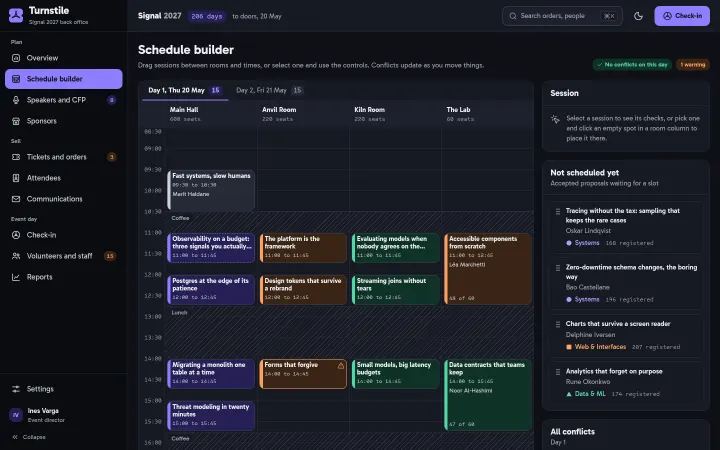
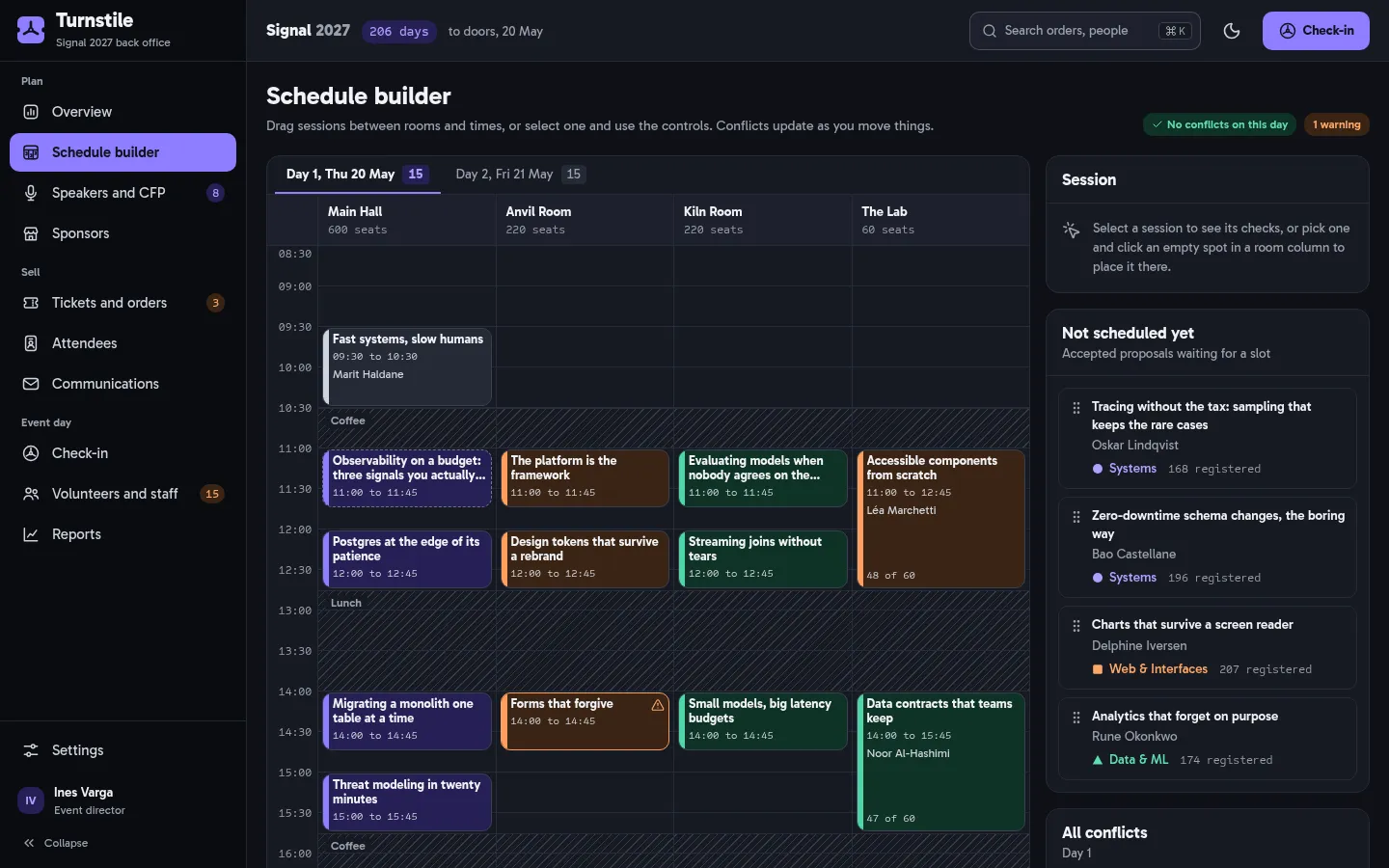
Schedule builder with live conflict checks 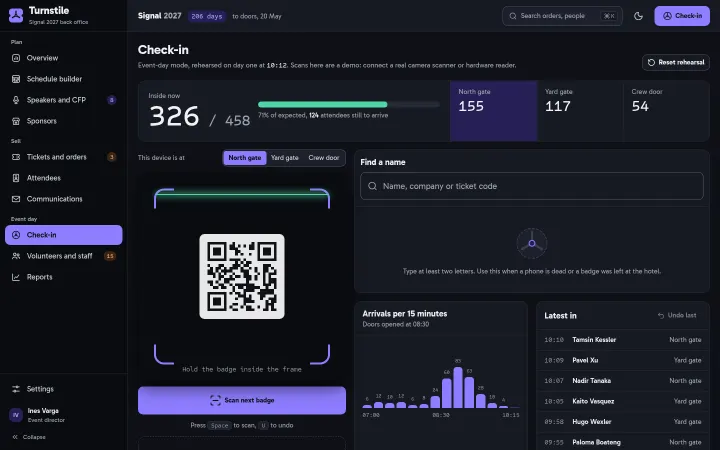
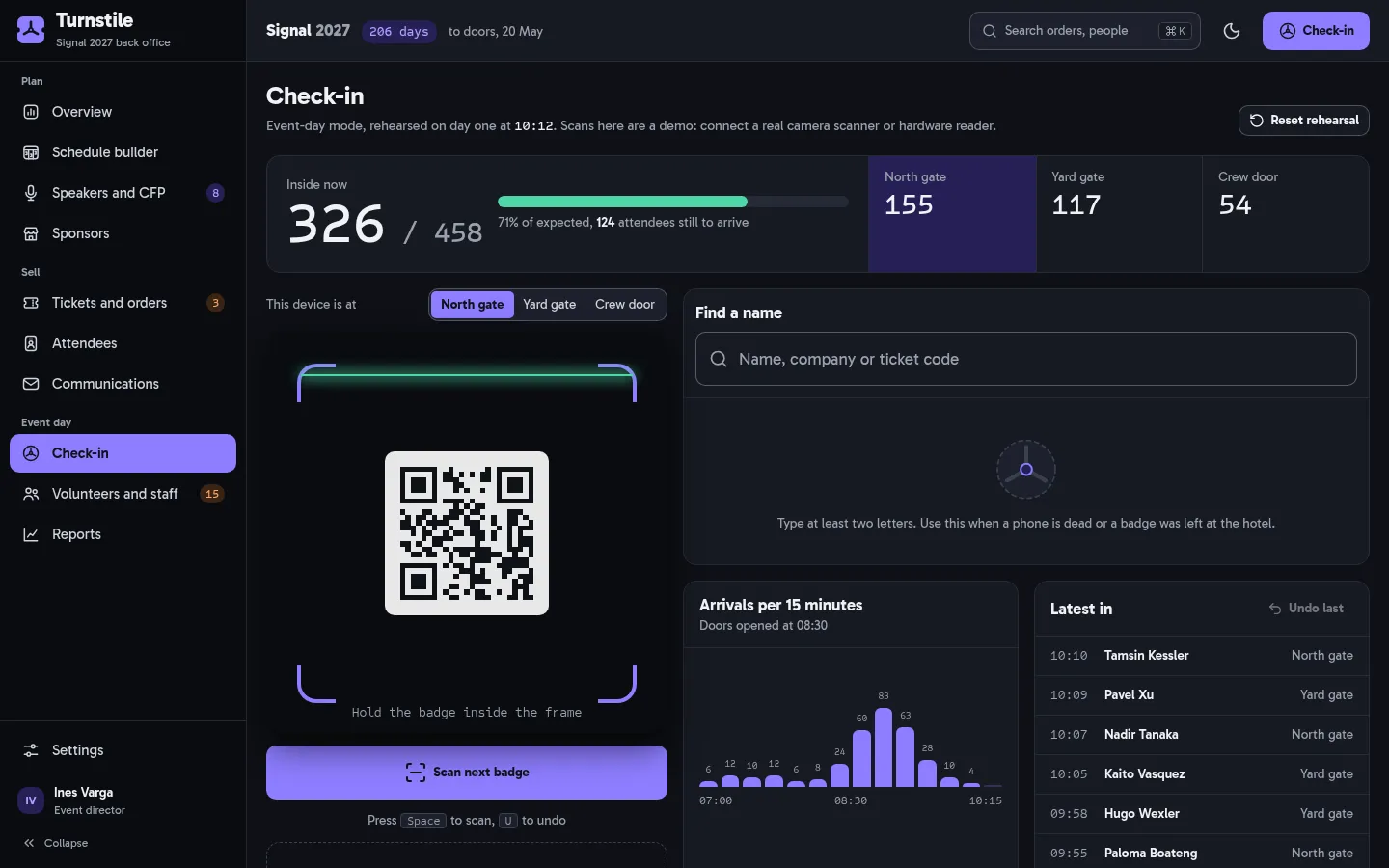
Event-day check-in with scan results and arrivals 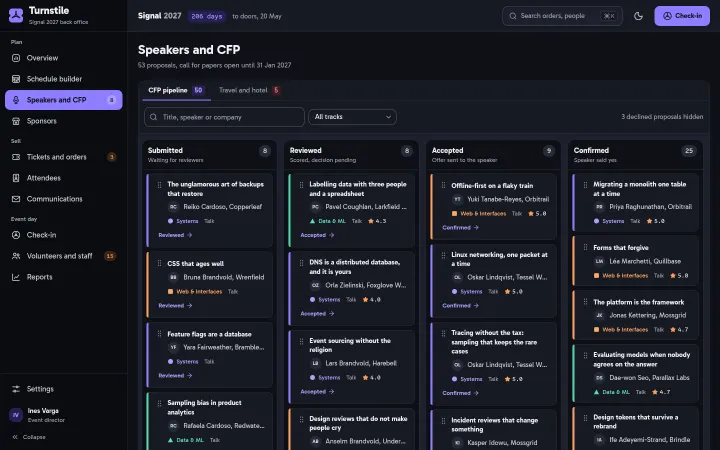
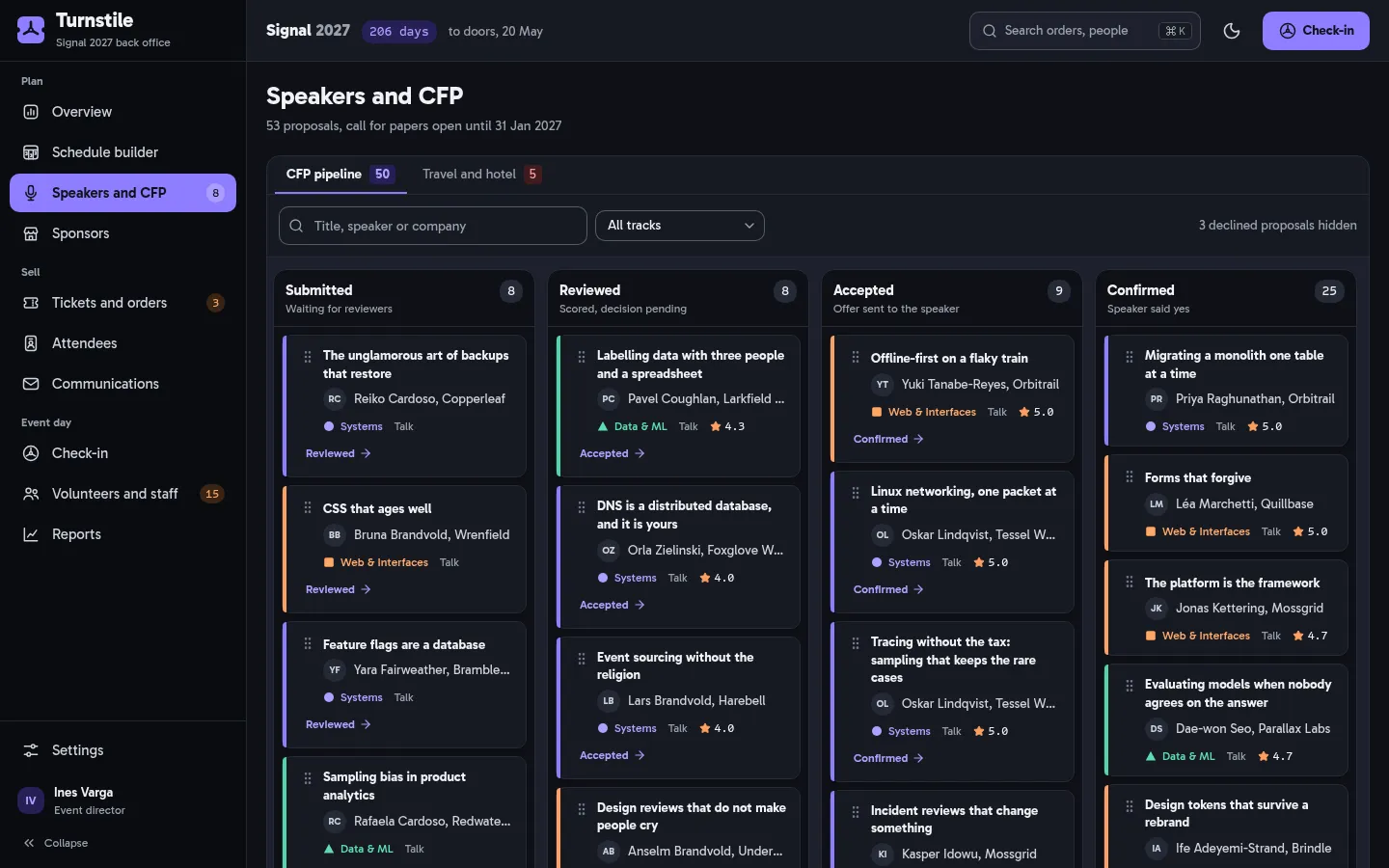
Call for papers pipeline with reviewer scores 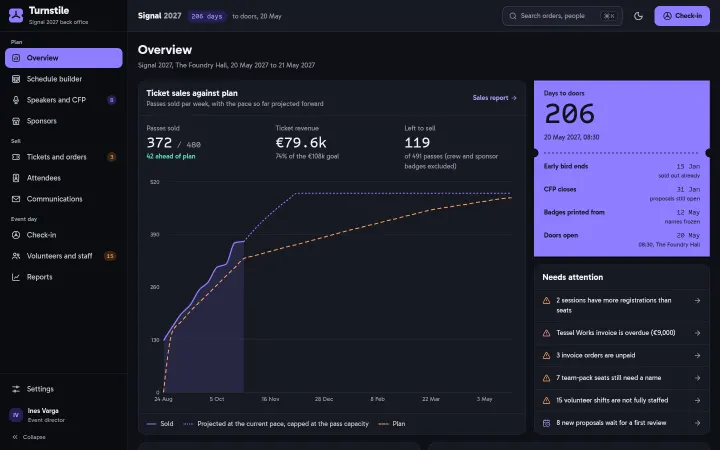
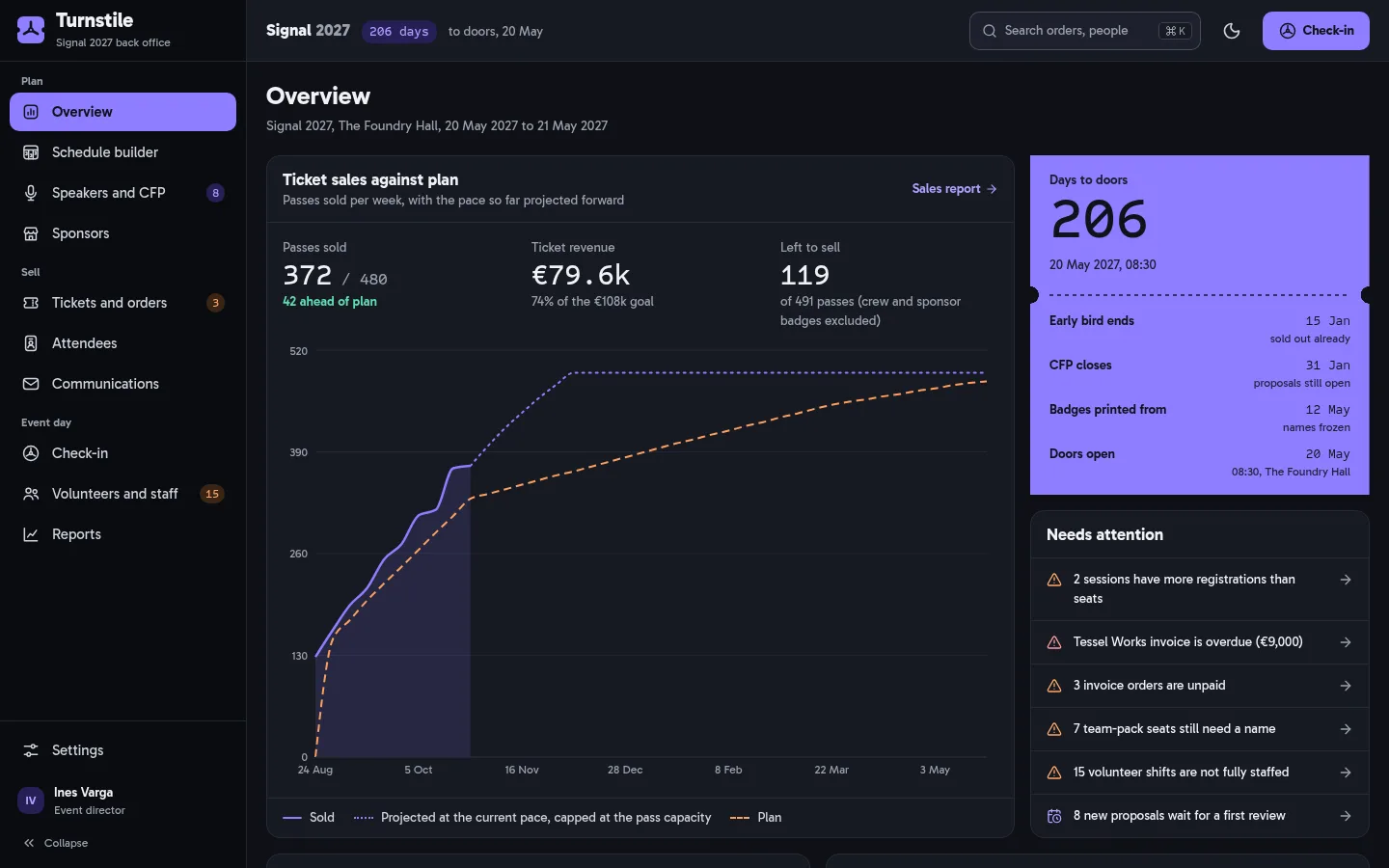
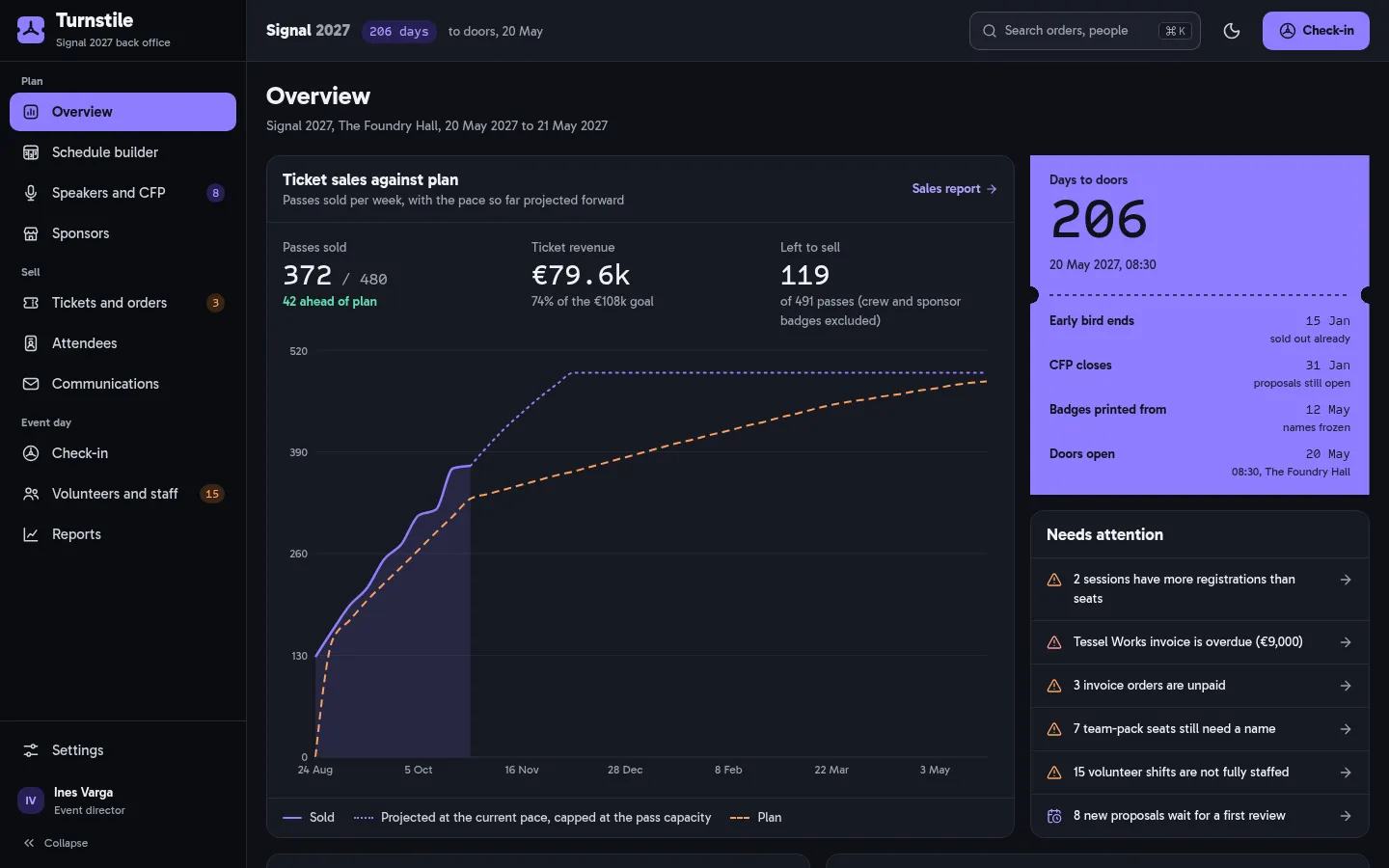
Overview: ticket sales against plan and room capacity
About Turnstile
The back office of a two-day tech conference, shown as the fictional Signal 2027 at The Foundry Hall (20 and 21 May 2027, 600 places, four rooms) around a frozen clock seven months before the event. Ticket sales against plan with a projection, orders with partial and full refunds, seat transfers and invoices, attendees with badges, dietary and accessibility needs, an event-day check-in that replays day one with scans, duplicates, invalid codes and undo, a schedule builder where sessions are dragged between rooms and times while speaker, room, capacity and break conflicts update live, a call for papers board with reviews, speaker travel and hotels, sponsors with deliverables and a booth map, volunteer shifts, email campaigns and reports. The back-office pair of Signal. React 19, TypeScript and Tailwind CSS 4, light and dark, 4 palettes.
Best for conference and meetup organisers, event agencies, community teams running a yearly event and the teams building ticketing or event management software.
Features
Overview
Passes sold per week against the sales target with a projection to the event, revenue by ticket type, peak registrations against the capacity of each room, promo code use, top referrers and a list of what needs attention, all summed from the order list.
Orders and refunds
Every order with its ticket lines, promo code, payment method and status (paid, pending, partial, refunded, cancelled), filters and sorting. The order drawer issues a partial or full refund with a reason and the seats it frees, transfers a seat to another person and previews the invoice, and keeps a history of every change.
Attendees and badges
Ticket codes, badge kinds (attendee, student, speaker, sponsor, volunteer, staff), workshop seats, dietary and accessibility needs with their own filters and counts, bulk selection and badge printing, and a drawer to edit each person.
Event-day check-in
A rehearsal of day one at 10:12: scan with the Space key, find a name or a company, see the result card for a valid ticket, a duplicate, an unknown code or an unassigned seat, undo with U, and follow arrivals per quarter hour and the count at each entrance. Laid out for a phone at the door.
Schedule builder
Two days, four rooms (Main Hall, Anvil Room, Kiln Room, The Lab). Drag a session to another room or time, or select it and use the controls; speaker double bookings, room clashes, registrations above room capacity, workshops outside The Lab, plenaries outside the Main Hall and overlaps with breaks are flagged as you go and listed in one panel.
Speakers and call for papers
A pipeline board from submitted to reviewed, accepted and confirmed, with drag between columns, reviewer scores and a proposal drawer, plus a travel and hotel tracker for every speaker.
Sponsors
Platinum, Gold, Silver and Community packages from Signal, committed revenue against the goal, invoice status, a deliverables checklist per sponsor and an SVG booth map of the hallway where booths are assigned.
Volunteers and communications
A staffing grid of roles by shift with gaps and double bookings flagged, T-shirt sizes, and email campaigns to attendees, speakers, sponsors or crew with a draft, schedule and sent status.
Reports, palettes and dark mode
Sales by week and ticket type, a sales funnel, registrations per session by day and a feedback and NPS screen with sample data. Violet, Cobalt, Magenta and Tide palettes in a light paper mode and a dark control-room mode.
What's included
- Overview
- Tickets and orders
- Attendees
- Event-day check-in
- Schedule builder
- Speakers and CFP
- Sponsors and booth map
- Volunteers and staff
- Communications
- Reports
- Settings
- Marketing landing page
- Sign-in page
- 404 page
Tech stack and fit
Built with
- React 19
- TypeScript
- Vite 7
- Tailwind CSS 4
- Recharts 3
- React Router 7
Who it's for
Conference and meetup organisers, event agencies, community teams running a yearly event and the teams building ticketing or event management software.
Pairs well with
Built around the same kind of business, so the back office and the public site can share one brand.
Tags
Turnstile FAQ
Is there a backend?
No. Orders, attendees, sessions, proposals, sponsors, shifts and campaigns are generated from a fixed seed in src/data/seed.ts around a frozen clock (26 October 2026, 10:20) in src/data/clock.ts, so the overview totals are sums of the order list. EventProvider (src/context/EventContext.tsx) copies the seed into React state: replace those initial values with your API and put your calls in mutators such as refundOrder, transferAttendee, checkIn, moveSession, setProposalStatus, setBooth and saveCampaign.
Which schedule conflicts are checked?
computeConflicts in src/lib/conflicts.ts flags a speaker in two sessions at once, two sessions in the same room, registrations above the room's seats, a workshop outside The Lab, a plenary outside the Main Hall, an overlap with a coffee or lunch break and a speaker who has not confirmed yet. Errors, warnings and notes are listed in one panel and update as sessions move; add a check by pushing another Conflict in that function.
Does the check-in scan real QR codes?
No. The check-in screen is a rehearsal that replays day one at 10:12 and simulates scans, including duplicates and unknown codes, and the QR images are placeholders in src/components/art/Qr.tsx. Connect a camera scanner library and a QR generator, and send each check-in to your server through checkIn and undoCheckIn.
Does it sell tickets or take payments?
No. Orders, refunds, transfers and invoices change local state only, invoices are an on-screen preview and email campaigns are not sent. Connect your ticketing or payment provider and your email service behind the same actions.
Does Turnstile match the Signal website?
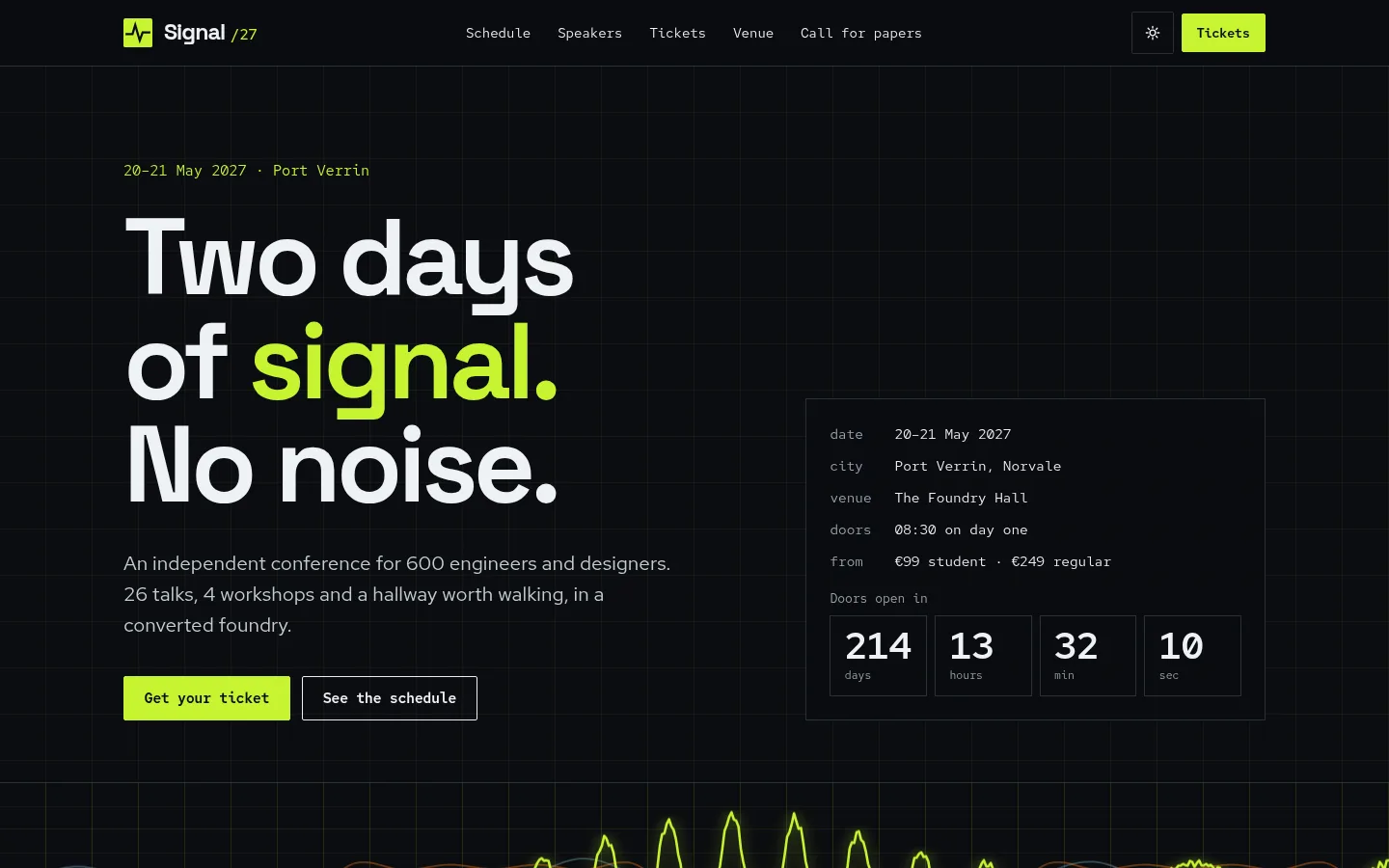
Yes. It is the organiser side of the same fictional conference: the same dates, venue, rooms, tracks, ticket types, sessions, 14 speakers, sponsor packages and hotels, copied from Signal's content files into src/data/signal and src/config/event.ts. There is no code dependency, and each template is sold separately.
Can I use it for another event?
Yes. Change the name, dates, venue, capacity, currency and targets in src/config/event.ts and edit the JSON files in src/data/signal, which keep the shape of Signal's content, for your rooms, tracks, tickets, sessions and sponsor packages.
Is there a dark mode?
Yes. A light paper mode and a dark control-room mode, or system, plus four accent palettes (Violet, Cobalt, Magenta, Tide) remembered in the browser. Status colours keep their meaning and always come with a word or an icon: mint for checked in, orange for needs a look, red for a conflict.
How much does Turnstile cost, and are updates included?
$39 USD, a one-time purchase on Gumroad with instant download. There is no subscription and every future update of Turnstile is free.
Can I use Turnstile for a client project?
Yes. The license covers personal and commercial projects, including client work. Reselling or redistributing the template itself is not allowed.
Related templates
Close in purpose or features to Turnstile. Browse all 51 templates.
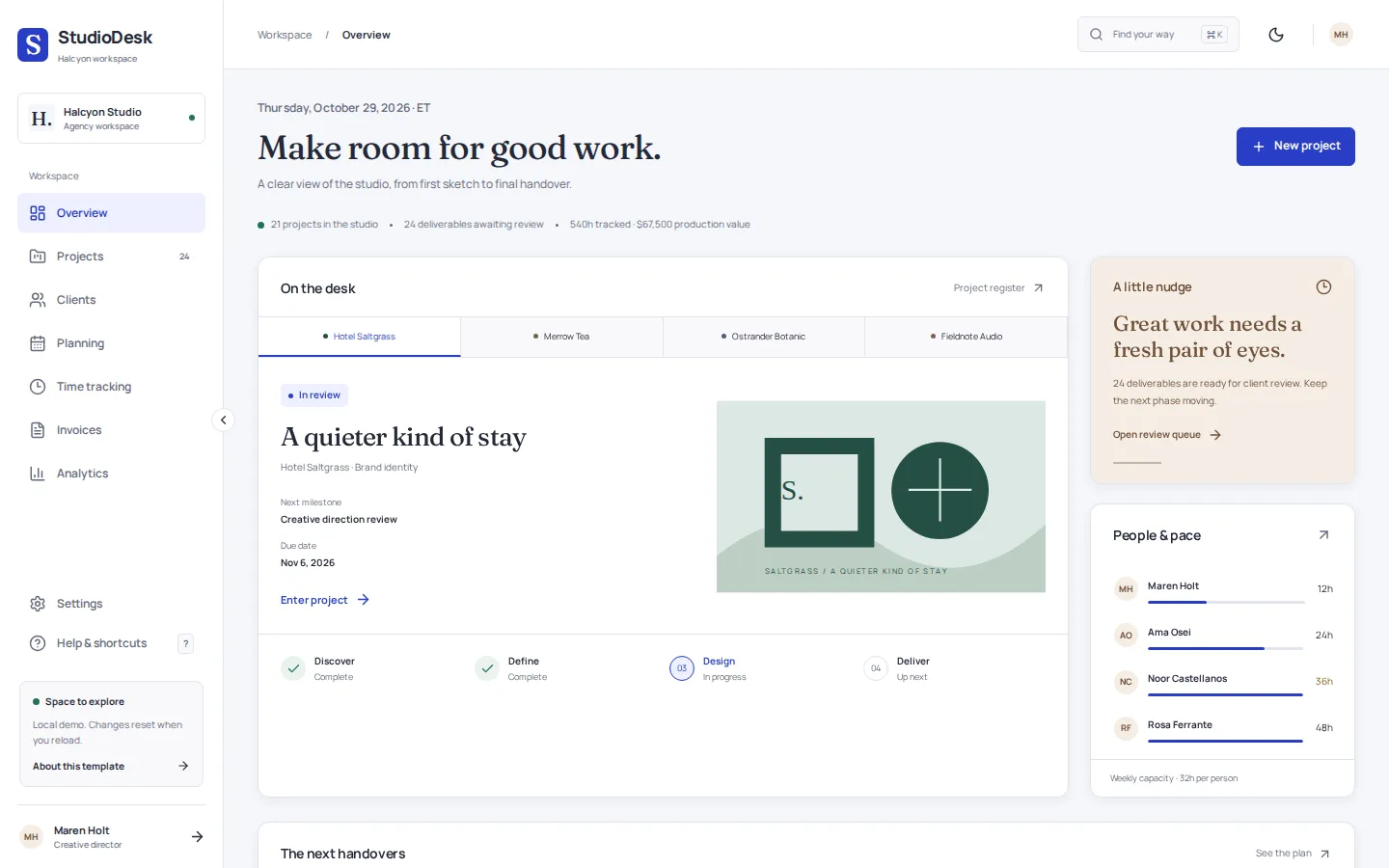
Agency project management dashboard$39
StudioDeskNew
Agency workspace with project boards, deliverable reviews, resource planning and demo invoicing.
Turnstile, $39 once. Click through the whole demo before you decide.