
DashboardOnline course platform (LMS) dashboard Coming soon
Syllabus
Online course platform dashboard with learner and instructor sides: lesson player, quizzes, rubric grading, a drag-and-drop course builder, cohorts and certificates.
More screenshots
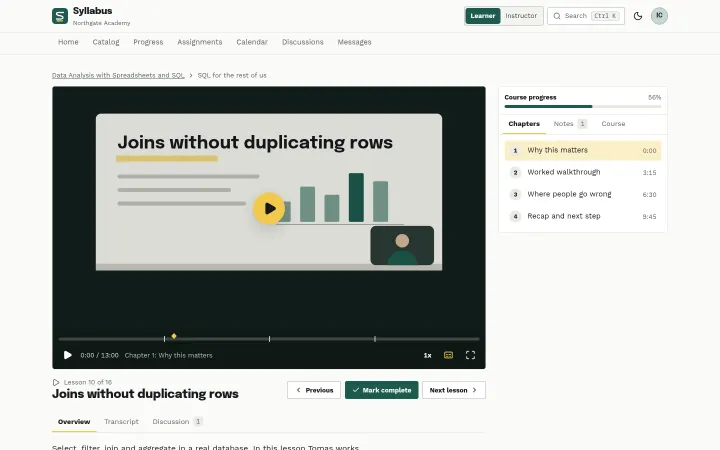
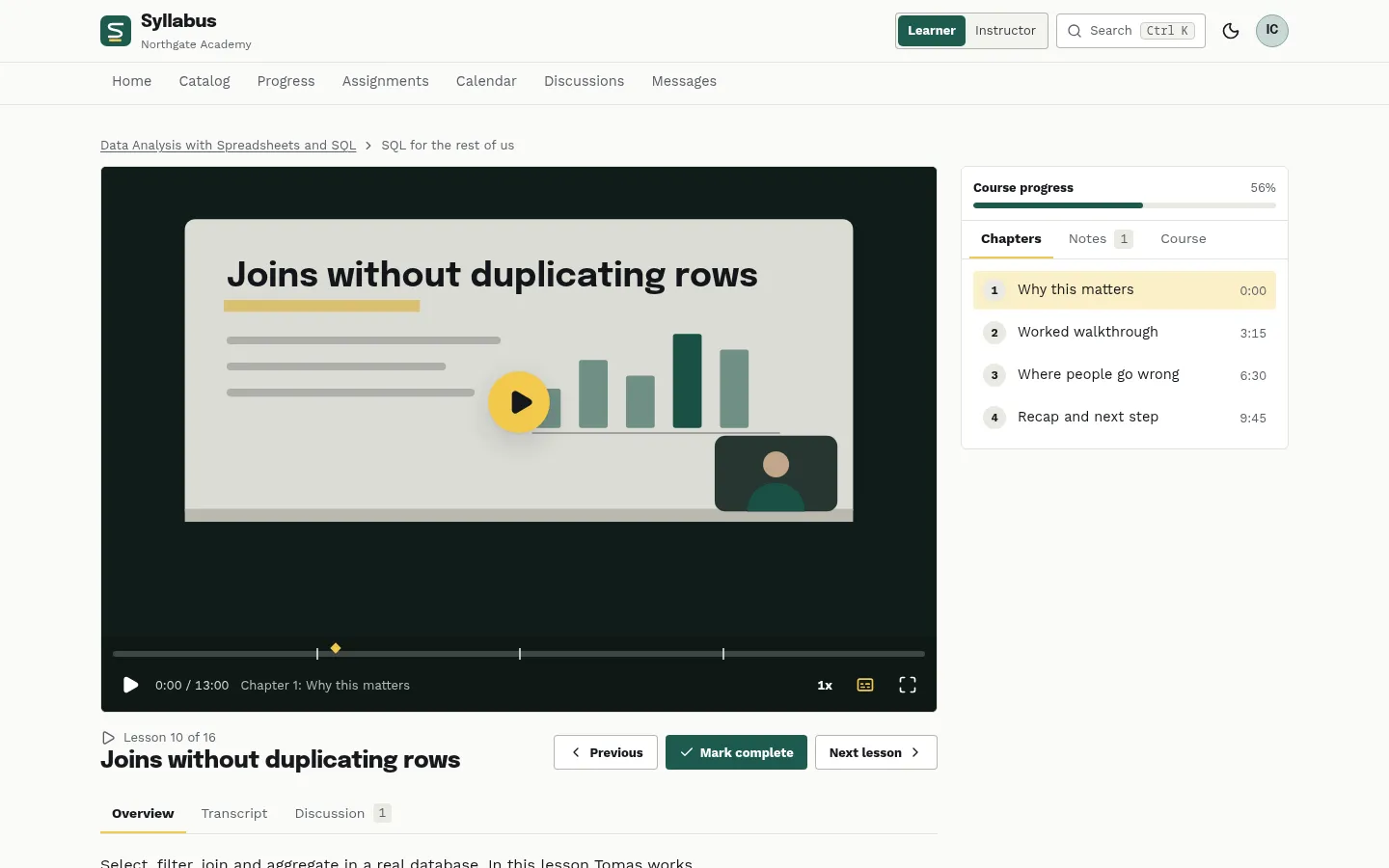
Lesson player with chapters, transcript and notes 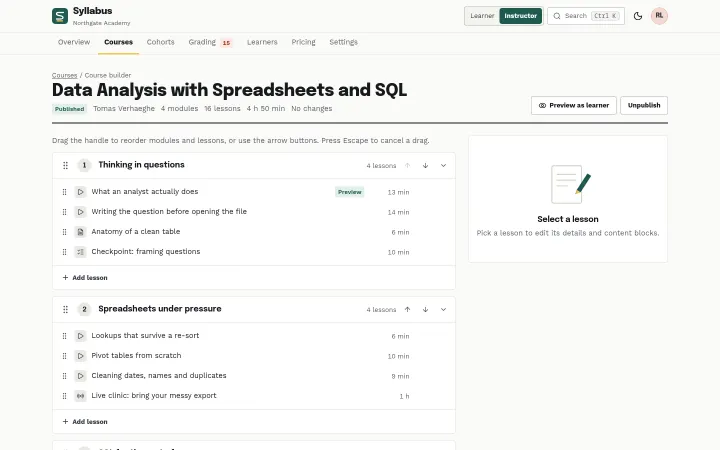
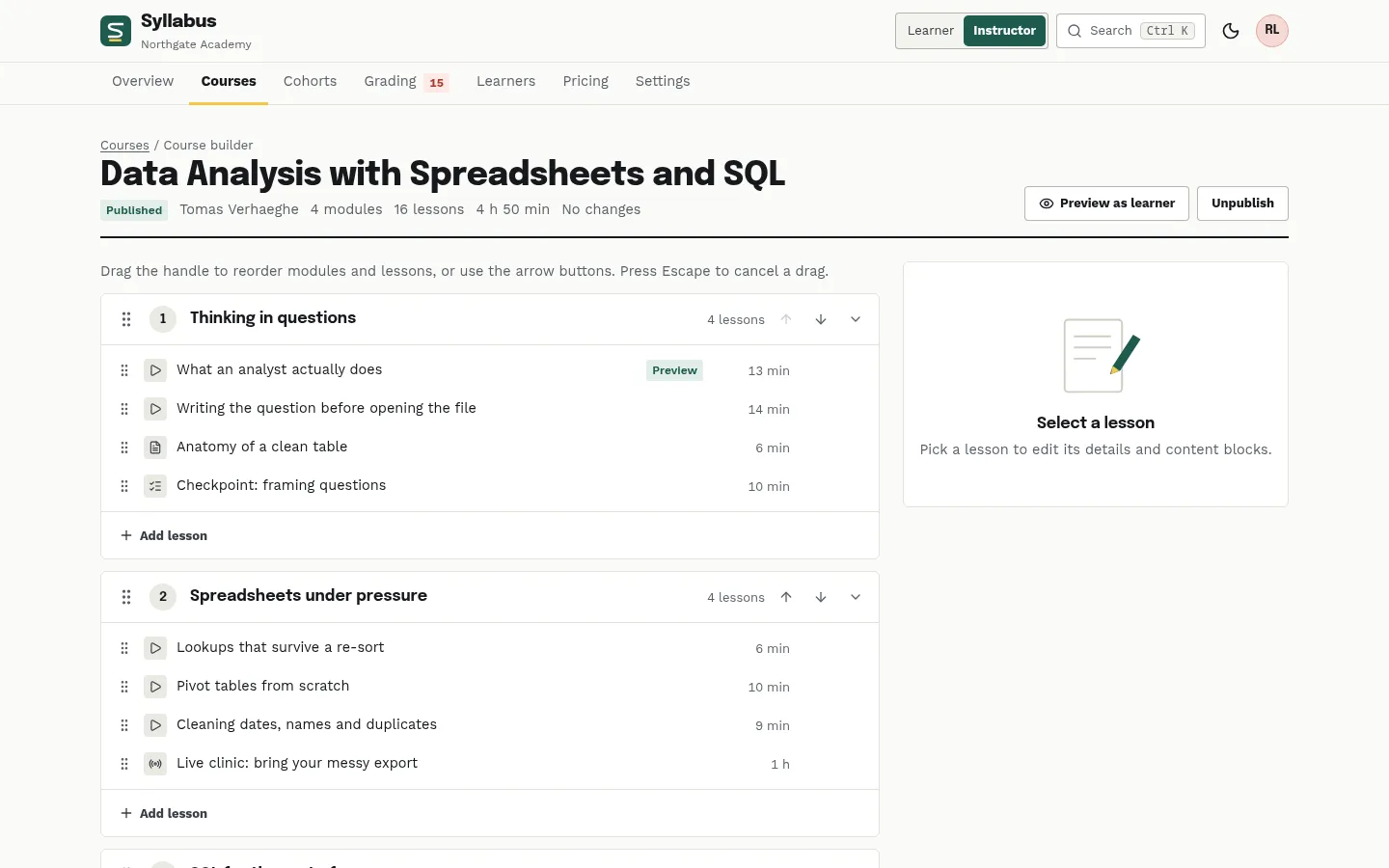
Drag-and-drop course builder 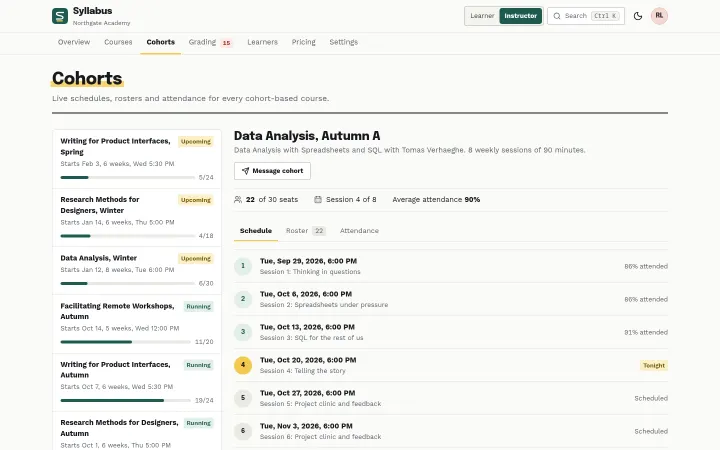
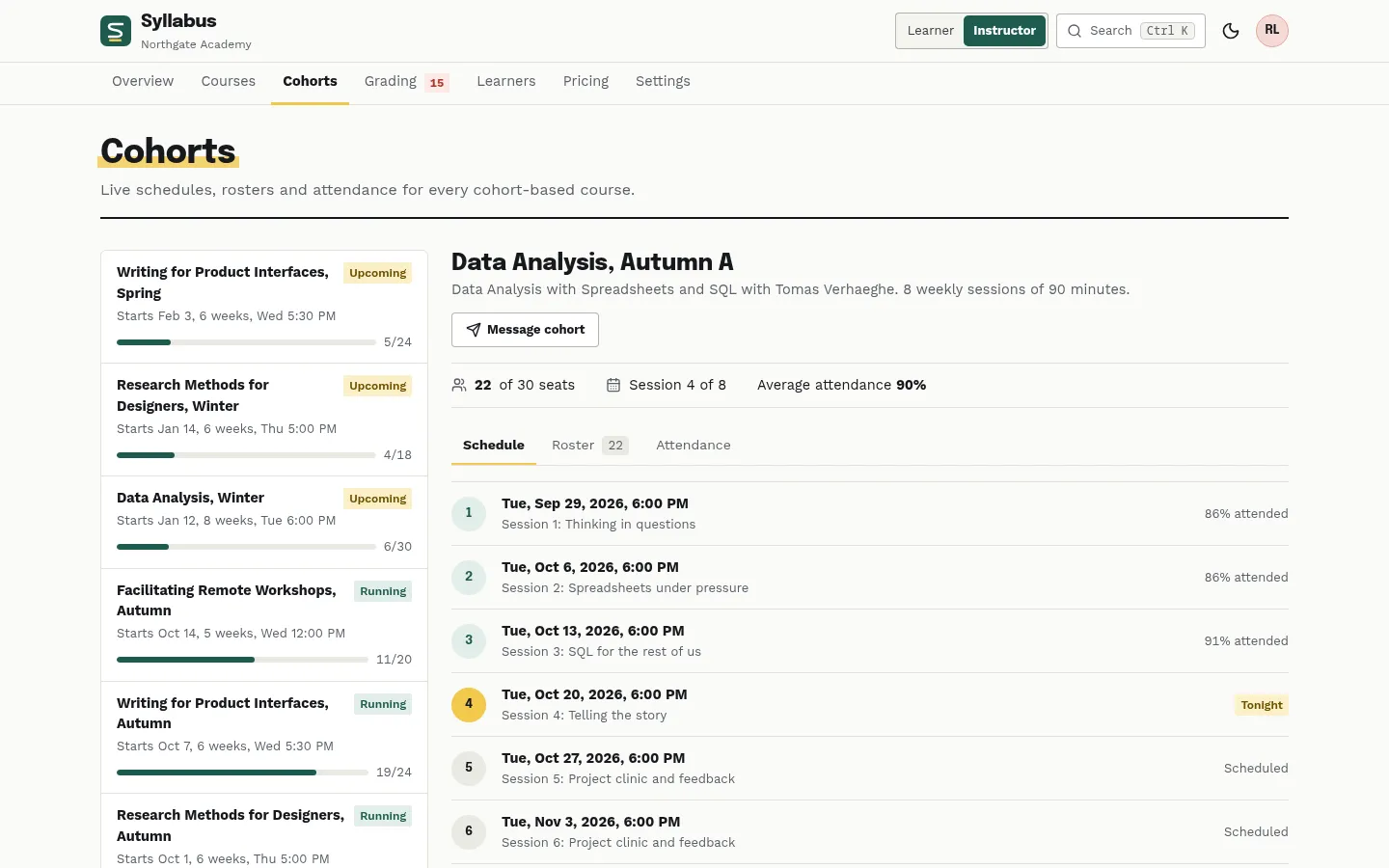
Cohorts with live schedule, seats and attendance 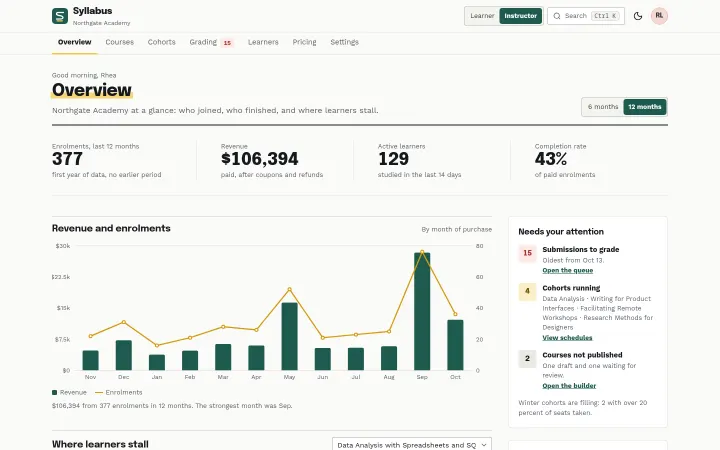
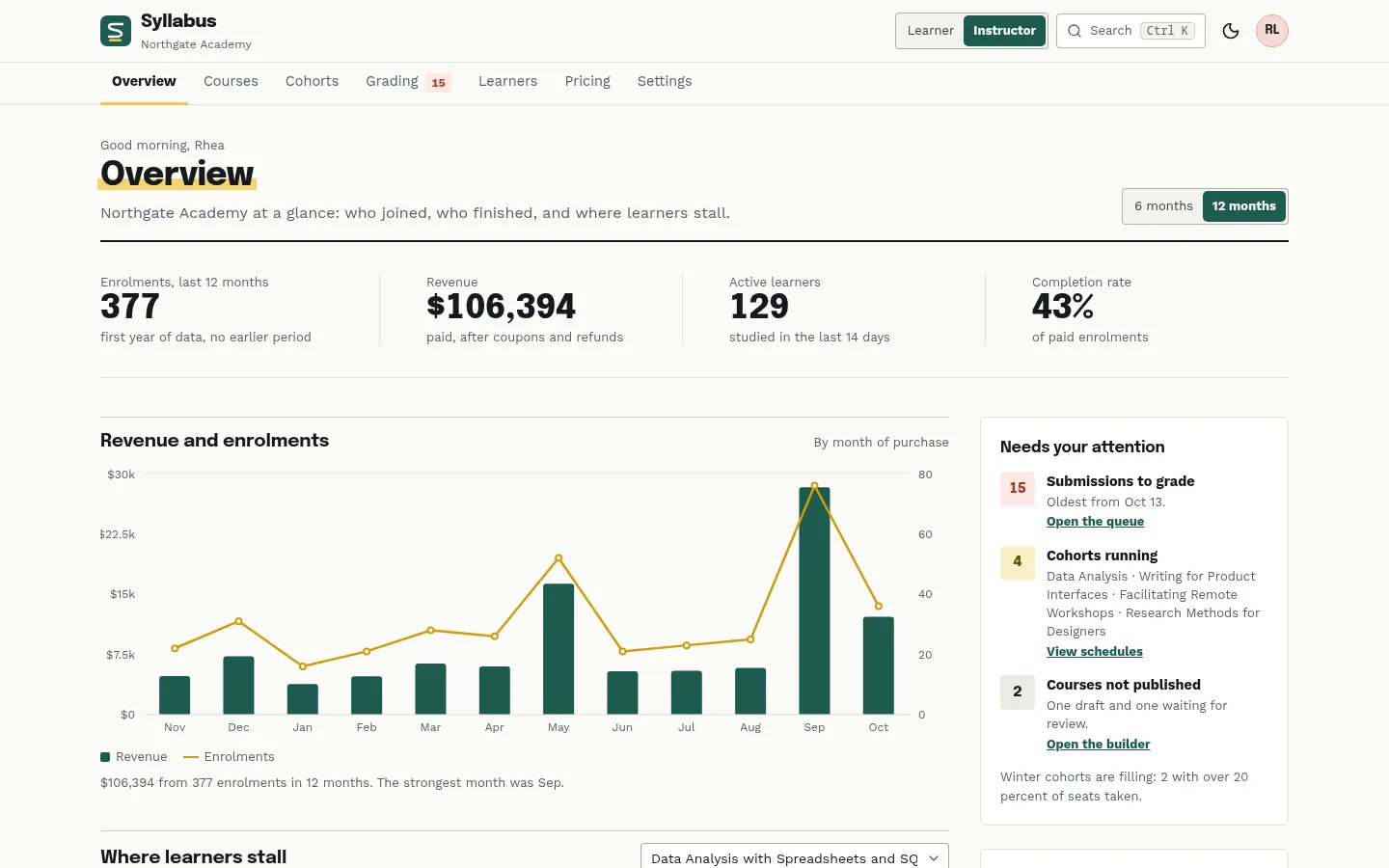
Instructor overview with revenue, funnel and drop-off
About Syllabus
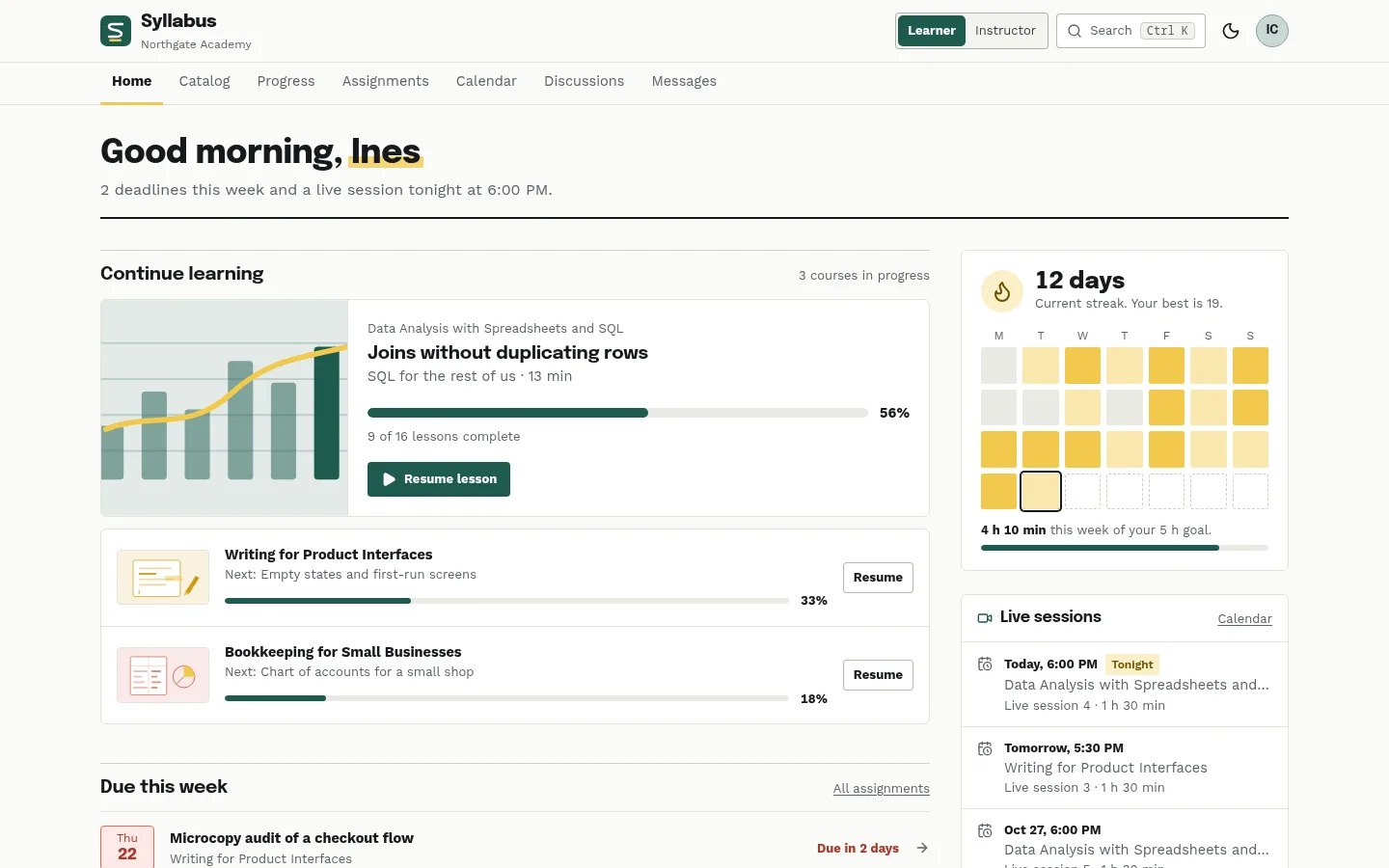
A complete front end for an online academy, shown as the fictional Northgate Academy with about 150 adult learners, 12 professional courses and 9 cohorts. Learners get a home with continue learning, deadlines and a study streak, a filterable catalog, a lesson player with chapters, transcript and notes, quizzes with explained answers, assignments graded against a rubric, progress and printable certificates, a calendar, discussions per lesson and messages. Instructors get revenue and enrolment analytics with a completion funnel and lesson drop-off, a drag-and-drop course builder with a publish checklist, cohorts with rosters and attendance, a grading queue, learners and pricing with coupons. React 19, TypeScript and Tailwind CSS 4, light and dark, 4 palettes.
Best for online academies, corporate training teams, course creators, bootcamps and the teams building LMS or e-learning products.
Features
Two roles
A switch in the masthead moves between the learner side and the instructor side. The role follows the URL, so deep links work, and both sides read the same data: a grade given in the queue shows up in the learner's assignment.
Lesson player
Chapters, a transcript, notes pinned to the moment of the video, previous and next lesson and mark complete, with keyboard shortcuts (Space, M, N, J, K). The video is a styled placeholder to swap for your provider's player.
Quizzes
Multiple choice and short answer questions with a pass mark, instant feedback that explains each answer, a score review and a retake; passing marks the lesson complete.
Assignments and grading
Briefs with a rubric and a file drop for learners; a grading queue, oldest first, where the instructor clicks a level per criterion, writes feedback from saved comments and opens the next. Bulk grading for the easy cases.
Course builder
Drag modules and lessons into order with an insertion line, or use the arrow buttons on every row. Lesson editor with content blocks, free preview, linked quiz or assignment, and a publish checklist.
Cohorts
Live schedules, rosters with seats filled and an attendance grid for every cohort-based course; the learner calendar shows the same sessions and deadlines.
Analytics
Revenue and enrolments by month, active learners, completion rate, courses by revenue, a completion funnel and where learners stall, lesson by lesson. Every chart has a text summary.
Certificates
A certificate per completed course with a drawn seal and a certificate number, and a print stylesheet: Print or save as PDF in A4 landscape.
4 palettes + dark mode
Pine, indigo, plum and ocean on chalk paper or a deep ink background, with light, dark and system modes. Drawn SVG course covers and empty states, no stock photos.
What's included
- Learner home
- Course catalog (filters, price slider, sorting)
- Course page with syllabus, instructor and sample reviews
- Lesson player
- Quiz
- Assignments list and assignment detail
- Progress and certificates
- Printable certificate
- Calendar
- Discussions
- Messages
- Instructor overview (analytics)
- Courses list
- Course builder and lesson editor
- Cohorts (schedule, roster, attendance)
- Grading queue
- Learners
- Pricing and coupons
- Settings
- Marketing landing page
- Sign-in page
- 404 page
Tech stack and fit
Built with
- React 19
- TypeScript
- Vite 7
- Tailwind CSS 4
- Recharts 3
- React Router 7
Who it's for
Online academies, corporate training teams, course creators, bootcamps and the teams building LMS or e-learning products.
Tags
Syllabus FAQ
Is there a backend?
No. Everything comes from one seeded data set in src/data (courses, learners, enrolments, cohorts, submissions, discussions), so every number agrees across pages. Changes you make in the demo (progress, notes, quiz attempts, grades, builder edits, coupons) live in src/context/AcademyContext.tsx for the session: replace its initial state with fetched data and its setters with calls to your API.
How do the learner and instructor sides work?
The masthead has a Learner / Instructor switch. The instructor pages live under /teach, so the role follows the URL and deep links open on the right side. In a real product you would derive the role from your authentication.
Does the lesson player play real video?
The player is a styled placeholder with a simulated clock, so the demo needs no video files. Replace the poster block in src/pages/LessonPlayer.tsx with your video provider's player and keep the chapters, transcript and notes panels around it.
How is an assignment graded?
Each rubric criterion has four levels. The instructor picks a level per criterion, the score is the share of the maximum, feedback can be written or inserted from saved comments, and the learner then sees the levels highlighted on their own rubric. Several submissions can be selected and graded at once.
Can the course builder be used without a mouse?
Yes. Modules and lessons are reordered by pointer drag with an insertion line, and every row also has arrow buttons for keyboard users; Escape cancels a drag. A publish checklist (titles, lessons in every module, outcomes, a quiz or assignment) blocks half-finished courses.
Are the certificates PDFs?
The certificate is a page with a print stylesheet in A4 landscape: Print or save as PDF from the browser. It carries the learner, the course, the date, a certificate number and a verification line pointing to a placeholder URL you replace.
Does it handle payments?
No. Course prices and coupons (percent or amount, limit, expiry, scope) are edited on the Pricing page and a coupon can be applied on a course page, but there is no checkout: connect your payment provider.
Is there a dark mode?
Yes. Light, dark or system, plus four accent palettes (pine, indigo, plum, ocean), remembered in the browser. Charts read their colours from the theme, and the marker yellow and coral keep their meaning in every palette.
When can I buy Syllabus?
Syllabus is coming soon: the live demo is online, and it goes on sale on Gumroad shortly at $39 USD, a one-time purchase with free updates.
Can I use Syllabus for a client project?
Yes. The license covers personal and commercial projects, including client work. Reselling or redistributing the template itself is not allowed.
Related templates
Close in purpose or features to Syllabus. Browse all 38 templates.
Syllabus is coming soon. The whole demo is already online.