
DashboardFleet & last-mile delivery dashboard Coming soon
Routewise
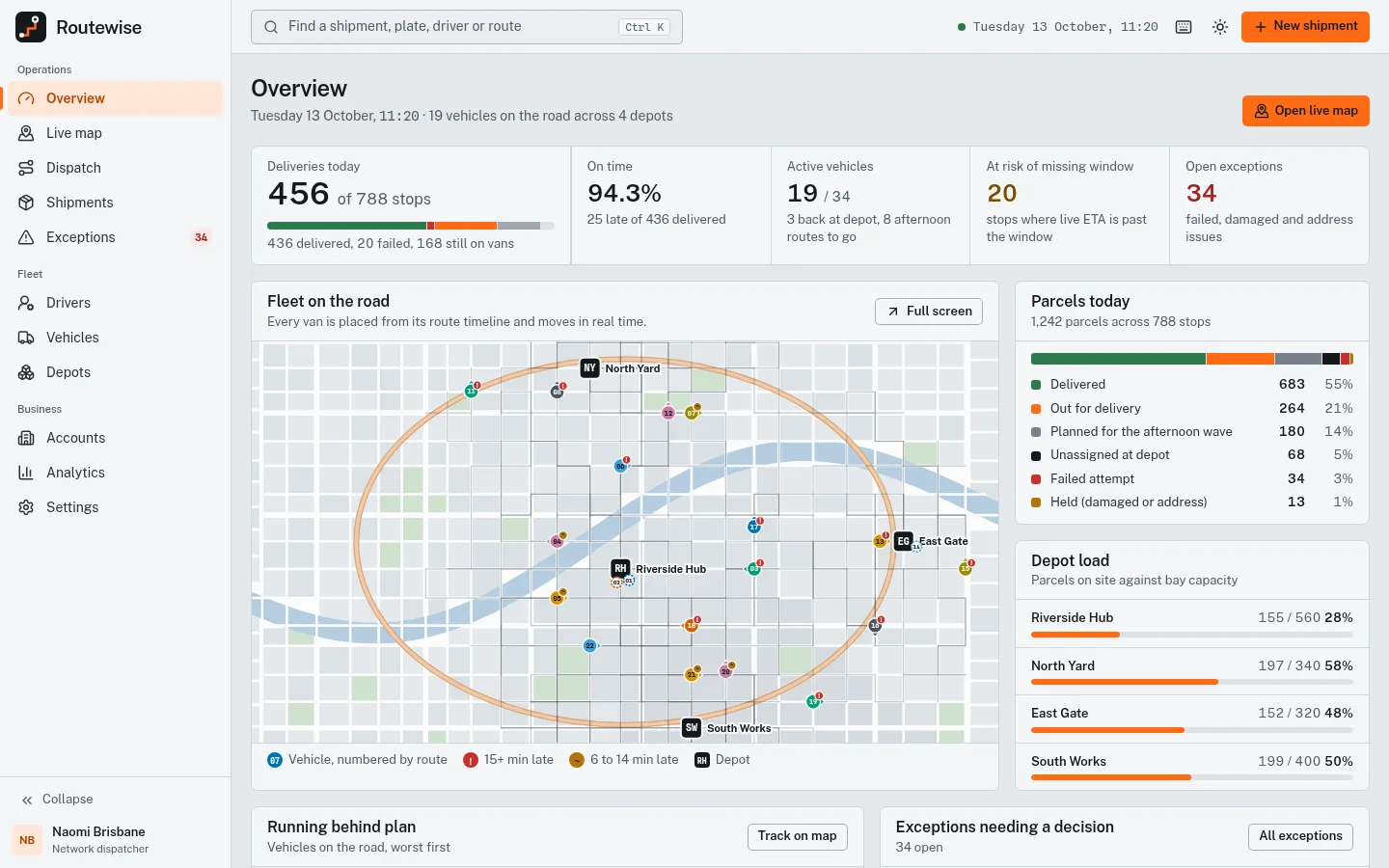
Last-mile delivery dashboard with a live vector city map, drag-and-drop dispatch and shipment tracking.
More screenshots
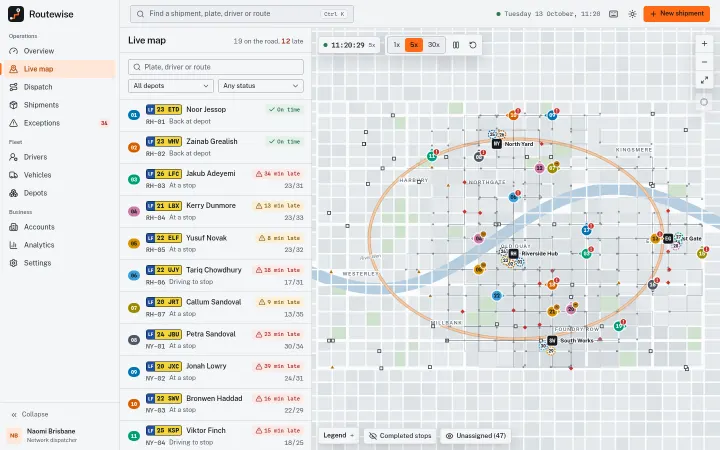
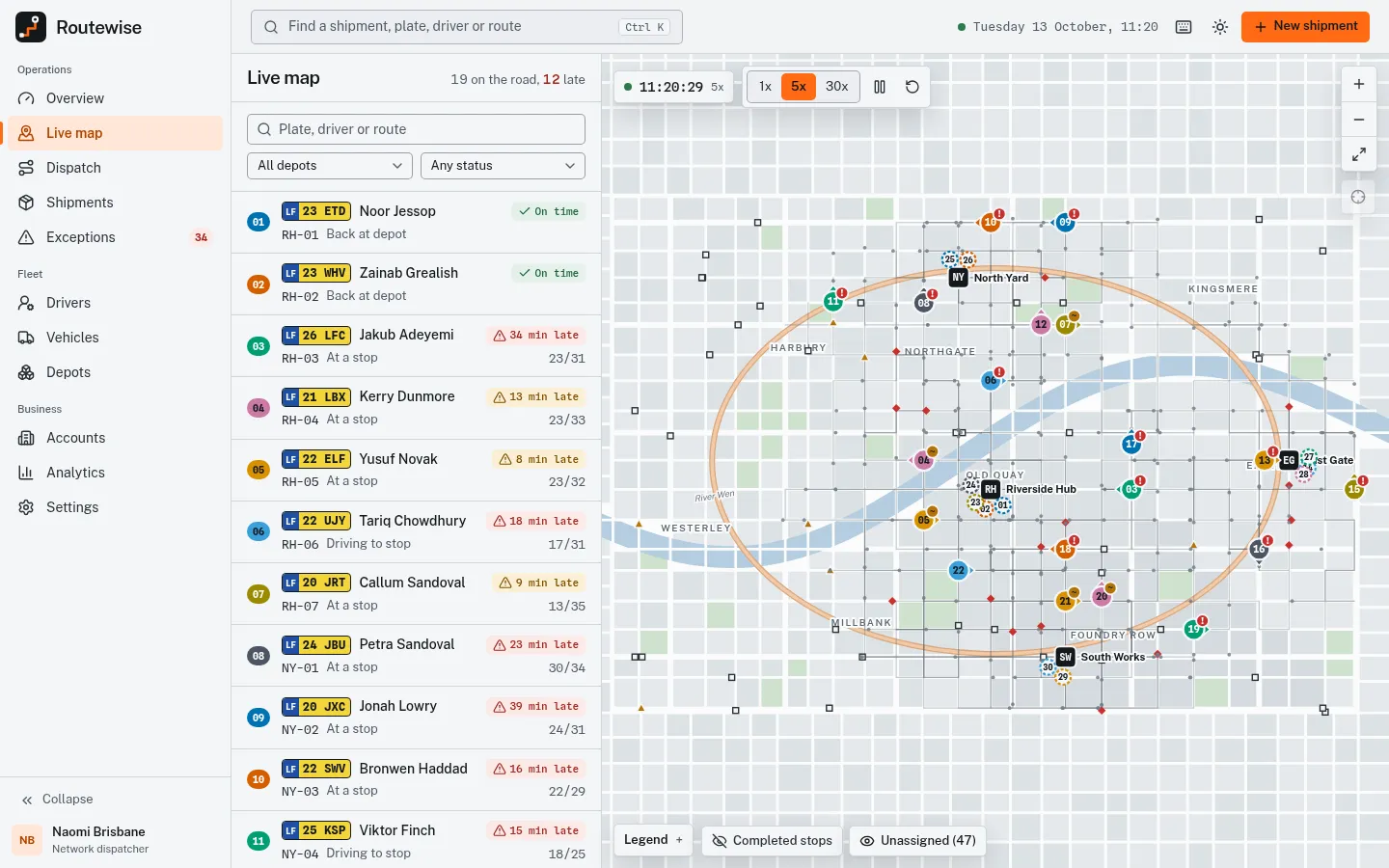
Live map with vans moving along their routes 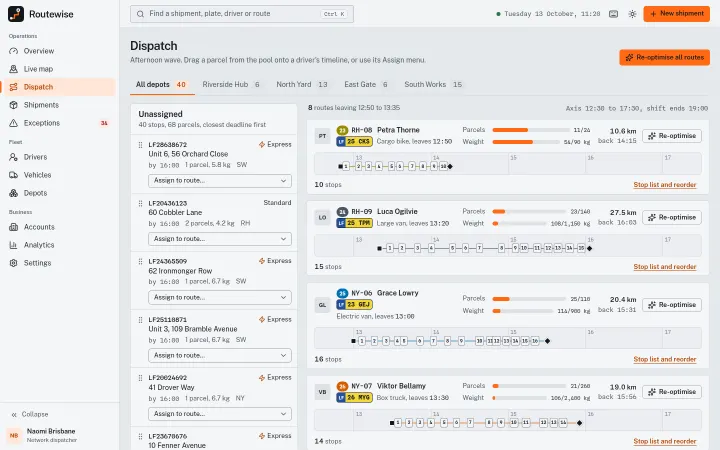
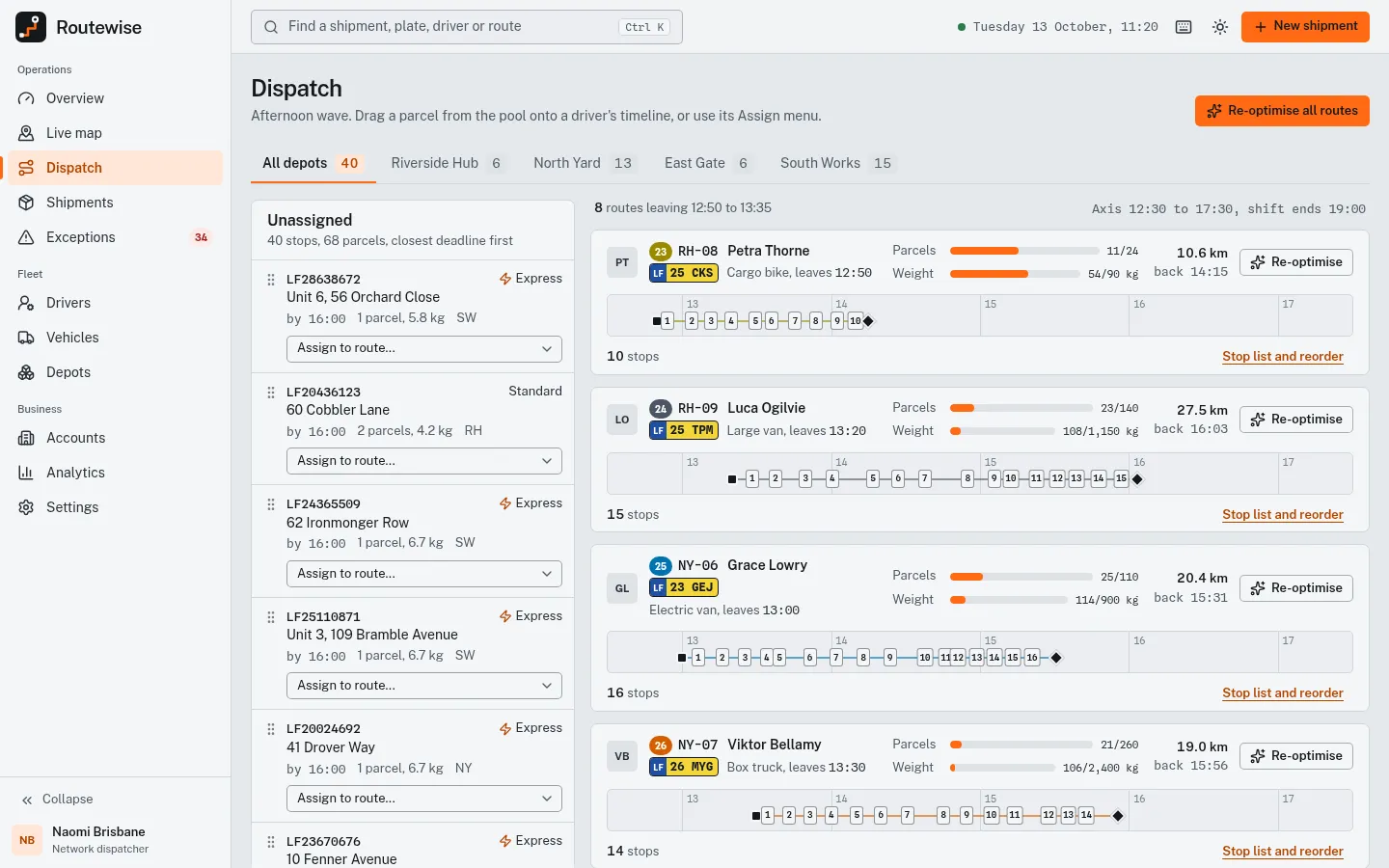
Dispatch planner with driver timelines and capacity 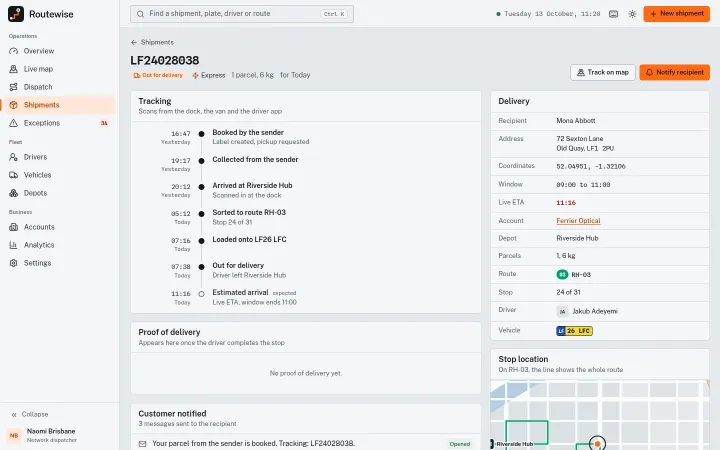
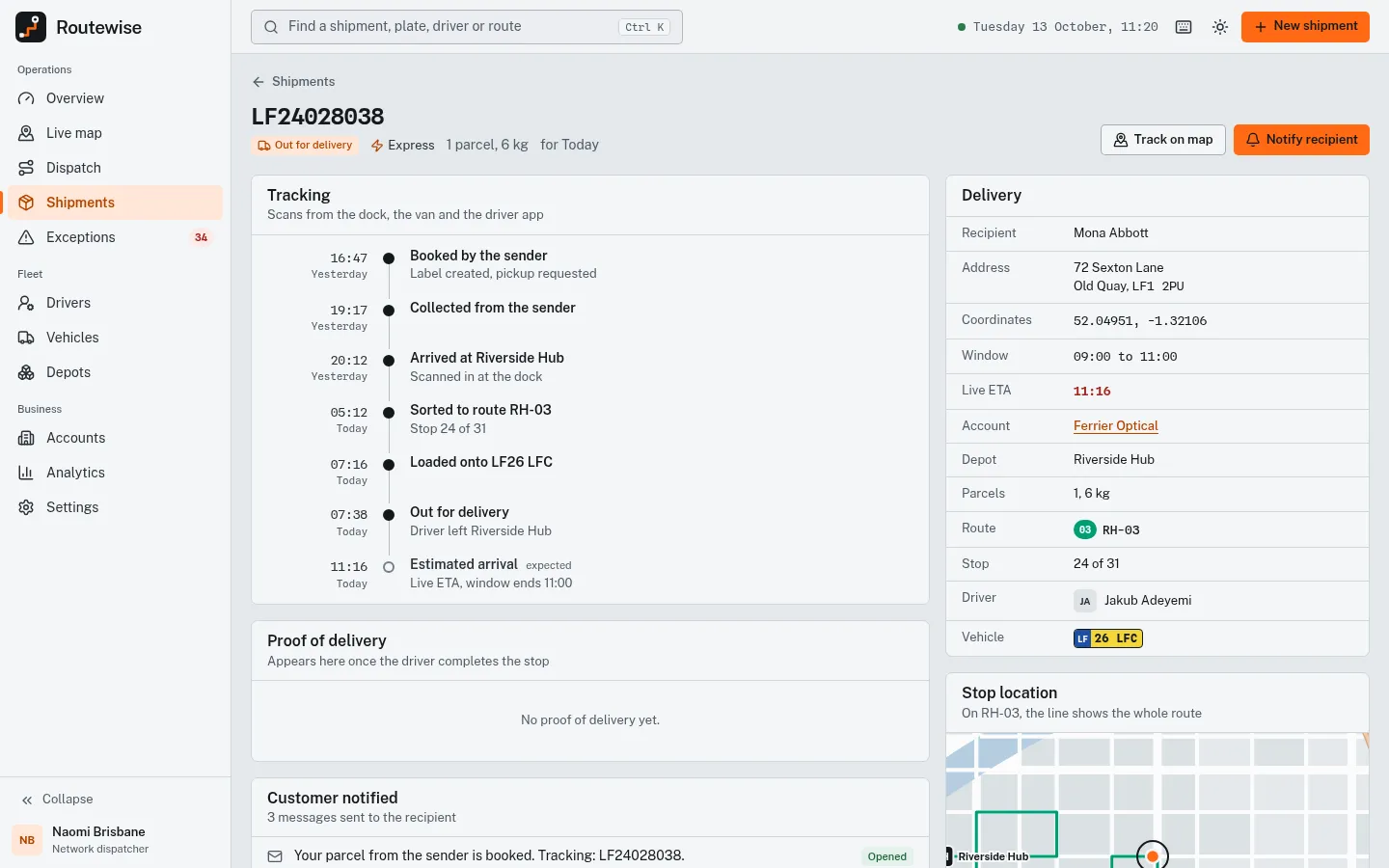
Shipment out for delivery with tracking timeline 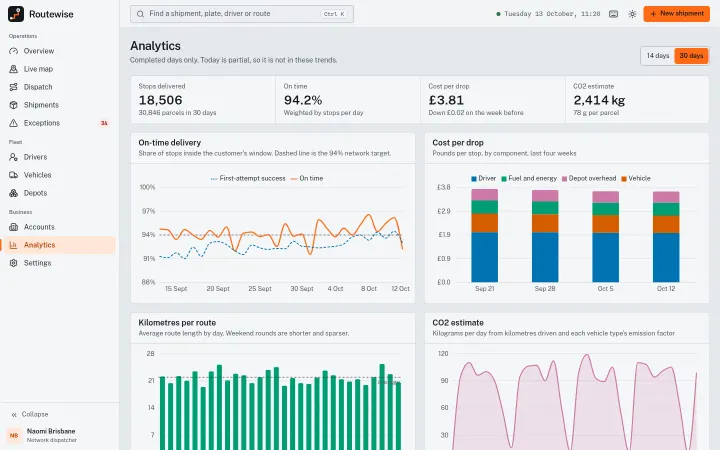
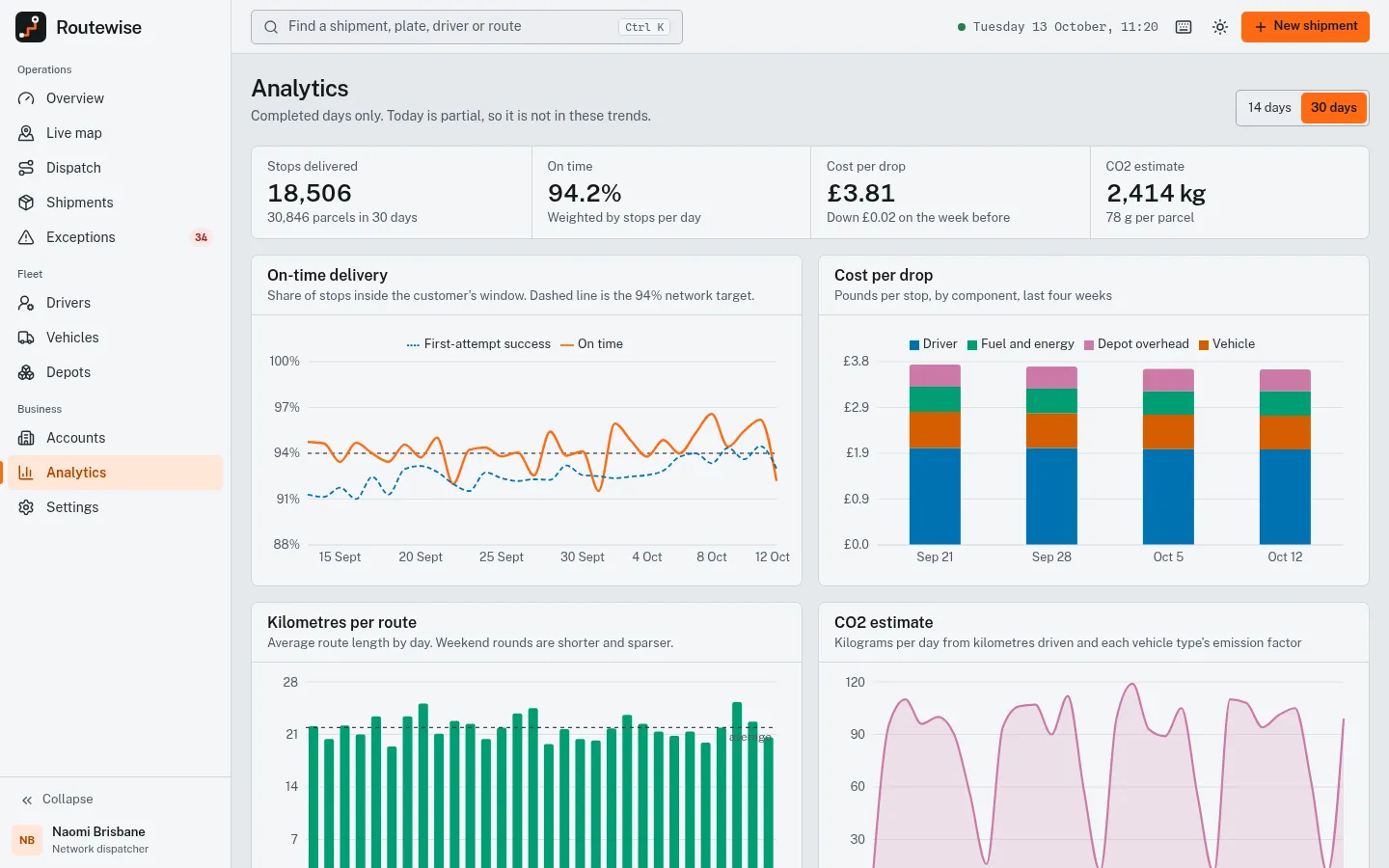
Analytics: on-time, cost per drop and CO2
About Routewise
A fleet and last-mile delivery dashboard for a regional courier: a live SVG city map with vans moving along their routes, follow mode and simulation speed, a dispatch planner where parcels are dragged onto driver timelines with capacity bars and a nearest-neighbour re-optimise, shipments with tracking timelines, exceptions with a resolve workflow, drivers, vehicles, depots, B2B accounts against their SLA and analytics. No map library or API key. React 19, TypeScript and Tailwind CSS 4, 4 palettes.
Best for courier and last-mile delivery startups, fleet management and route-planning SaaS, logistics teams and the agencies that build their tools.
Features
Live map
Plain SVG city with vans moving along their routes, route lines and stop status, zoom and pan by wheel, drag, pinch or keyboard, follow mode and 1x, 5x or 30x simulation speed.
Dispatch planner
Unassigned pool dragged onto driver timelines (or an Assign menu), capacity bars, stop reordering and a nearest-neighbour Re-optimise; edits show on the map and in every total.
Shipments and tracking
About 1,280 shipments with tabs, filters, sorting and pagination; detail page with tracking timeline, proof-of-delivery placeholder, notification log and stop map.
Exceptions
Failed deliveries, damaged parcels and address issues with claim, notes and a resolve workflow.
Drivers and vehicles
Driver profiles with shift timelines, hours, ratings and document expiry; fleet with plates, load factor, fuel or charge and maintenance schedule.
Depots and customers
Depot capacity, inbound and outbound waves, dock doors and routes per site; B2B accounts measured against their SLA promise.
Analytics
On-time rate, cost per drop, km per route, CO2 estimate, late reasons and depot comparison.
Keyboard first
Command palette (Ctrl/Cmd K), shortcut sheet, G-prefixed navigation and map keys; the vehicle list is the keyboard equivalent of the map.
4 palettes + dark mode
Signal orange, Cobalt, Green and Magenta, with a designed asphalt-night dark mode; route colours are a fixed Okabe-Ito based set with numbered badges.
What's included
- Overview
- Live map
- Dispatch
- Shipments list
- Shipment detail with tracking
- Exceptions
- Drivers
- Vehicles
- Depots
- Customers (B2B accounts)
- Analytics
- Settings (profile, team, notifications, appearance, dispatch rules)
- Marketing landing page
- Sign-in page
- 404 page
Tech stack and fit
Built with
- React 19
- TypeScript
- Vite 7
- Tailwind CSS 4
- Recharts 3
- React Router 7
Who it's for
Courier and last-mile delivery startups, fleet management and route-planning SaaS, logistics teams and the agencies that build their tools.
Tags
Routewise FAQ
Does the live map need Mapbox, Google Maps or an API key?
No. The map is plain SVG drawn from a seeded fictional city (streets, river, ring road, districts), with its own pan and zoom. The README explains how to swap it for MapLibre GL and a tile provider while keeping the vehicle list and vehicle card.
Are the vehicles really moving?
Yes, on a simulation clock: each van's position comes from its route schedule at the current simulated minute, at 1x, 5x or 30x. With reduced motion enabled, vehicles snap every few seconds instead of gliding.
How do I connect real GPS and order data?
Data is seeded mock data in src/data/ against a frozen clock (Tuesday 13 October 2026, 11:20). Replace the exports consumed by FleetContext (shipments, exceptions, routes) with API calls and NOW with new Date(); pages read from that context.
Does the dispatch optimise routes?
It reorders a route's stops with a nearest-neighbour heuristic (Re-optimise), which is a demo, not a solver. Assignments, moves and re-optimisation update the live map and every total; plug in your own routing engine for production.
Does drag and drop work on touch screens?
HTML drag and drop does not work on touch screens, so every drag has a menu or button equivalent (the Assign menu in Dispatch), which also makes it keyboard accessible.
Which units and currency does it use?
Kilometres, 24-hour times and pounds sterling, all formatted in src/lib/format.ts, so changing them is a single-file edit.
When can I buy Routewise?
Routewise is coming soon. The live demo is complete; the template goes on sale at $39 shortly.
Can I use Routewise for a client project?
Yes. The license covers personal and commercial projects, including client work. Reselling or redistributing the template itself is not allowed.
Related templates
Close in purpose or features to Routewise. Browse all 29 templates.
Routewise is coming soon. The whole demo is already online.