
DashboardRestaurant back-office dashboard Coming soon
Mise
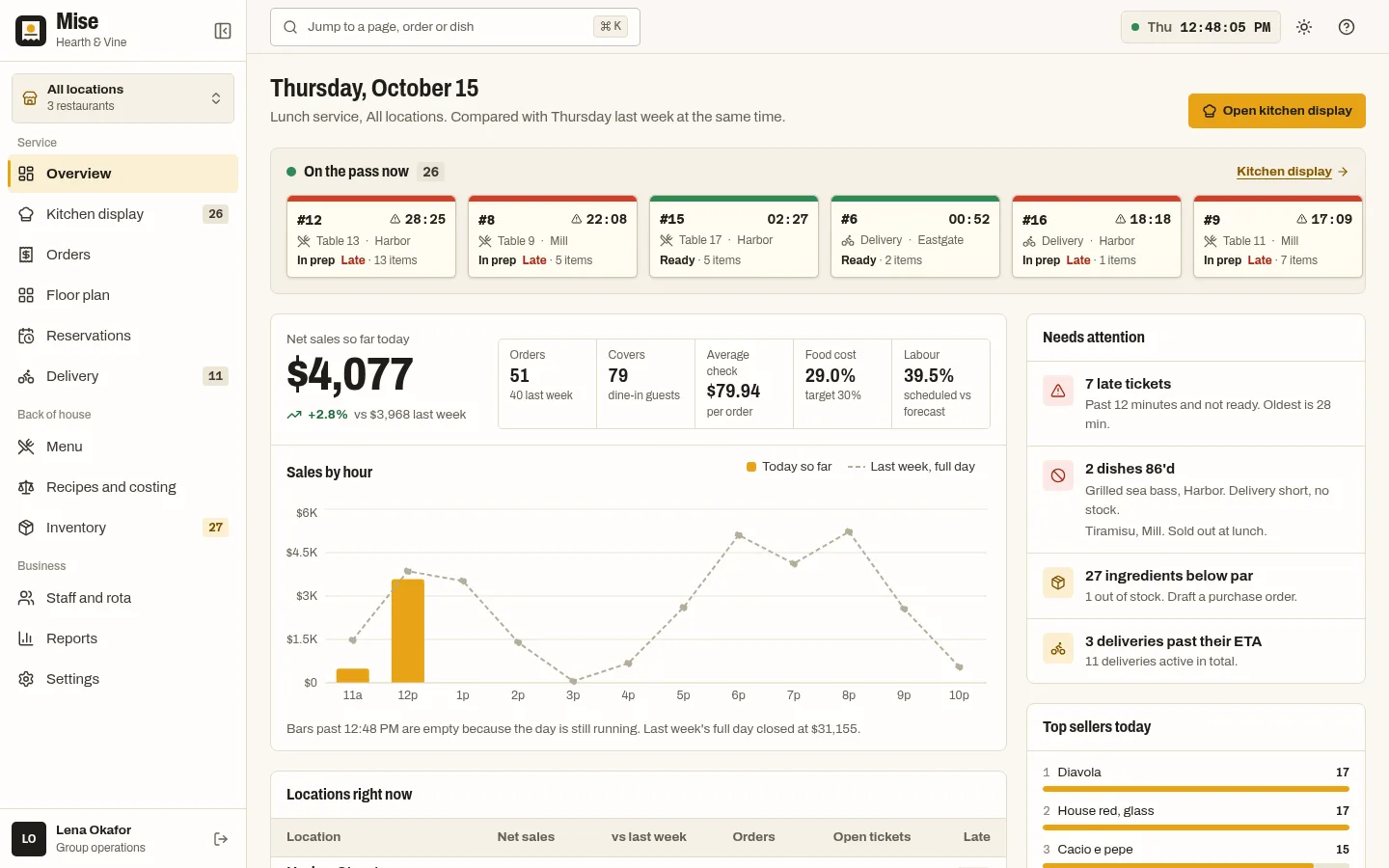
Restaurant group back office with a kitchen display, floor plan, menu costing and rota.
More screenshots
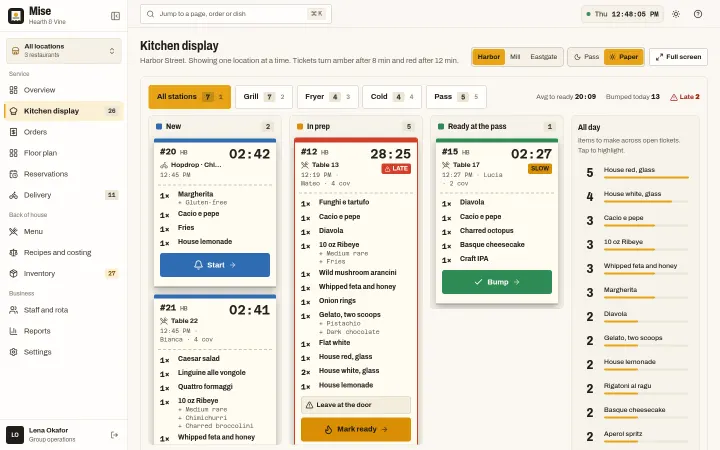
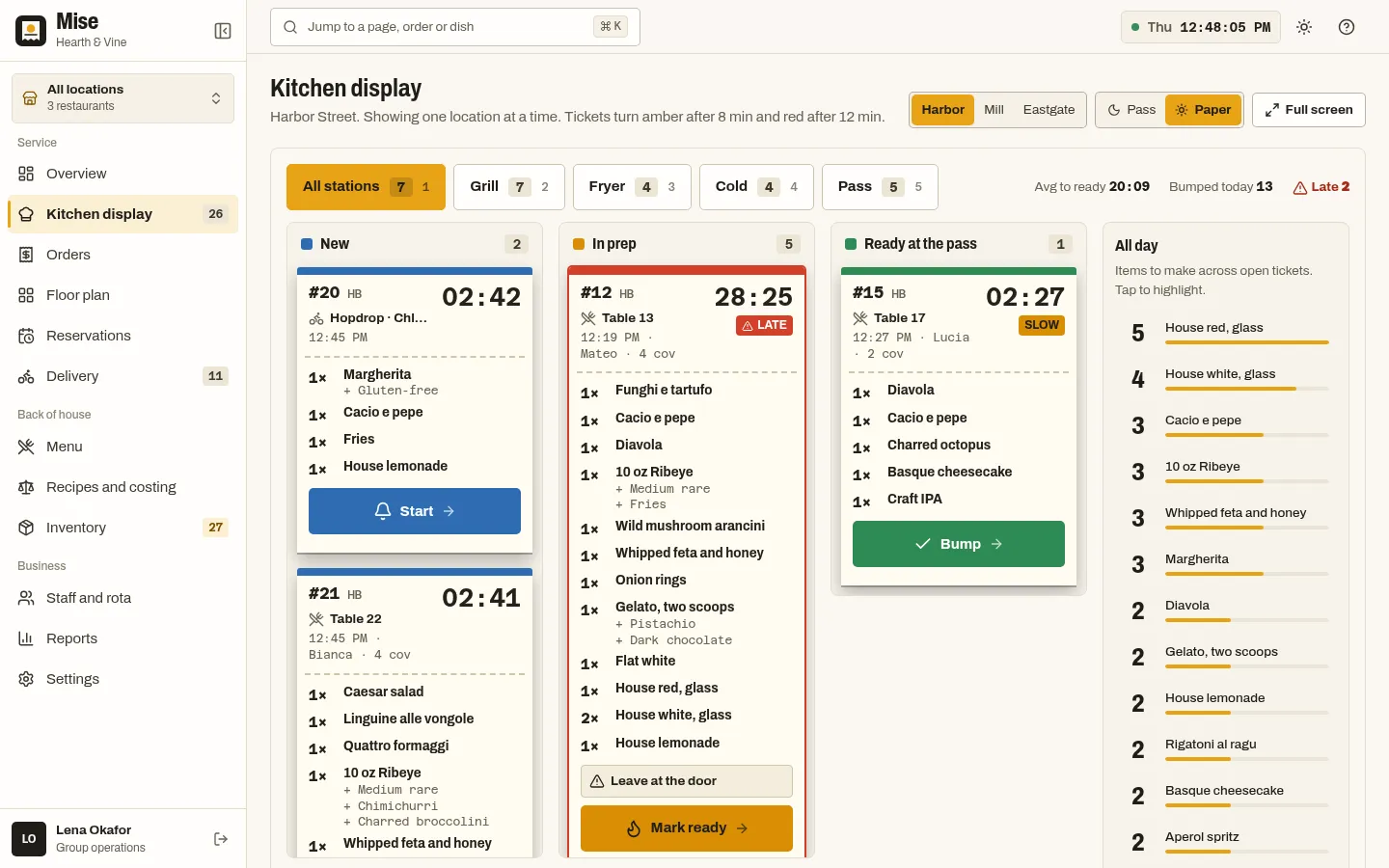
Kitchen display with paper-slip tickets and live timers 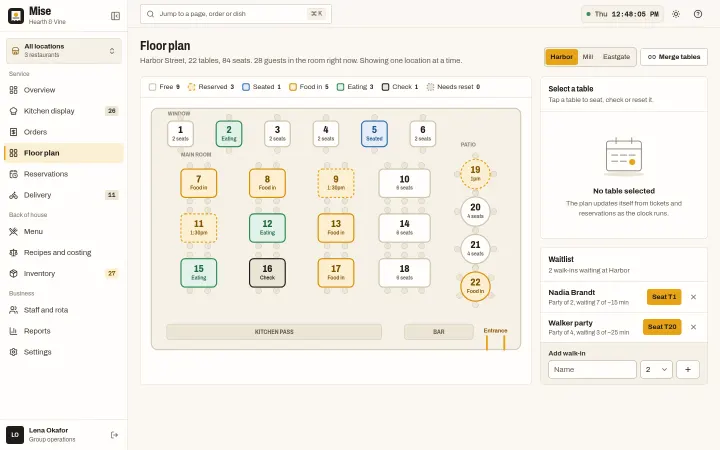
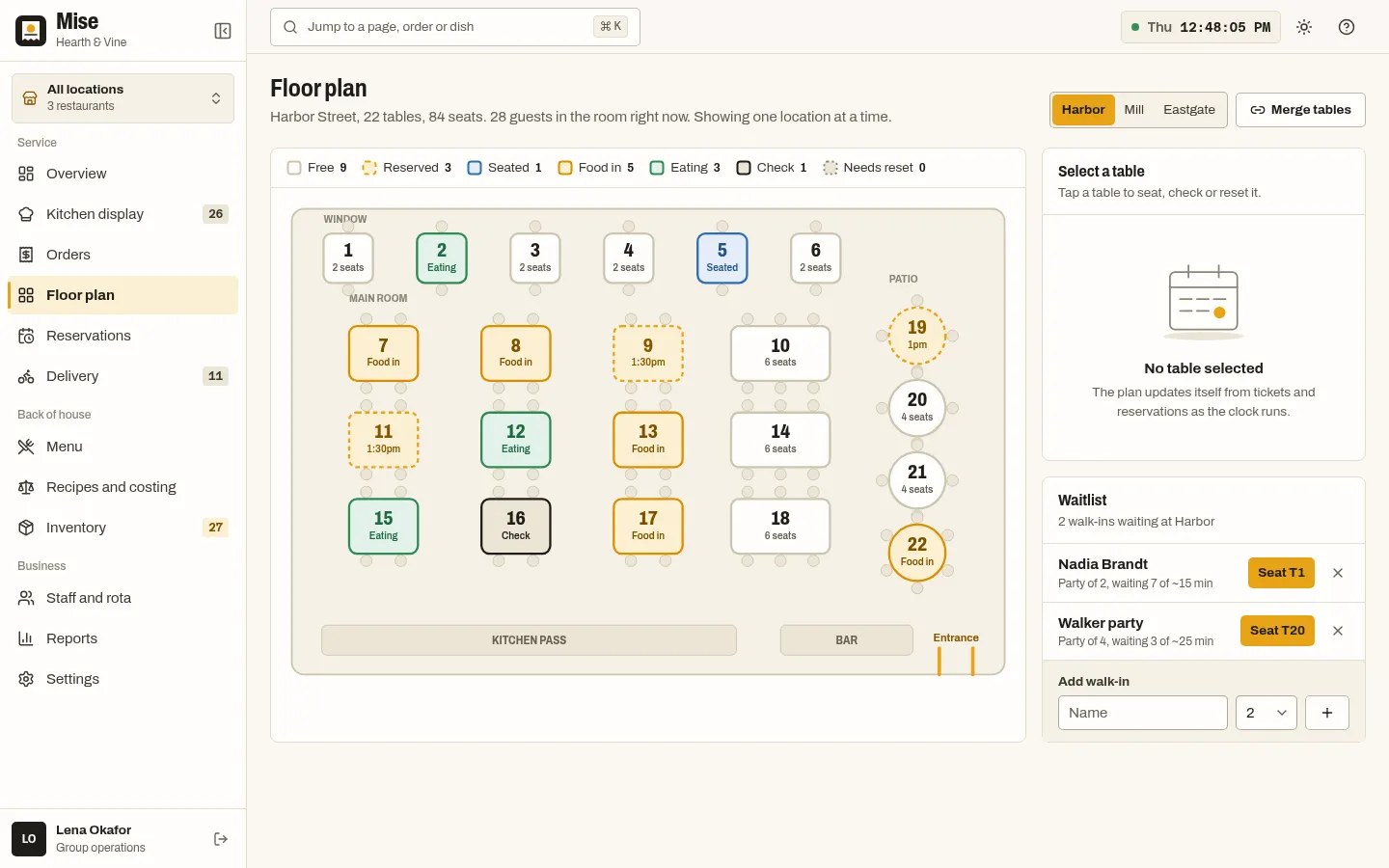
Floor plan with tables, seating and waitlist 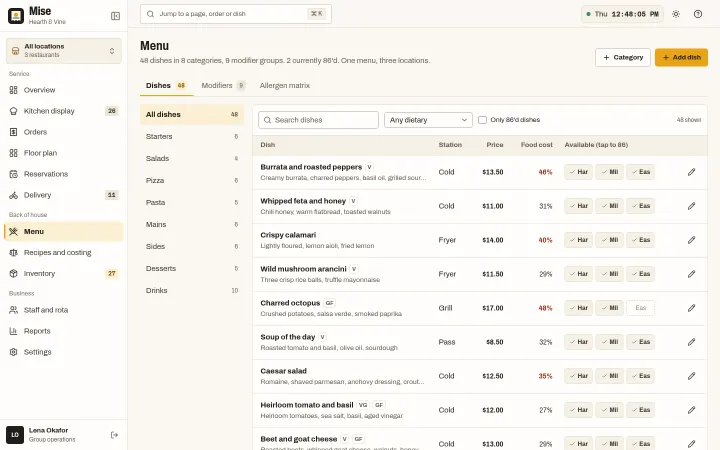
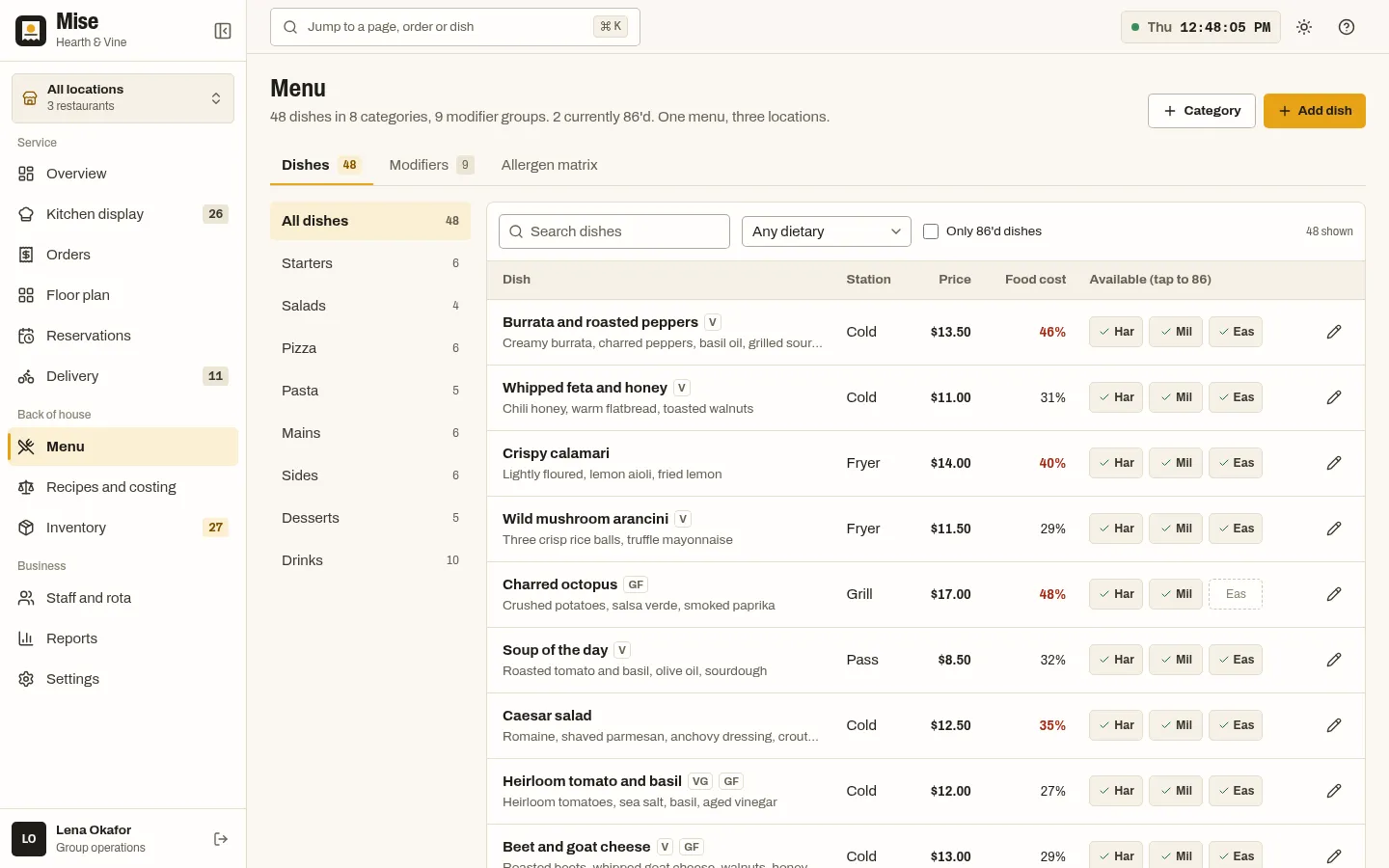
Menu with allergens, dietary tags and 86 flags 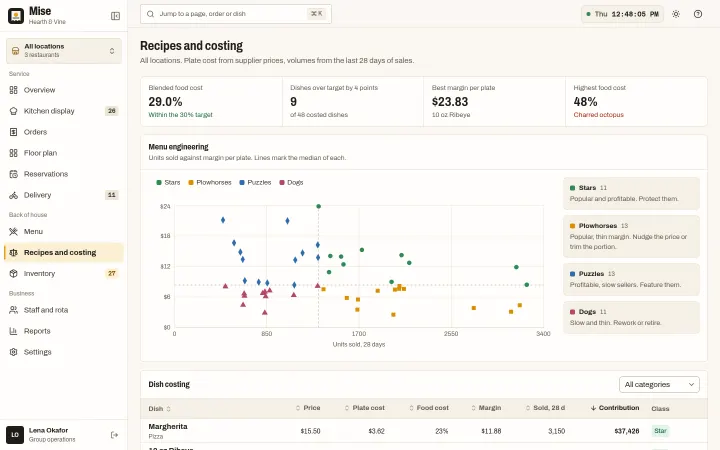
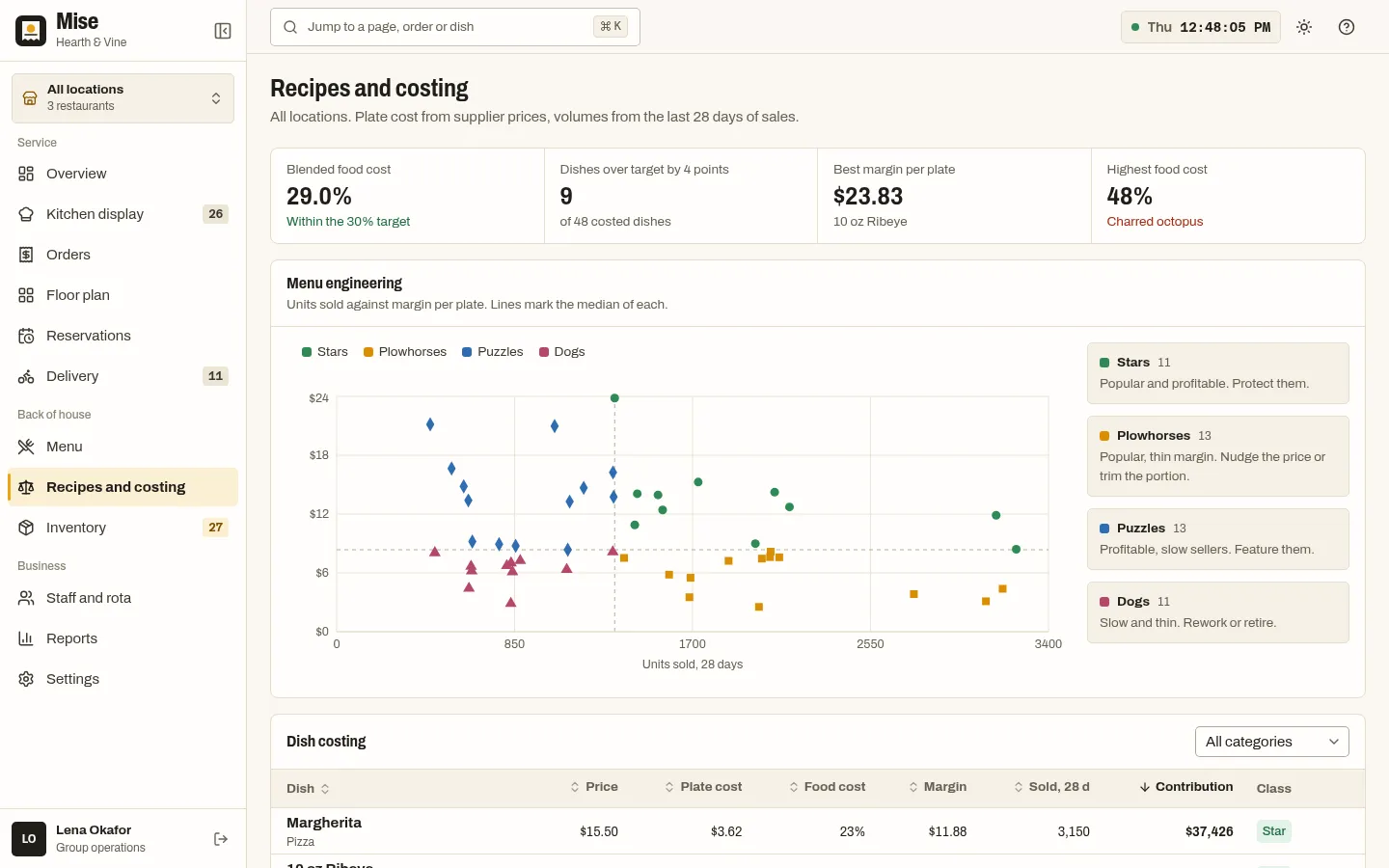
Recipe costing and menu engineering
About Mise
A back-office dashboard for a restaurant group with three locations: live orders across dine-in, takeaway, delivery and click and collect, a kitchen display with live ticket timers, bump, recall and drag between columns, a menu with modifiers, the 14 EU allergens and per-location 86 flags, a floor plan with table merges and a waitlist, reservations, inventory with purchase orders, recipe costing with menu engineering, a staff rota with labour cost, delivery and reports. React 19, TypeScript and Tailwind CSS 4, light and dark, 4 palettes.
Best for restaurant groups, POS and ordering startups, ghost kitchens and hospitality software teams.
Features
Kitchen display
Tickets by station with live timers that turn amber then red, bump and recall, drag between columns, all-day counts, a dark pass or paper-slip look, and keyboard control (arrows, Space, B, R, 1 to 5).
Overview
Net sales by hour against last week, locations right now, tickets needing attention, top sellers and orders arriving soon.
Orders
Every order across four channels with filters, date range, search and refunds.
Menu and allergens
Dishes, modifier groups with priced options, an allergen matrix of the 14 EU allergens, dietary filters and per-location 86 toggles.
Floor plan and reservations
Table layouts per location with seating, merges and a waitlist; a day timeline of bookings with covers by half hour.
Inventory and costing
Stock against par, purchase orders and suppliers; plate cost from supplier prices and a menu engineering chart (stars, plowhorses, puzzles, dogs).
Staff, delivery, reports
Weekly rota with labour against sales, a delivery board with couriers, partner platforms and a live map, and reports by location, channel and sales mix.
Live demo clock
A frozen clock that advances in real time so ticket timers run and new orders arrive; seeded data so every load is identical.
Command palette and shortcuts
Ctrl or Cmd+K to jump anywhere, ? for the shortcuts sheet.
4 palettes + dark mode
Saffron, Basil, Tomato and Slate, with fixed status colours always paired with a label or icon.
What's included
- Overview
- Kitchen display (KDS)
- Orders
- Menu (dishes, modifiers, allergen matrix)
- Floor plan and waitlist
- Reservations
- Inventory (stock, purchase orders, suppliers)
- Recipes and costing (menu engineering)
- Staff and rota
- Delivery
- Reports
- Settings
- Marketing landing page
- Sign-in page
- 404 page
Tech stack and fit
Built with
- React 19
- TypeScript
- Vite 7
- Tailwind CSS 4
- Recharts 3
- React Router 7
Who it's for
Restaurant groups, POS and ordering startups, ghost kitchens and hospitality software teams.
Pairs well with
Built around the same kind of business, so the back office and the public site can share one brand.
Tags
Mise FAQ
Can the menu data feed one of the restaurant website templates?
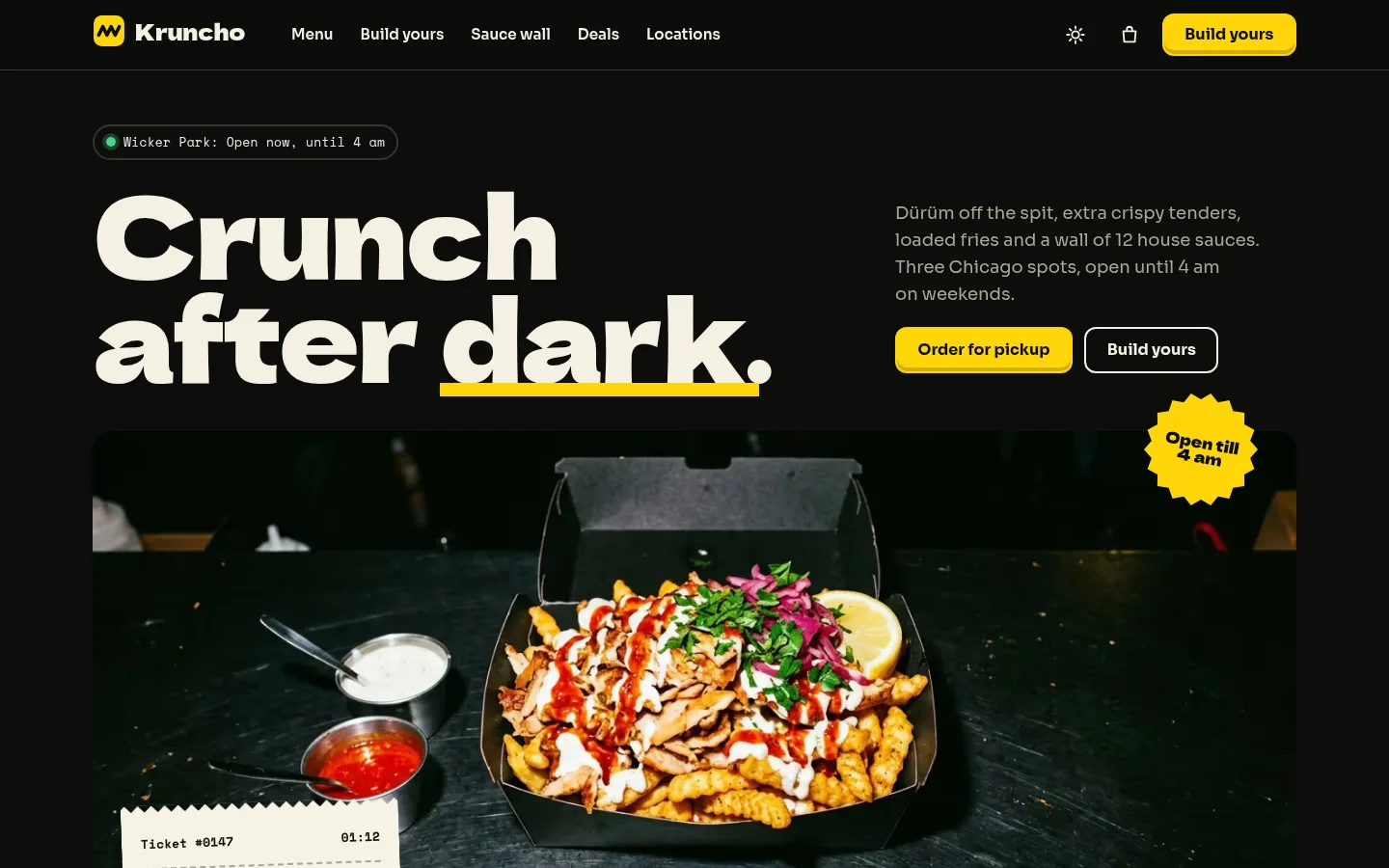
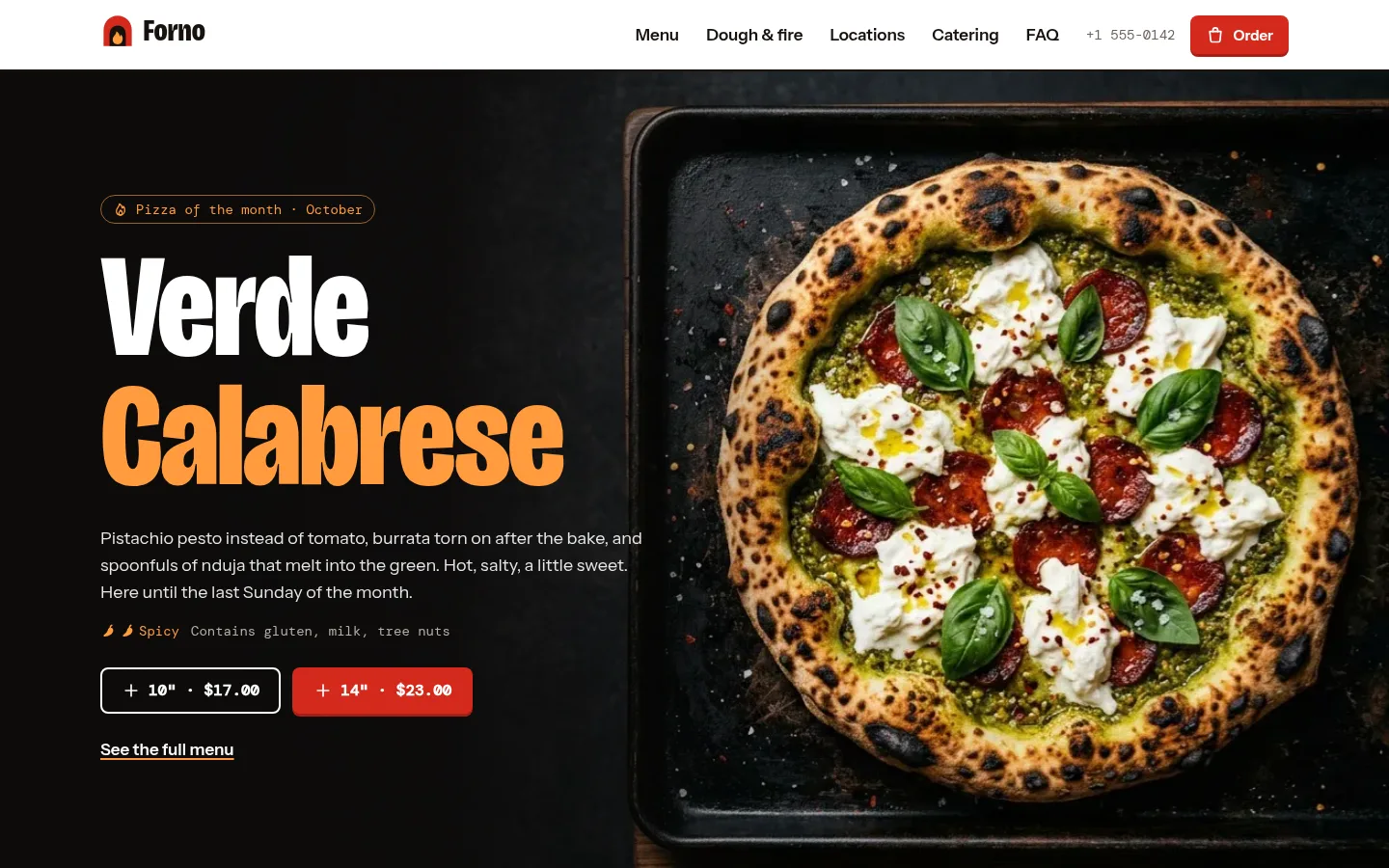
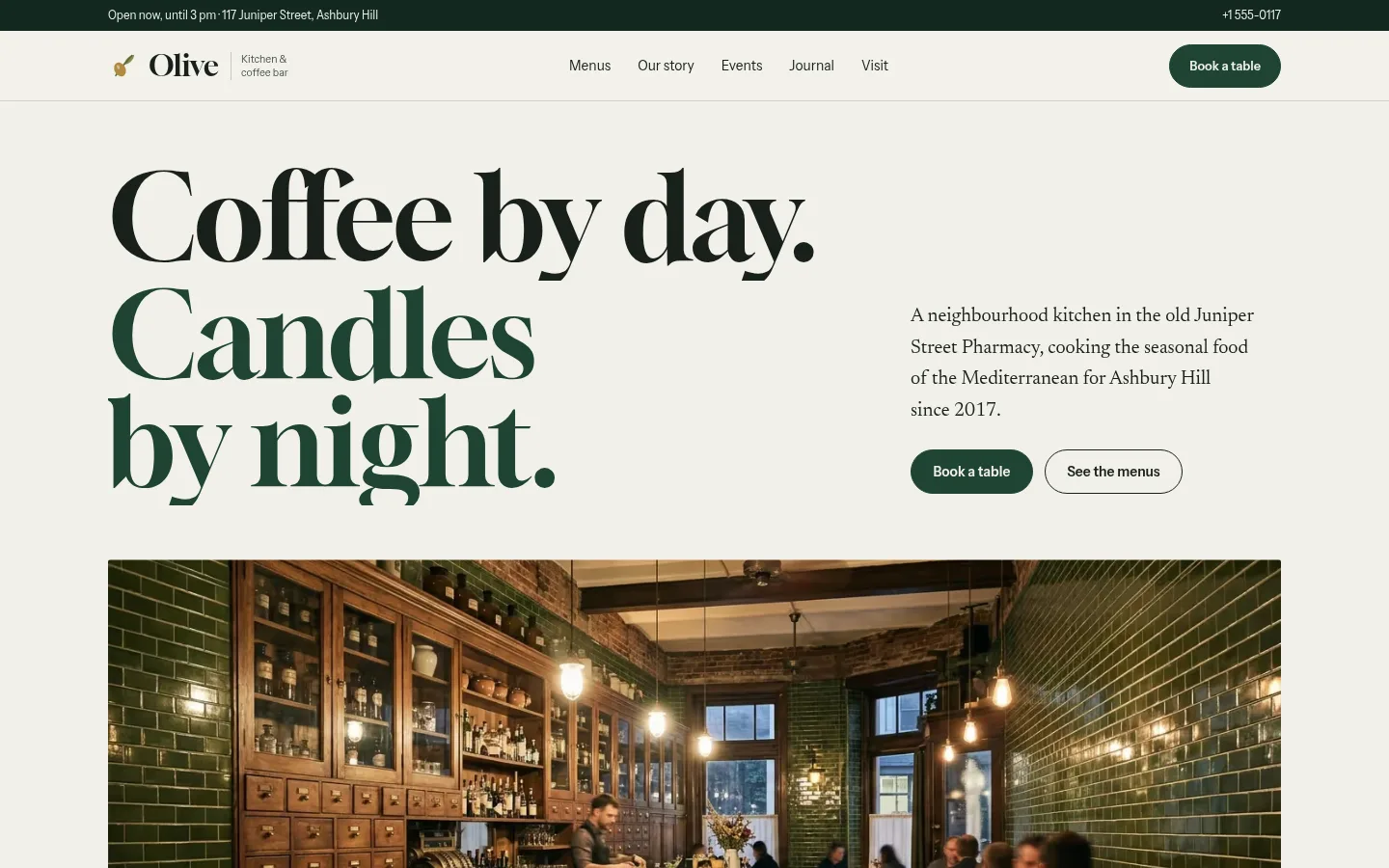
Yes, by design: the menu model in src/data/menu.ts has the shape a restaurant site needs (categories, items with prices, modifier groups, the 14 EU allergens, dietary tags), so one JSON menu can feed both Mise and Forno, Olive or Kruncho. There is no code dependency between the products; Mise adds back-office fields such as station, prep time, recipe lines and per-location availability.
How does the kitchen display work?
Tickets are filtered by station and move through columns by bump, recall or drag. Timers turn amber then red at thresholds you set in Settings, and the whole board can be driven from the keyboard. It can run on the dark pass look or as light paper slips.
Why do orders keep arriving in the demo?
The demo clock is frozen at Thursday Oct 15, 2026, 12:48 PM and advanced in real time by src/lib/live.ts, which releases scheduled future orders. Replace NOW with new Date() and empty FUTURE_ORDERS when you connect real data.
How do I connect Mise to my POS or API?
All data in src/data is seeded mock data (three locations, 56 days of orders, 69 staff) and edits live in StoreContext, which resets on reload. Replace the data exports and the context setters with API calls, keeping the same types.
How is recipe cost calculated?
Each dish has recipe lines of ingredients and quantities; plate cost comes from supplier prices, and volumes from the last 28 days of sales place each dish on the menu engineering chart.
Can I add more locations?
Locations are defined in src/data/group.ts with their seats, opening hours and manager; the location switcher, floor plans and reports read that list.
When can I buy Mise?
Mise is coming soon. The live demo is complete; the template goes on sale at $39 shortly.
Can I use Mise for a client project?
Yes. The license covers personal and commercial projects, including client work. Reselling or redistributing the template itself is not allowed.
Related templates
Close in purpose or features to Mise. Browse all 29 templates.
Mise is coming soon. The whole demo is already online.