
DashboardHoliday rental marketplace dashboard
Nestwell
NewTwo-sided holiday rental marketplace: search on a drawn map, listing pages and checkout for guests, a reservations calendar, seasonal pricing, earnings and a listing editor for hosts.
More screenshots
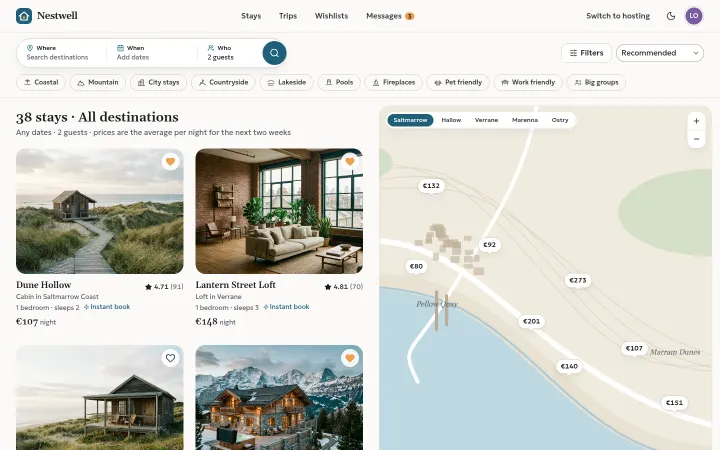
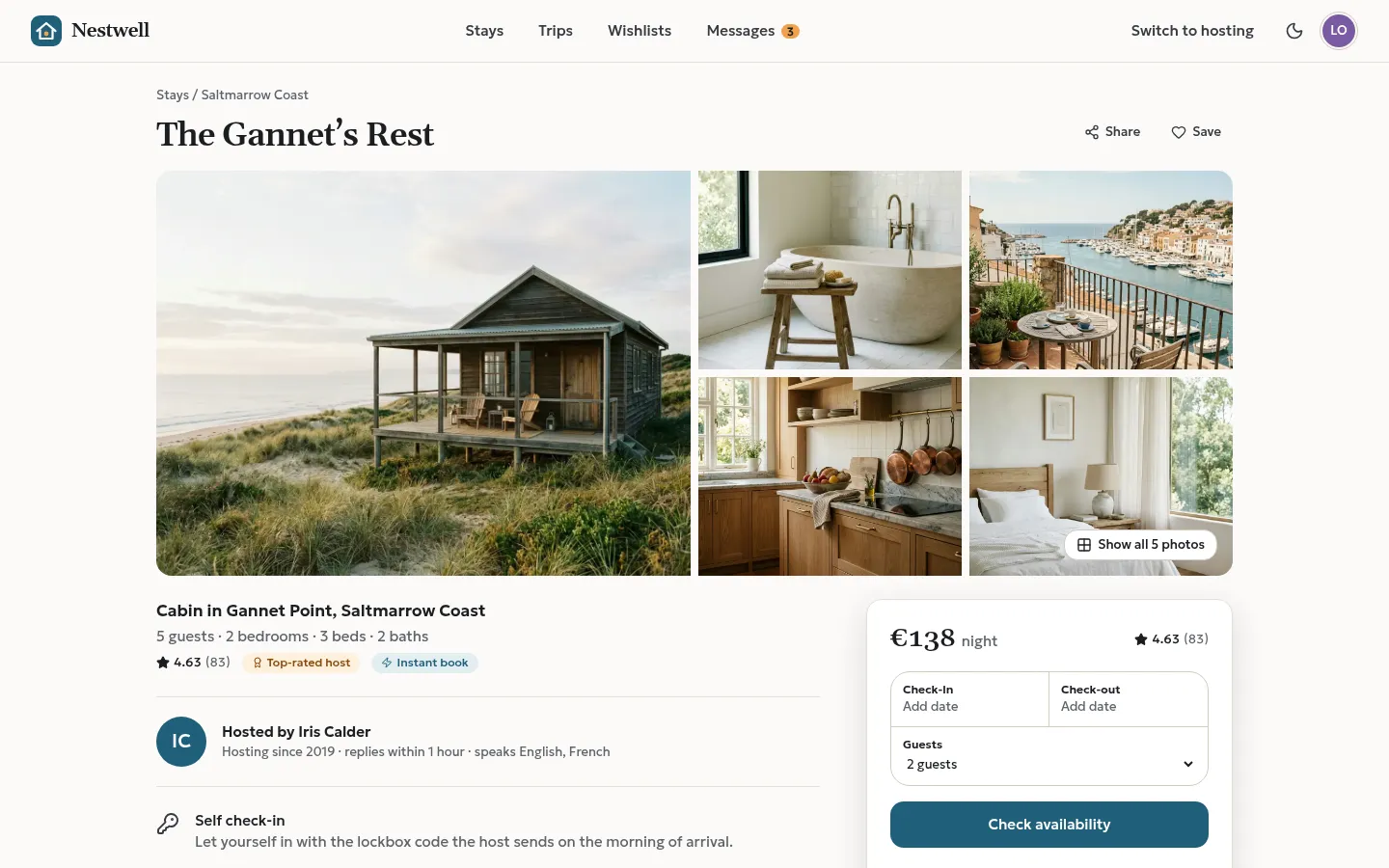
Search results with price pins on a drawn map 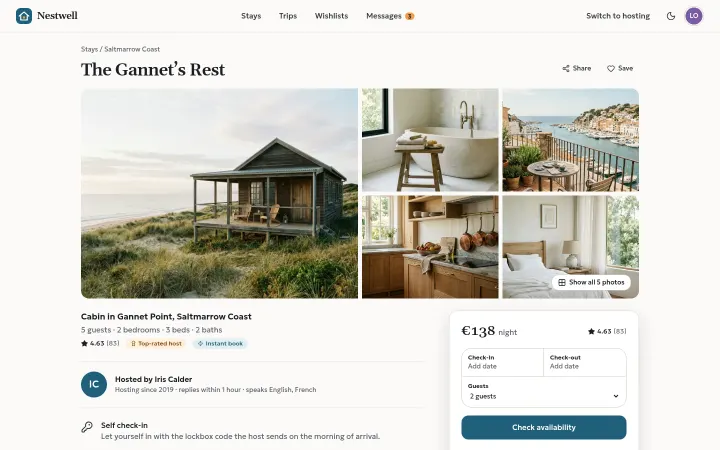
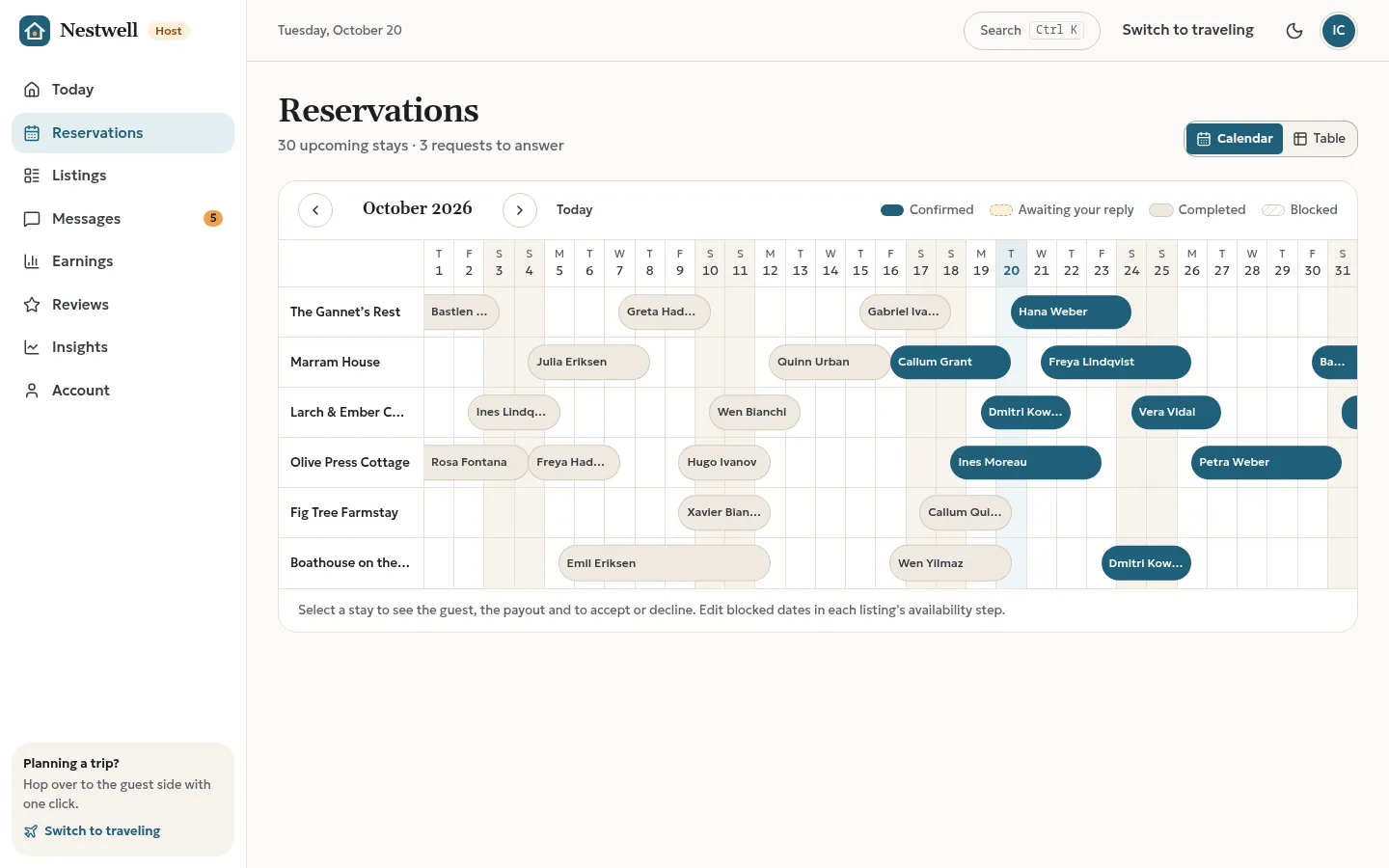
Listing page with gallery, booking box and itemised price 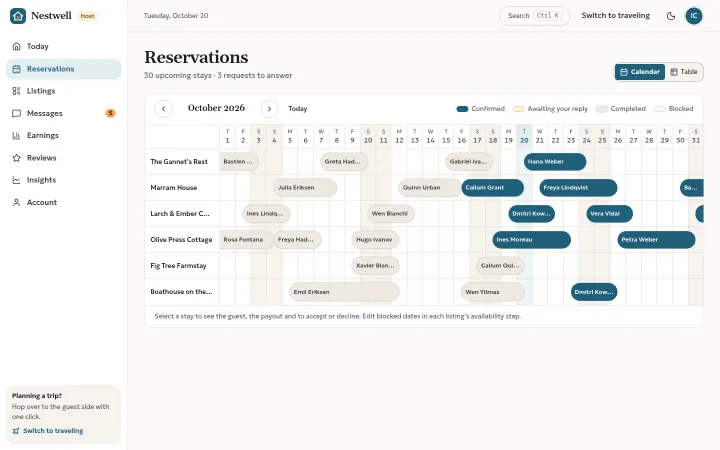
Host calendar: one row per listing, a drawer per stay 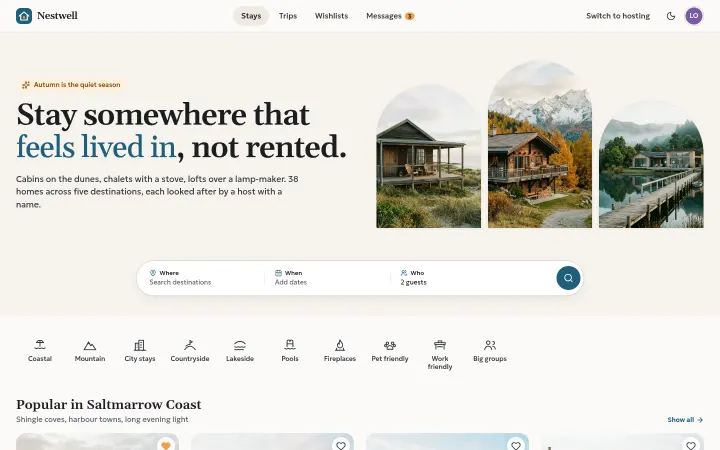
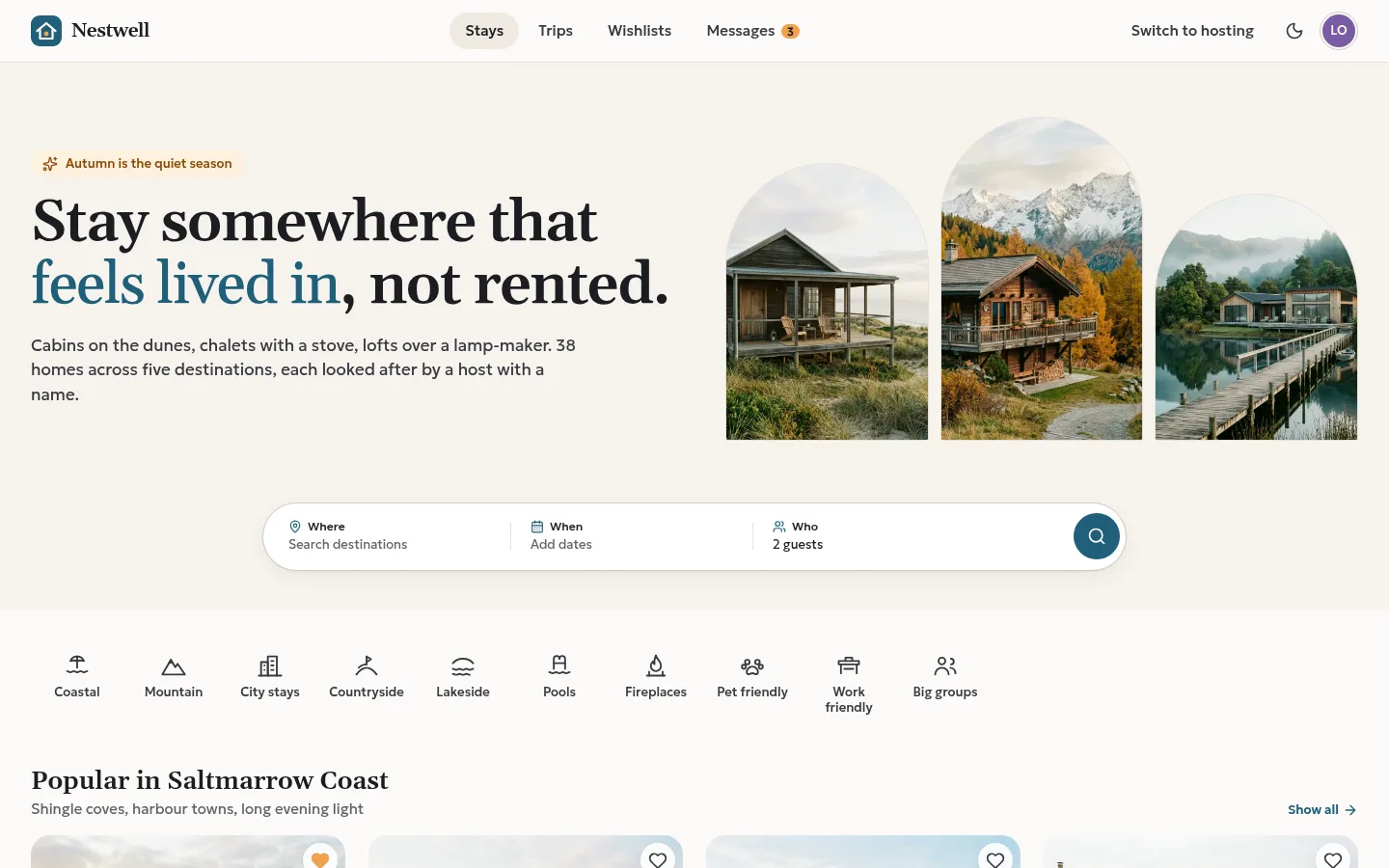
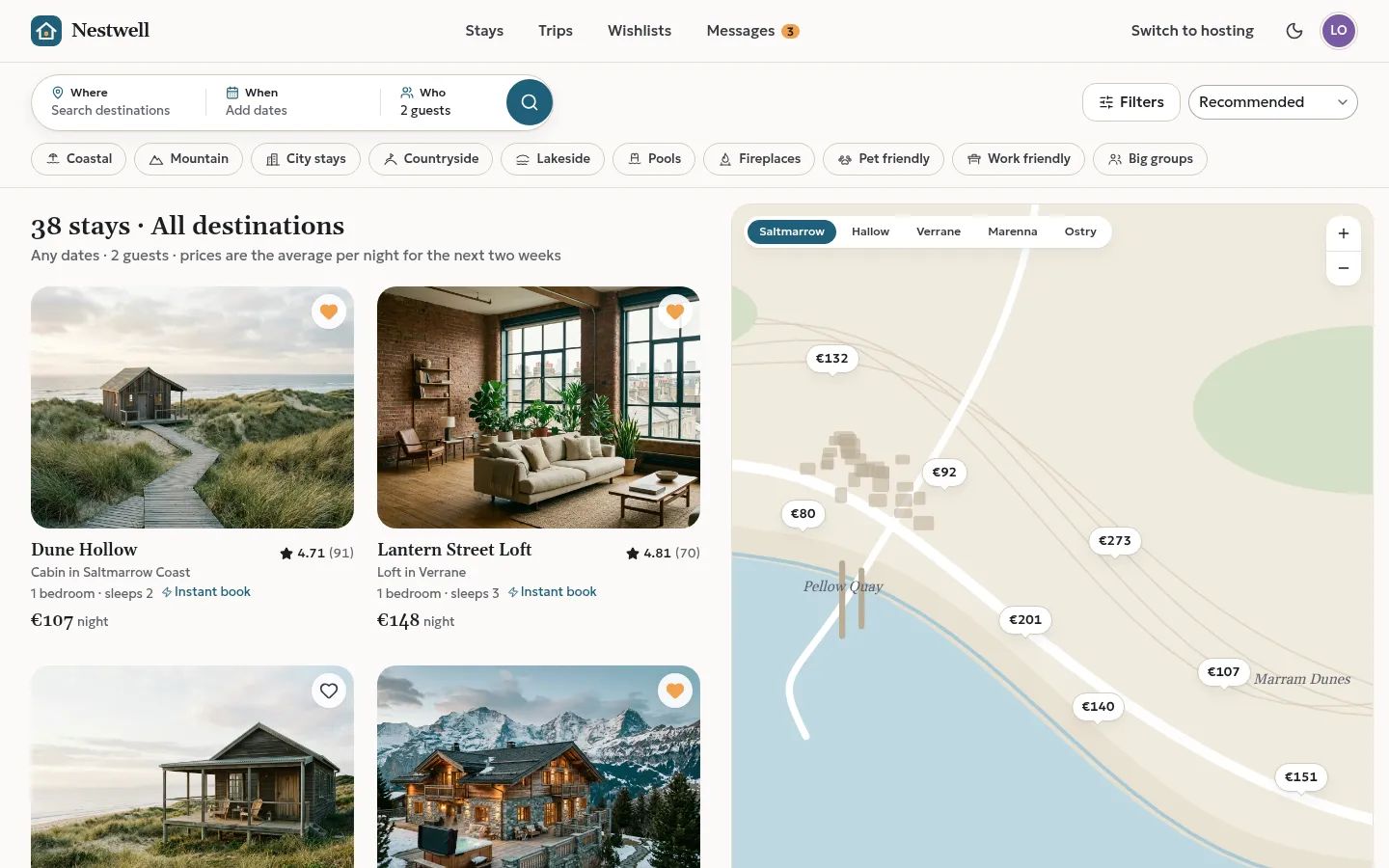
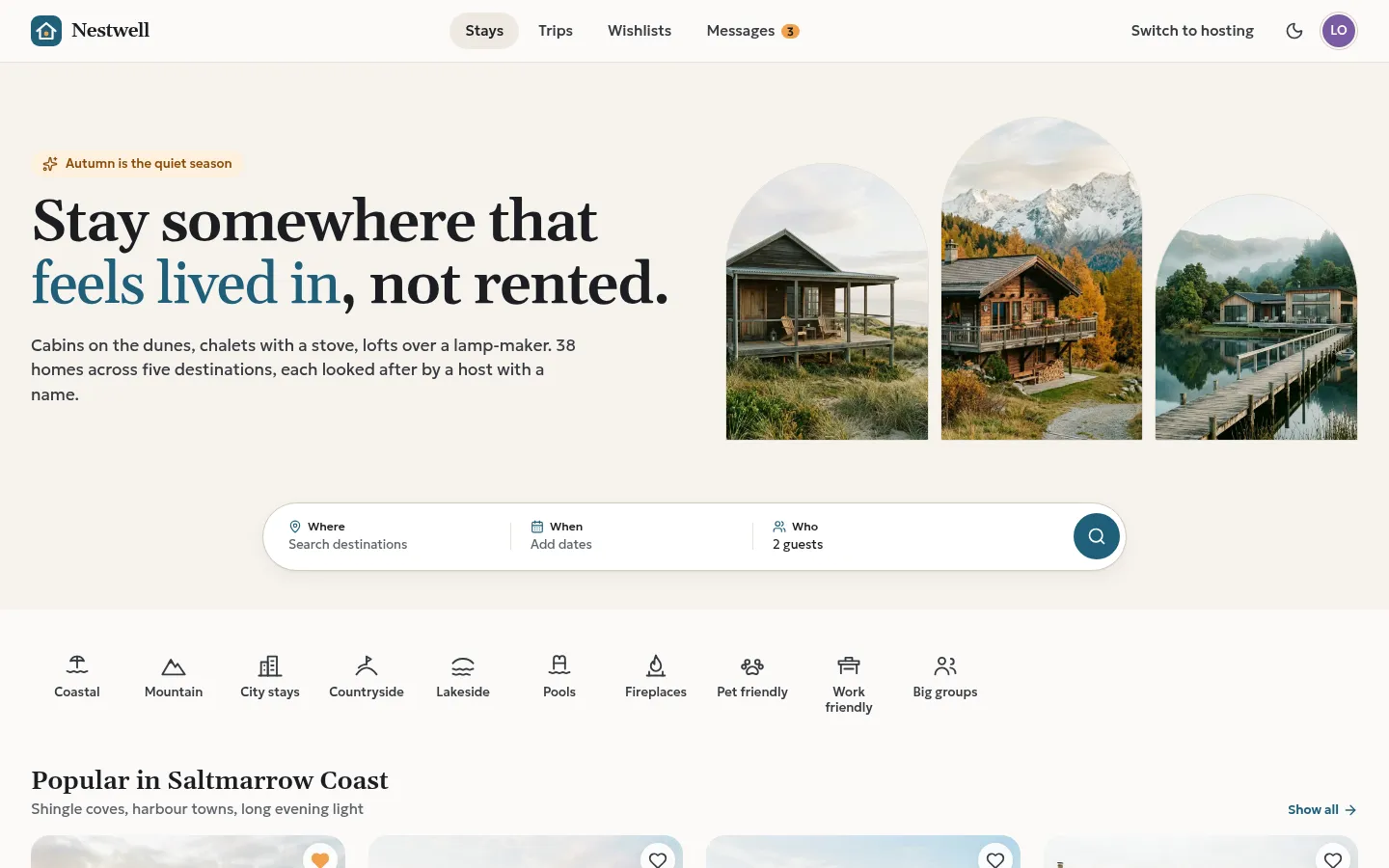
Guest home: categories and five destinations
About Nestwell
A holiday rental marketplace in the style of the big home-sharing sites, with both sides in one app: 38 fictional homes on show across five destinations (coast, mountains, city, countryside and lakes), 14 hosts and more than a year of bookings around a frozen clock. Guests search by place, dates and guests on a drawn map with price pins, filter by price, type, bedrooms and amenities, open a listing with a photo gallery, availability calendar and itemised price, book instantly or send a request, then manage trips, wishlists and messages. Hosts switch to a Today view, a month calendar of every listing, earnings and payouts, reviews with replies, insights such as occupancy, ADR and lead time, and a six-step listing editor with seasonal rules. 45 generated photographs. React 19, TypeScript and Tailwind CSS 4, light and dark, 4 palettes.
Best for founders building a holiday rental or home-sharing marketplace, agencies that manage cottages and cabins for owners, and teams building booking or channel software for short-term rentals.
Features
Search with a map
Where, when and who in popovers on desktop and a full-screen sheet on phones, nine categories (coastal, mountain, city, countryside, lakeside, pools, fireplaces, pet friendly, work friendly), sorting, and a drawn SVG map per destination with price pins that stay in sync with the list on hover and focus, zoom and a preview card.
Filters
A price slider over a histogram of nightly rates, type of place, minimum bedrooms, amenities and instant book only, with an empty state that clears dates and filters in one click.
Listing page
Photo gallery with a lightbox, rooms and beds, amenities, house rules, cancellation policy, the host with response time and languages, reviews with six category scores, the location on the map, and a booking box with a two-month calendar that shows nightly rates, minimum stays and taken nights.
Price that adds up
Each night priced from the base rate, the strongest seasonal rule and a weekend uplift, then weekly and monthly discounts, cleaning, a 12% guest service fee, VAT and tourist tax per guest per night, shown line by line before the guest commits. The host payout is the same stay minus a 3% host fee.
Checkout and trips
Instant book confirms the stay, other homes send a request to the host. Trips are split into upcoming, past and cancelled, with the itinerary, the payment breakdown, cancellation with a confirmation, and messages to the host. Wishlists are kept in the browser.
Host Today and calendar
Arrivals, departures and guests staying, booking requests to accept or decline, unread messages, reviews to answer and the next 14 days; a month calendar with one row per listing (or a table view) and a drawer per reservation.
Listing editor
Six steps (basics, photos, amenities, pricing, availability, review) with unsaved-change tracking, drag-and-drop photo order, seasonal rules with a 12-month rate chart, and month grids for blocking dates.
Earnings, reviews and insights
Monthly earnings and payouts by listing, reviews with a rating distribution and public replies, and insights computed from the same bookings: occupancy by month, average daily rate, revenue per available night, a demand funnel, booking lead time and which nights fill up.
4 palettes + dark mode
Tide, Pine, Dusk and Clay, in light, dark or system mode, with Geologica for the interface and Gelasio for listing names and prices. 45 generated photographs with drawn SVG scenes as the fallback.
What's included
- Home
- Search with map
- Listing page
- Checkout
- Trips
- Wishlists
- Messages (guest and host)
- Account (guest and host)
- Host Today
- Host listings
- Listing editor (6 steps)
- Reservations calendar and table
- Earnings and payouts
- Reviews
- Insights
- Marketing landing page
- Sign-in page
- 404 page
Tech stack and fit
Built with
- React 19
- TypeScript
- Vite 7
- Tailwind CSS 4
- Recharts 3
- React Router 7
Who it's for
Founders building a holiday rental or home-sharing marketplace, agencies that manage cottages and cabins for owners, and teams building booking or channel software for short-term rentals.
Tags
Nestwell FAQ
Is there a backend?
No. Destinations, listings, bookings, reviews and messages are plain arrays in src/data, generated from fixed seeds around a frozen clock (Tuesday 20 October 2026, 10:30) in src/data/clock.ts, so host totals, the calendar and the guest's trips agree. The app reads them through StoreContext (src/context/StoreContext.tsx): replace its initial state with your API and turn updateListing, addBooking, setBookingStatus, sendMessage and toggleSaved into calls.
How is the price of a stay calculated?
In src/lib/pricing.ts. nightlyRate takes the base price, applies the strongest overlapping seasonal rule and the Friday and Saturday uplift; quote adds the weekly (7+ nights) or monthly (28+ nights) discount, the cleaning fee, a 12% guest service fee, VAT and the destination's tourist tax per guest per night. The host payout is accommodation plus cleaning minus a 3% host fee. Most marketplaces compute this on the server; keep the function as the client-side preview.
Does checkout take payments?
No. Checkout is a demo: the card fields are placeholders and nothing leaves the browser. Instant-book homes confirm the stay and the others send a request that the host accepts or declines on the Today page. Connect your payment provider in src/pages/Checkout.tsx and show its hosted fields there.
Where do the photos come from?
They are 45 generated photographs, a cover per listing plus shared interiors, in src/assets/photos, assigned per listing in src/data/listings.ts; the prompts are in src/assets/PROMPTS.md. Every home, host and place is fictional. Set src on a photo to use your own; drawn SVG scenes are the fallback when a photo is missing.
Can I use a real map?
Yes. The demo draws one SVG map per destination in src/components/guest/MapView.tsx and places pins from each listing's px and py, kept on dry land by src/data/mapgeo.ts. Swapping in a map library only changes that one component.
Are the guest and host sides separate apps?
No, one app with two layouts: the guest pages at the root and the host pages under /host. The switch is in the header and the sidebar, with the M shortcut. Split them by deleting the routes you do not need in src/App.tsx.
Is there a dark mode?
Yes. Light, dark or system, plus four accent palettes (Tide, Pine, Dusk, Clay) remembered in the browser. All colours are CSS variables in src/index.css, and the charts read them, so they follow the mode and the palette.
How much does Nestwell cost, and are updates included?
$39 USD, a one-time purchase on Gumroad with instant download. There is no subscription and every future update of Nestwell is free.
Can I use Nestwell for a client project?
Yes. The license covers personal and commercial projects, including client work. Reselling or redistributing the template itself is not allowed.
Related templates
Close in purpose or features to Nestwell. Browse all 51 templates.
Nestwell, $39 once. Click through the whole demo before you decide.