
DashboardGym and fitness studio back office dashboard
Spotter
NewGym and fitness studio back office with a drag-and-drop class schedule, registers and waitlists, a check-in kiosk, members with churn risk, billing retries and retention reports.
More screenshots
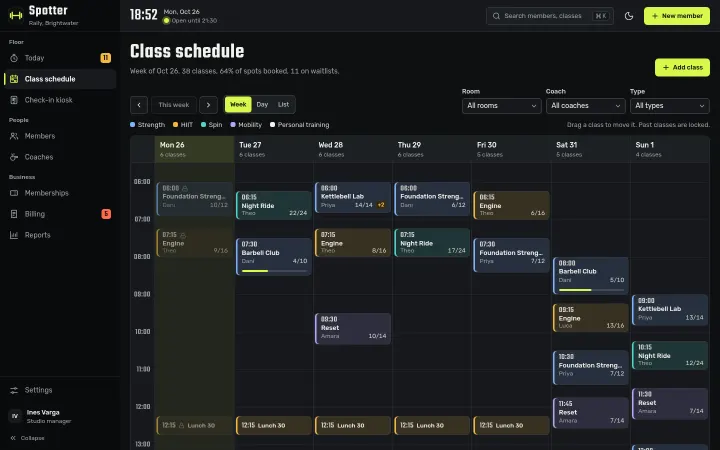
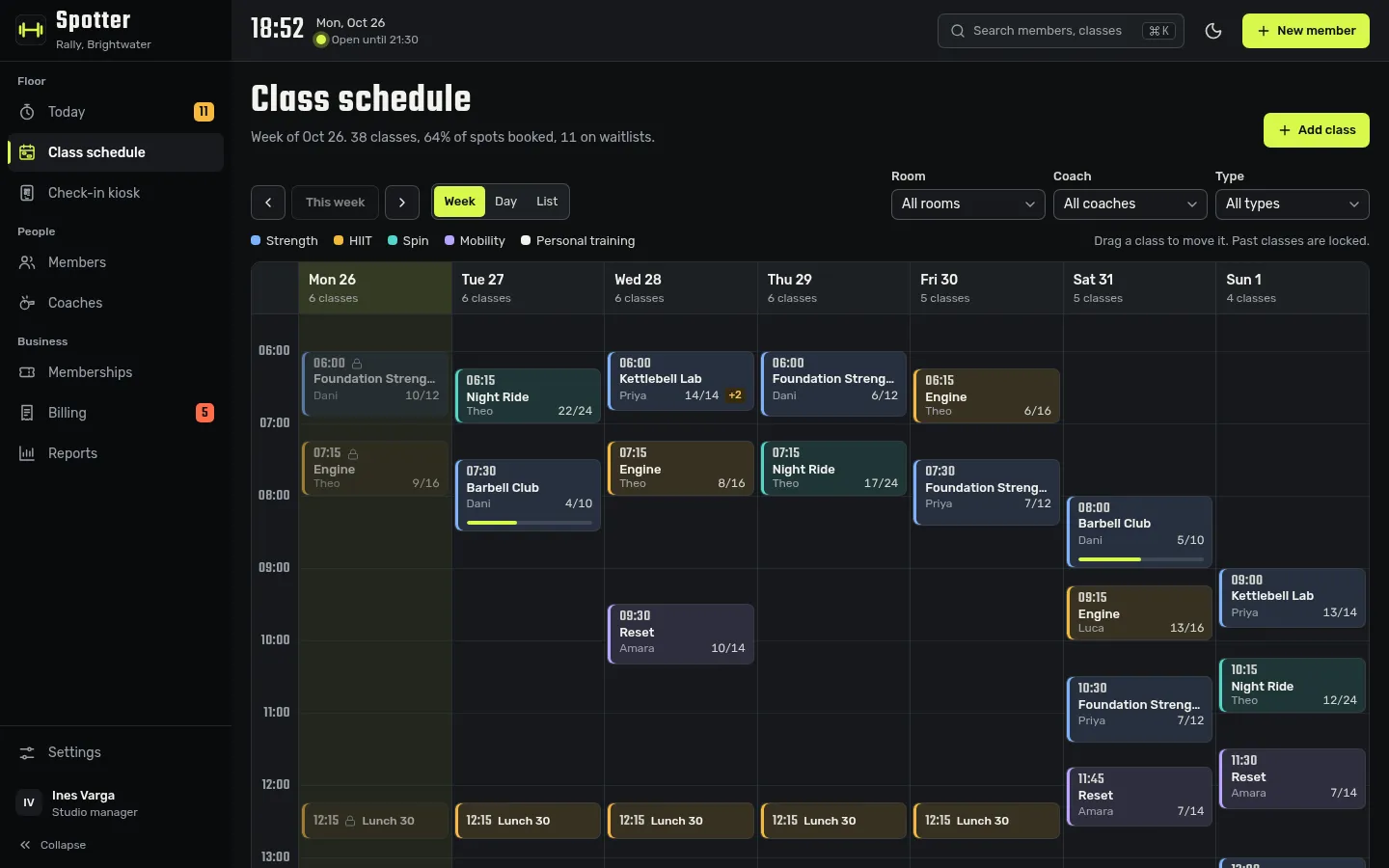
Class schedule: drag to move with room, coach and clock checks 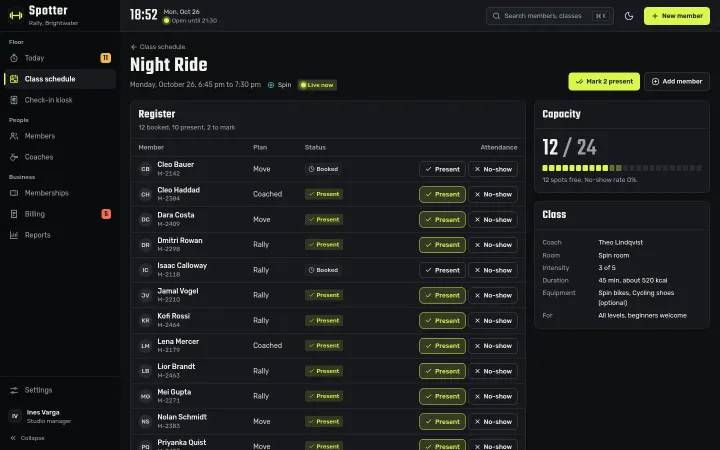
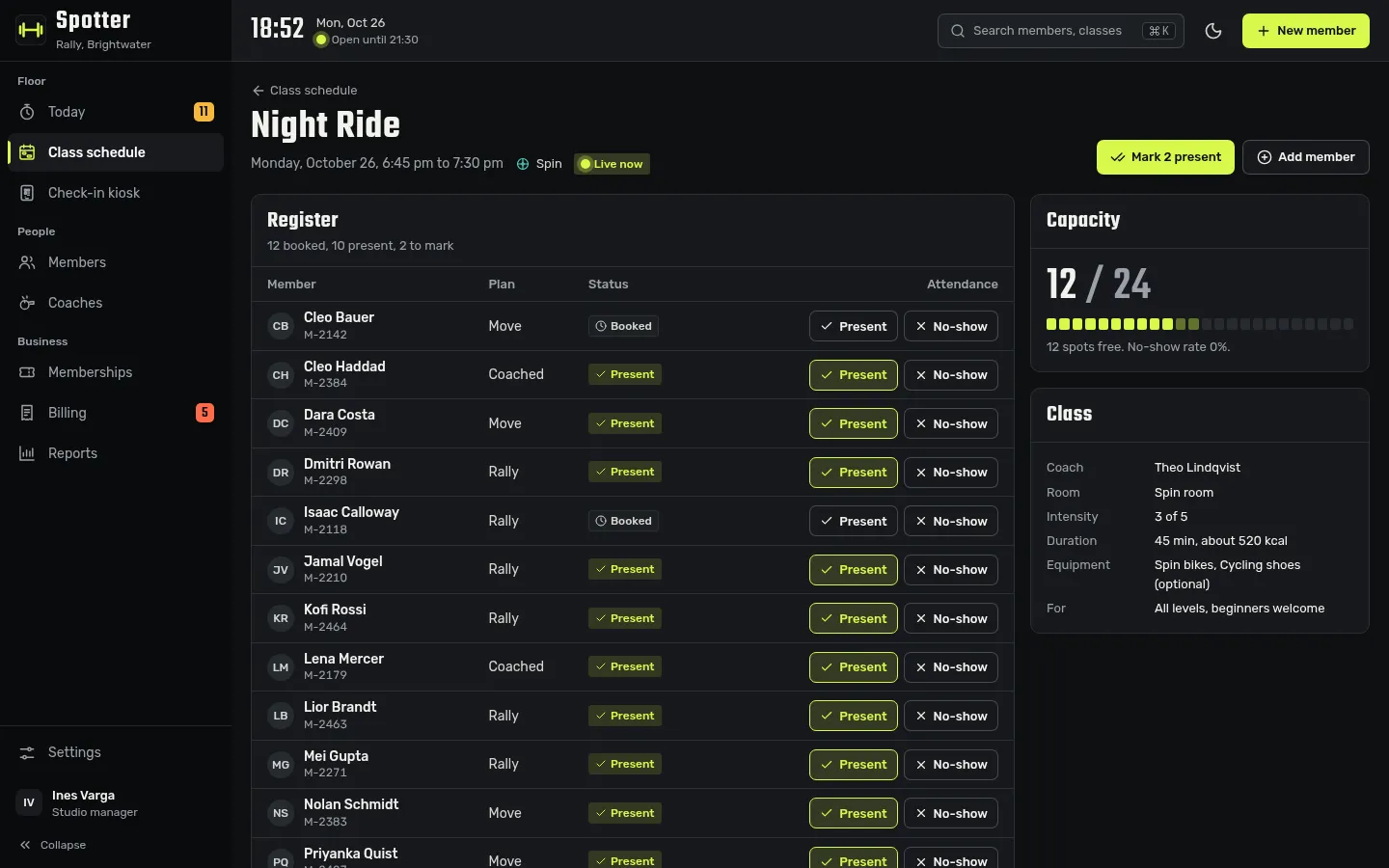
Class register: attendance, no-shows and the waitlist 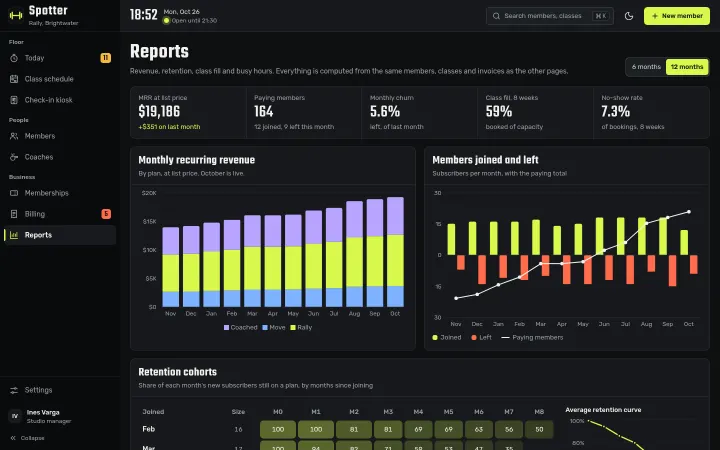
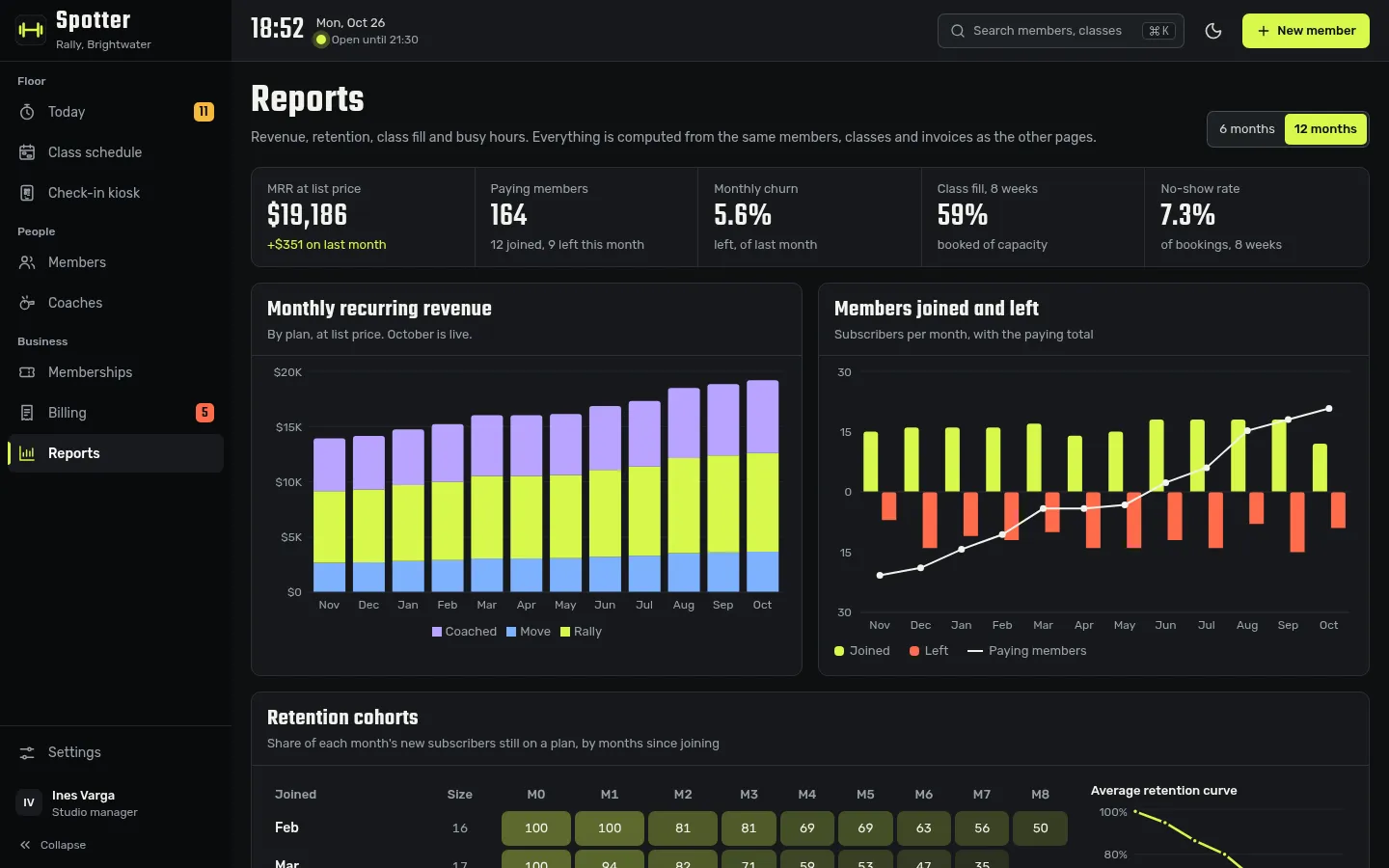
Reports: MRR by plan, joiners and leavers, retention cohorts 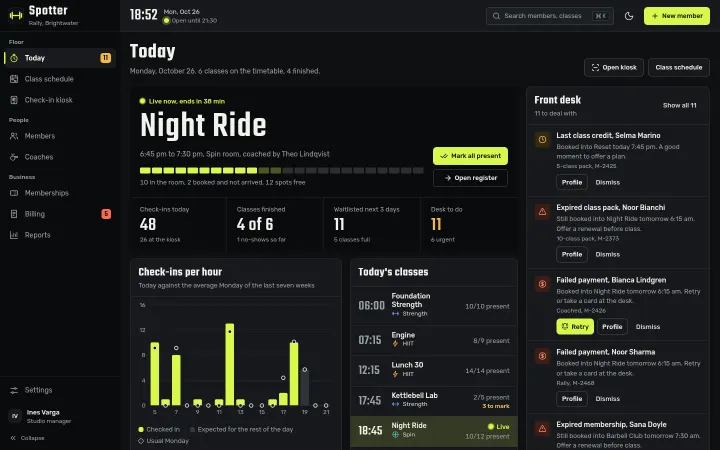
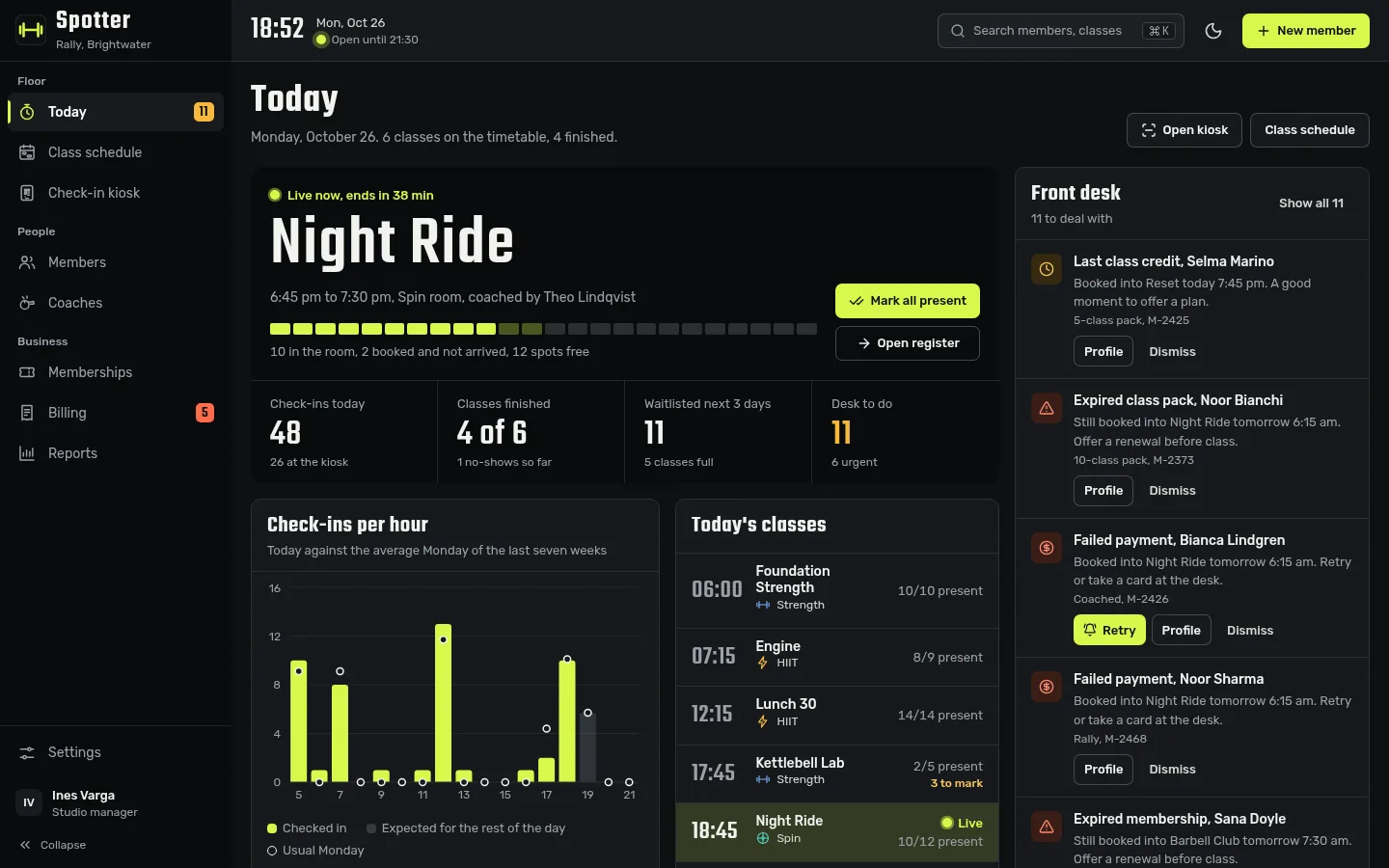
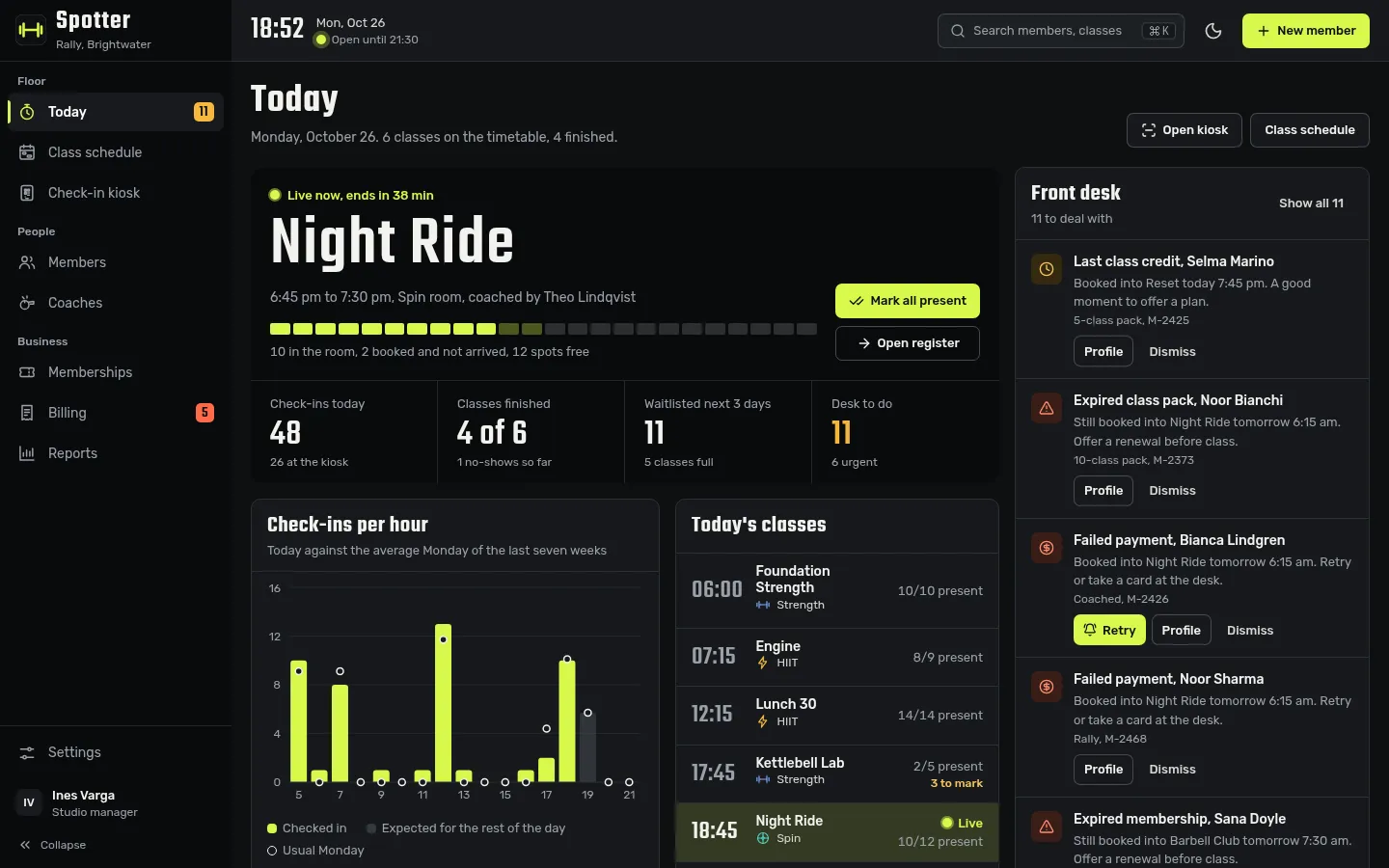
Today: live class, check-ins per hour and front-desk alerts
About Spotter
The back office of a boutique gym, shown as the fictional Rally studio in Brightwater with eight class types, five coaches, four rooms and three plans around a frozen clock on a Monday evening. A class schedule by week, by room or by coach, with drag to move and room, coach and clock checks; a class register with attendance, no-shows and waitlist promotion; a check-in kiosk for a tablet that handles frozen, expired and past-due members; members with a churn-risk score, freeze and cancel flows; plans, packs and promo codes, billing with a failed-payment retry queue, coaches and reports with MRR, retention cohorts, class fill and peak hours. The back-office pair of Rally. React 19, TypeScript and Tailwind CSS 4, dark and light, 4 palettes.
Best for boutique gyms, fitness and yoga studios, CrossFit and spin boxes, personal training businesses and the teams building gym or class-booking software.
Features
Class schedule
Week, day and list views, the day split by room or by coach, with capacity bars and a now line. Drag a class with the mouse, pen or touch, or move it with the arrow keys in 15-minute steps; a move is refused with the reason when the time has passed, the room is too small, the coach does not teach that class or the room or coach is busy, and an accepted move comes with Undo.
Class register
The roster of each class with present and no-show buttons, a waitlist with Promote first, reschedule and cancel, and the count of members still to mark once the class has ended.
Check-in kiosk
A portrait tablet screen with a big member search and a QR placeholder. It marks the member present in the class they booked, and answers frozen, expired, past-due, out of credits and already checked in with their own message.
Today
The class running now, the next ones, check-ins per hour against the average Monday of the last seven weeks, and front-desk alerts: failed payments and expired members booked in the next day, last pack credit, intro week ending, registers left open and waitlists with a free spot.
Members and churn risk
Search and filters by status, plan, last visit and churn risk, CSV export, and a profile with a 12-week visit heatmap, bookings, billing history, notes and freeze and cancel flows. Risk comes from the drop in visits, days since the last visit, a failed payment or a cancellation request, with the reasons shown.
Plans and billing
Rally's Move, Rally and Coached plans, class packs, drop-in and intro week with its conversion rate, promo codes; invoices with refunds and a retry queue for failed card payments.
Coaches
The five coaches with their week, teaching hours, average fill, classes taught and a rating trend (demo data).
Reports
MRR by plan, members joined and left, monthly churn, retention cohorts, class fill rate, no-show rate, reasons for leaving and a peak-hours heatmap, all computed from the same members, classes and invoices.
Dark first + 4 palettes
A near-black gym-floor dark mode by default and a chalk-paper light mode, with Volt, Ice, Amber and Lilac accents. Status always carries a word or an icon, never colour alone. Teko and Rubik, self-hosted.
What's included
- Today
- Class schedule (week, day, list)
- Class detail and register
- Members
- Member profile
- Check-in kiosk
- Memberships and plans
- Billing and retry queue
- Coaches
- Reports
- Settings
- Marketing landing page
- Sign-in page
- 404 page
Tech stack and fit
Built with
- React 19
- TypeScript
- Vite 7
- Tailwind CSS 4
- Recharts 3
- React Router 7
Who it's for
Boutique gyms, fitness and yoga studios, CrossFit and spin boxes, personal training businesses and the teams building gym or class-booking software.
Pairs well with
Built around the same kind of business, so the back office and the public site can share one brand.
Tags
Spotter FAQ
Is there a backend?
No. Members, classes, rosters, waitlists, check-ins, invoices and promo codes are generated from a fixed seed in src/data/generate.ts around a frozen clock (Monday 26 October 2026, 18:52) in src/data/clock.ts, so the Reports agree with the Members list. StudioContext (src/context/StudioContext.tsx) holds the mutable state: replace its initial state with your API and put your calls in actions such as moveSession, markAttendance, promoteNext, checkIn, freezeMember and retryInvoice.
What stops a class from being moved?
One function, clashFor in src/lib/domain.ts: the new time has already passed, the target room holds fewer people than the class, the coach does not teach that class, or the room or the coach is already busy then. A refused move shows the reason in a toast; an accepted one offers Undo. Past classes are locked.
How does the check-in kiosk work?
The /kiosk page is laid out for a portrait tablet: members search their name (a QR placeholder stands for a scanner). A member booked into a class starting within the hour is marked present in it; frozen, expired or cancelled members, empty class packs, past-due payments and repeat check-ins each get their own message. Connect a real scanner and your access control there.
How is churn risk calculated?
riskOf in src/lib/domain.ts scores paying members from the drop in visits over the last two weeks against the previous eight, the days since the last visit, a failed payment and a cancellation request. It returns a level (low, medium, high), a score and the reasons, which the Members filter and the profile show.
Does Spotter match the Rally website?
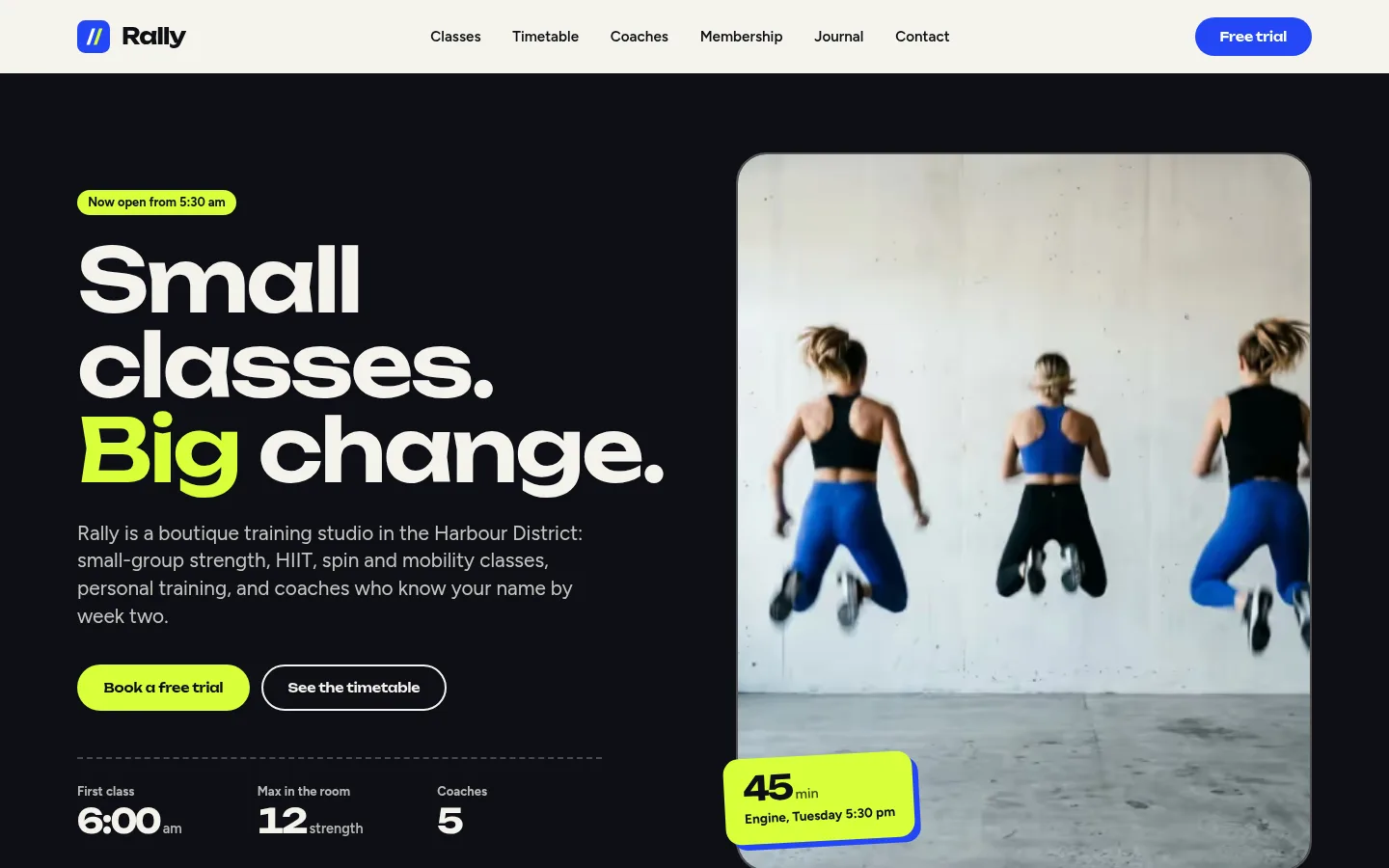
Yes. It is the back office of the same fictional studio: the same eight classes, weekly timetable, five coaches, plans, class packs, drop-in price, intro week, address and opening hours, copied from Rally into src/data/catalog and src/config/studio.ts. Rooms are added by the back office. There is no code dependency, and each template is sold separately.
Are payments real?
No. Invoices, refunds and the failed-payment retry queue are demo data; a retry succeeds two times out of three. Cards appear as "Card ending 1234" and no payment provider is named. Connect your billing provider in retryInvoice, markPaid and refundInvoice.
Is there a light mode?
Yes. Dark is the default, with light and system modes and four accent palettes (Volt, Ice, Amber, Lilac) remembered in the browser. In light mode the primary button turns ink with an accent label, so the lime accent is never used as text on a light background.
How much does Spotter cost, and are updates included?
$39 USD, a one-time purchase on Gumroad with instant download. There is no subscription and every future update of Spotter is free.
Can I use Spotter for a client project?
Yes. The license covers personal and commercial projects, including client work. Reselling or redistributing the template itself is not allowed.
Related templates
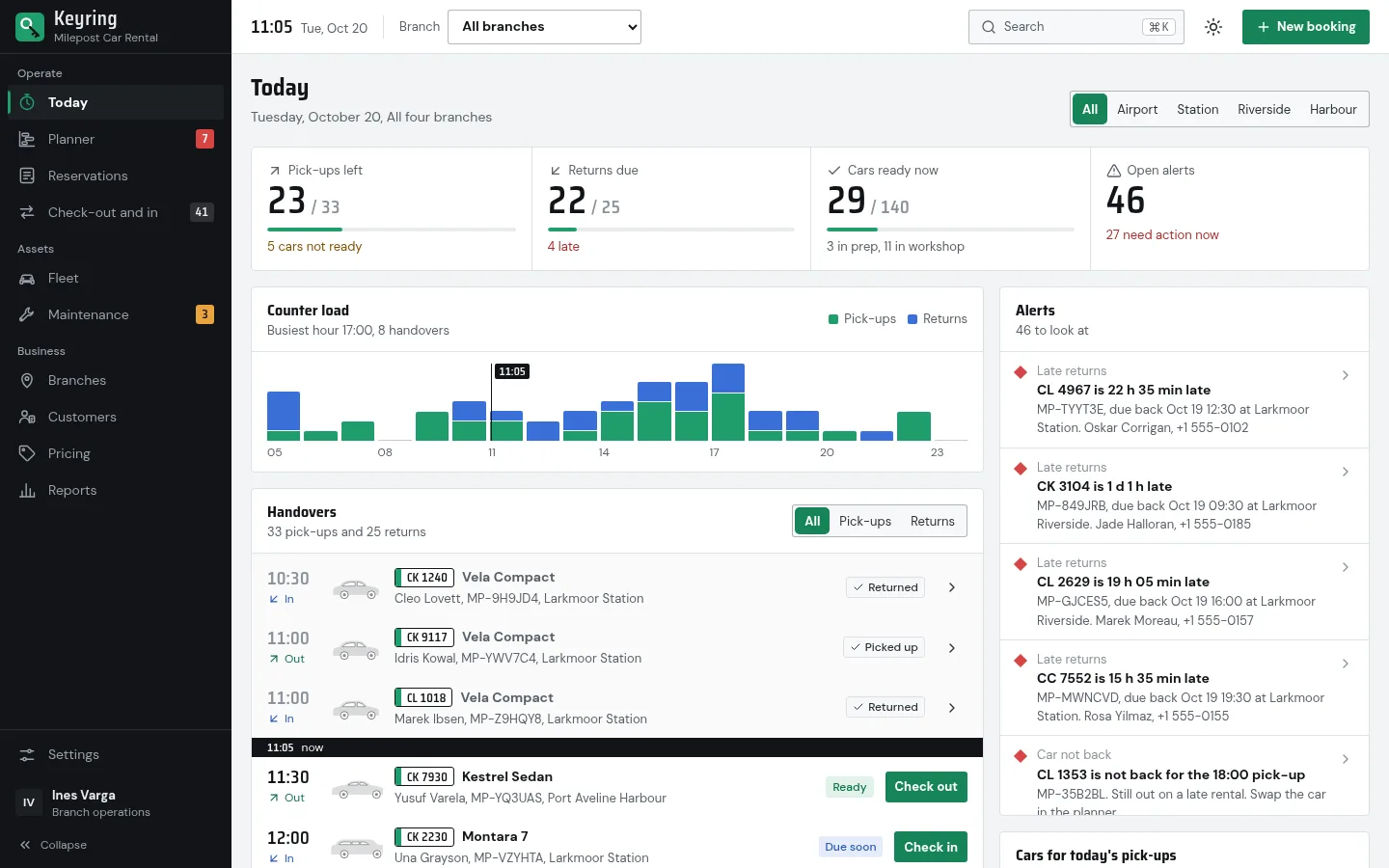
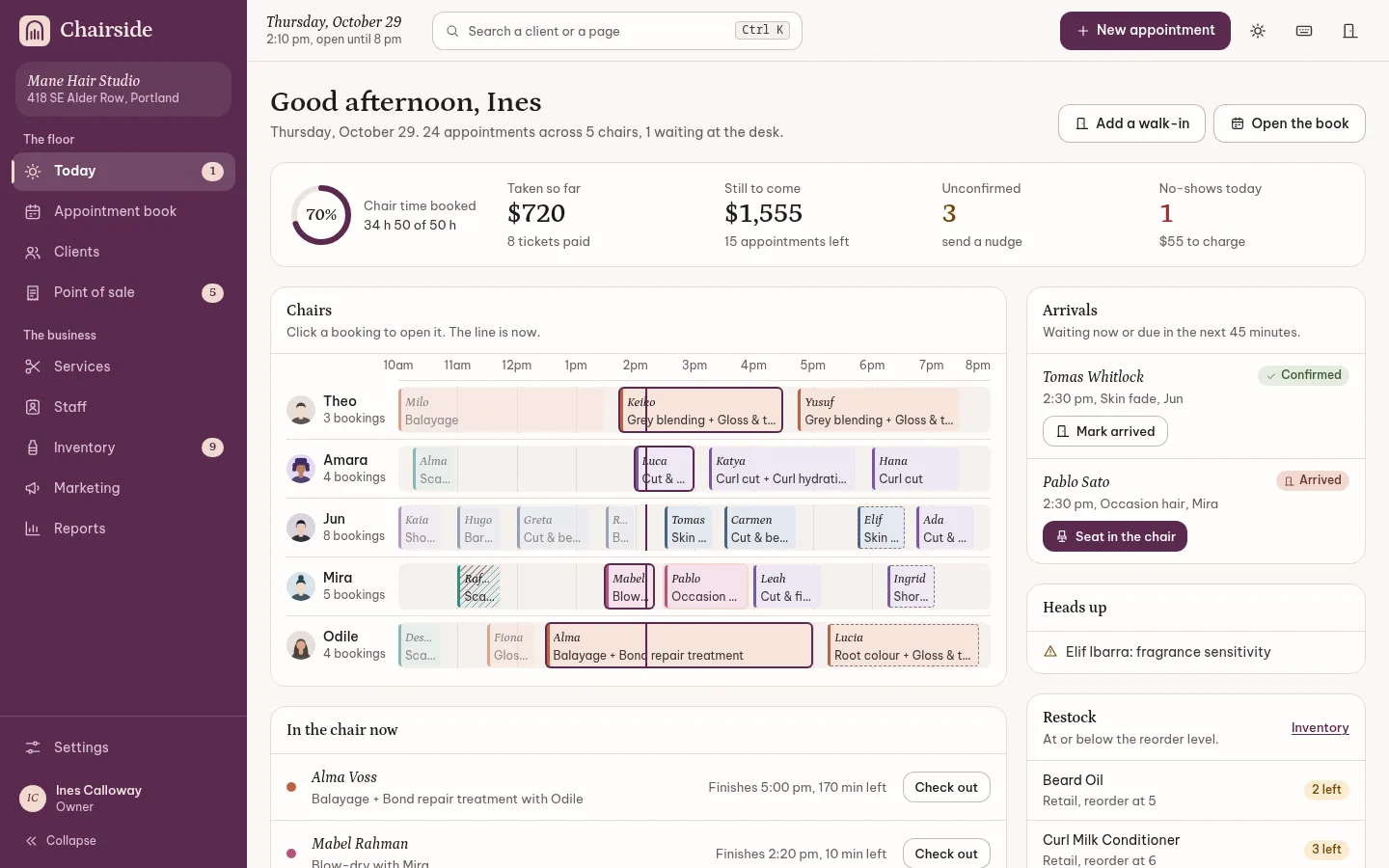
Close in purpose or features to Spotter. Browse all 51 templates.
Spotter, $39 once. Click through the whole demo before you decide.