
WebsiteDocumentation website Coming soon
Sextant
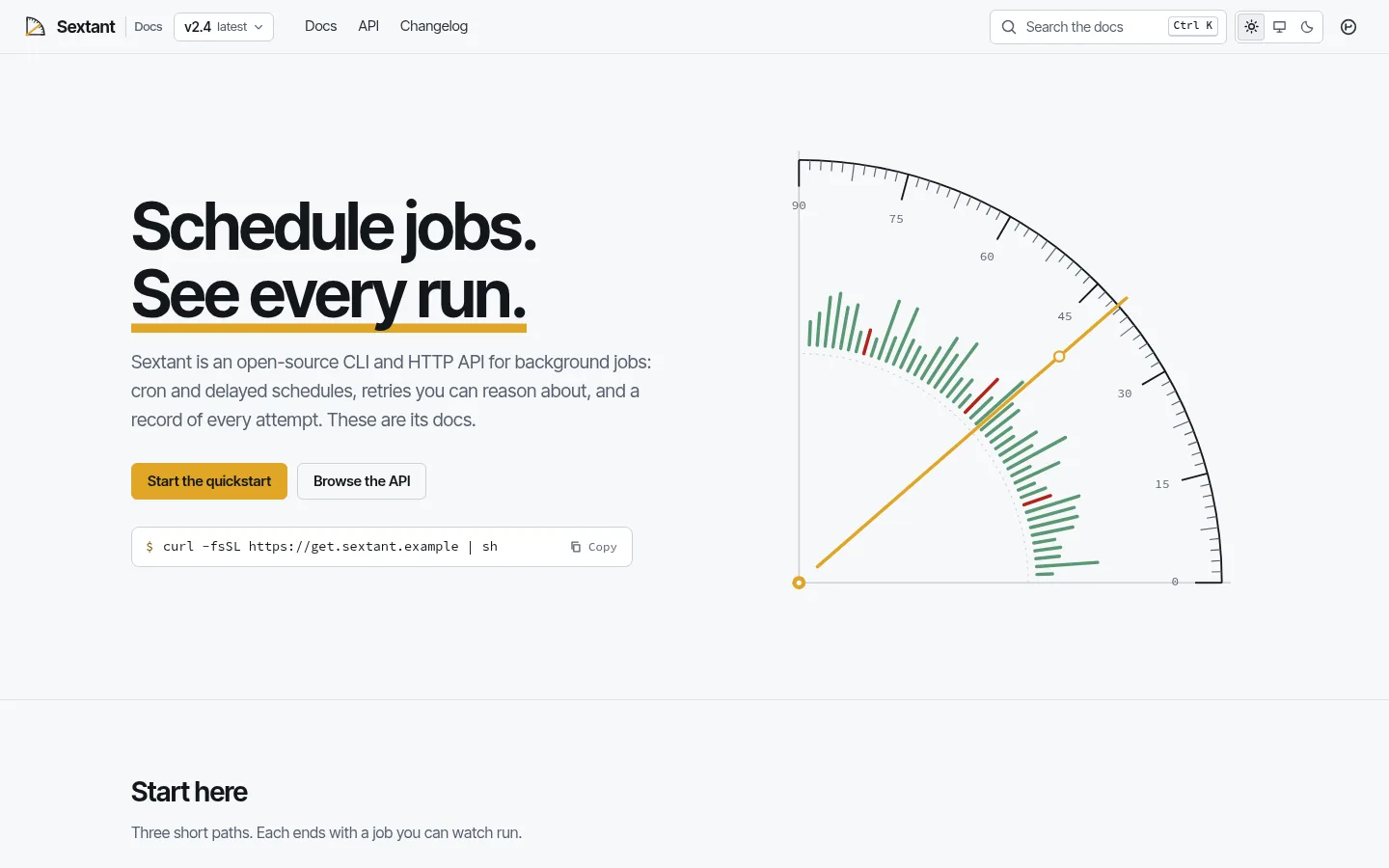
Product documentation website with versioned docs, Pagefind search, code tabs, a generated API reference, a changelog and llms.txt.
More screenshots
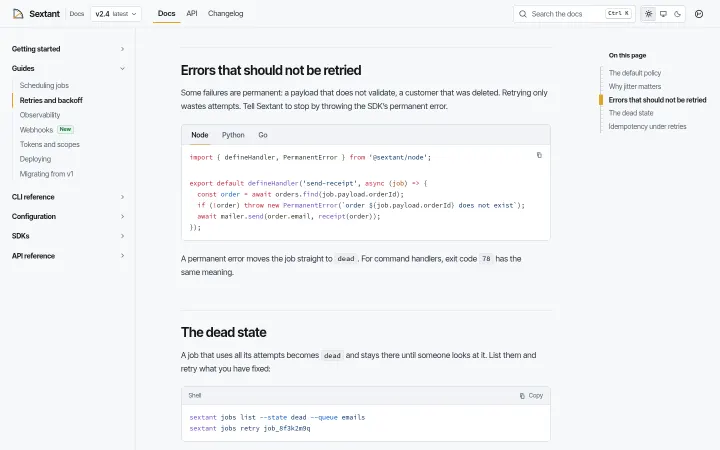
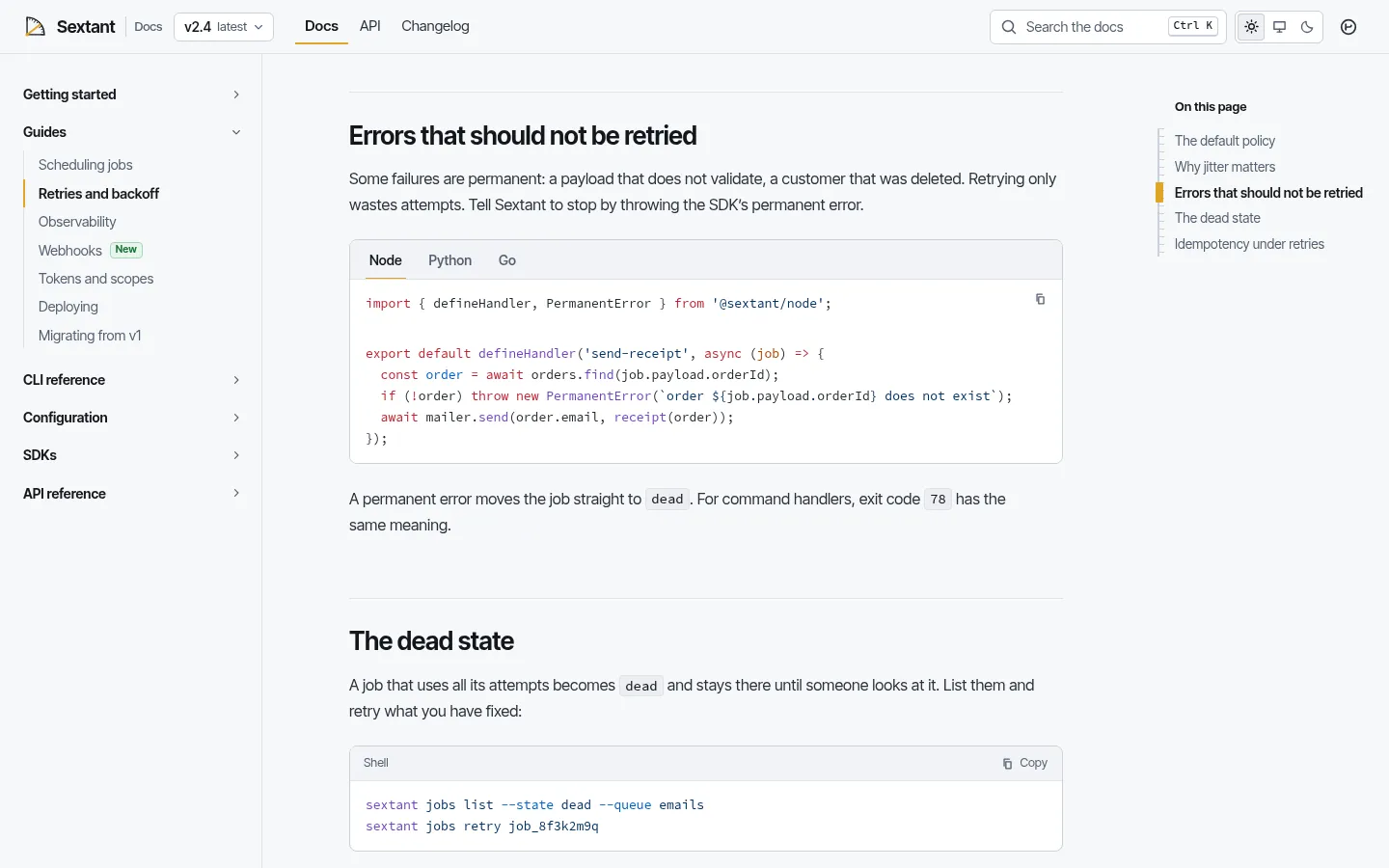
Guide with code tabs synced across languages 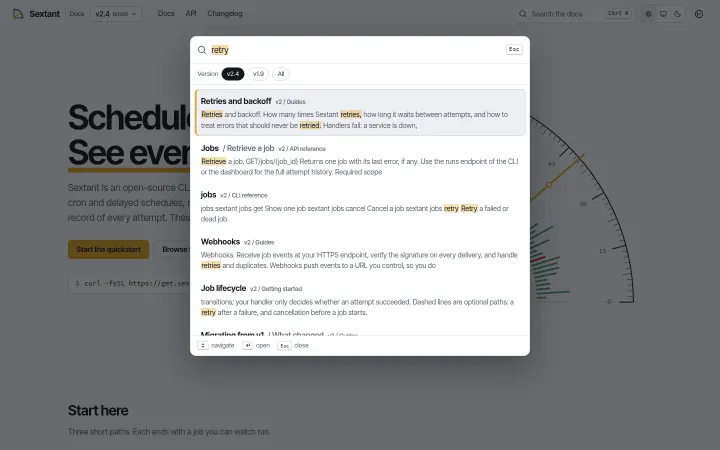
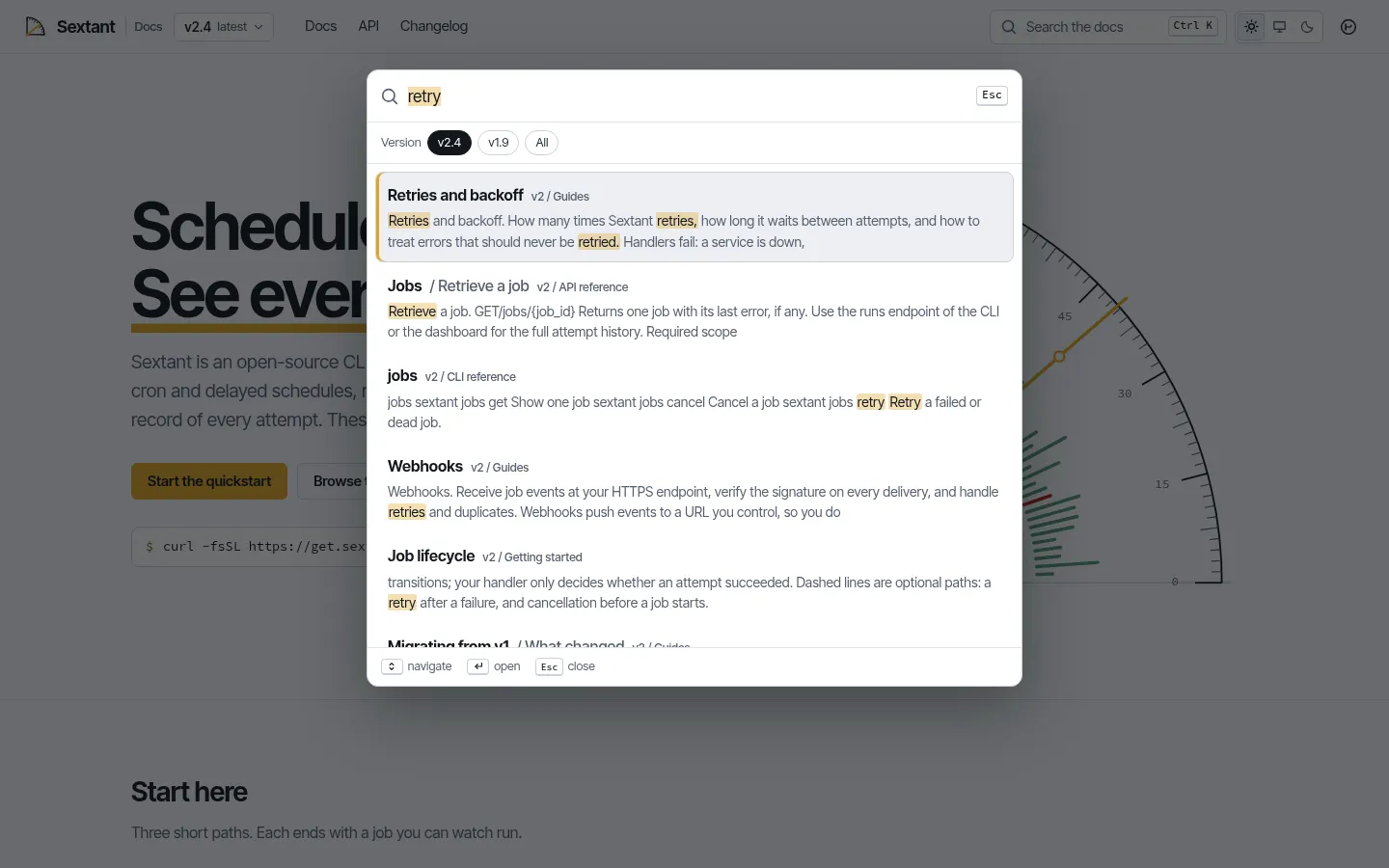
Pagefind search dialog 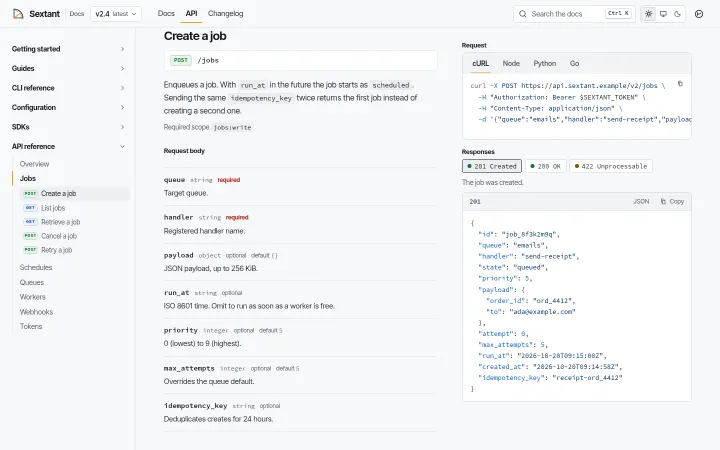
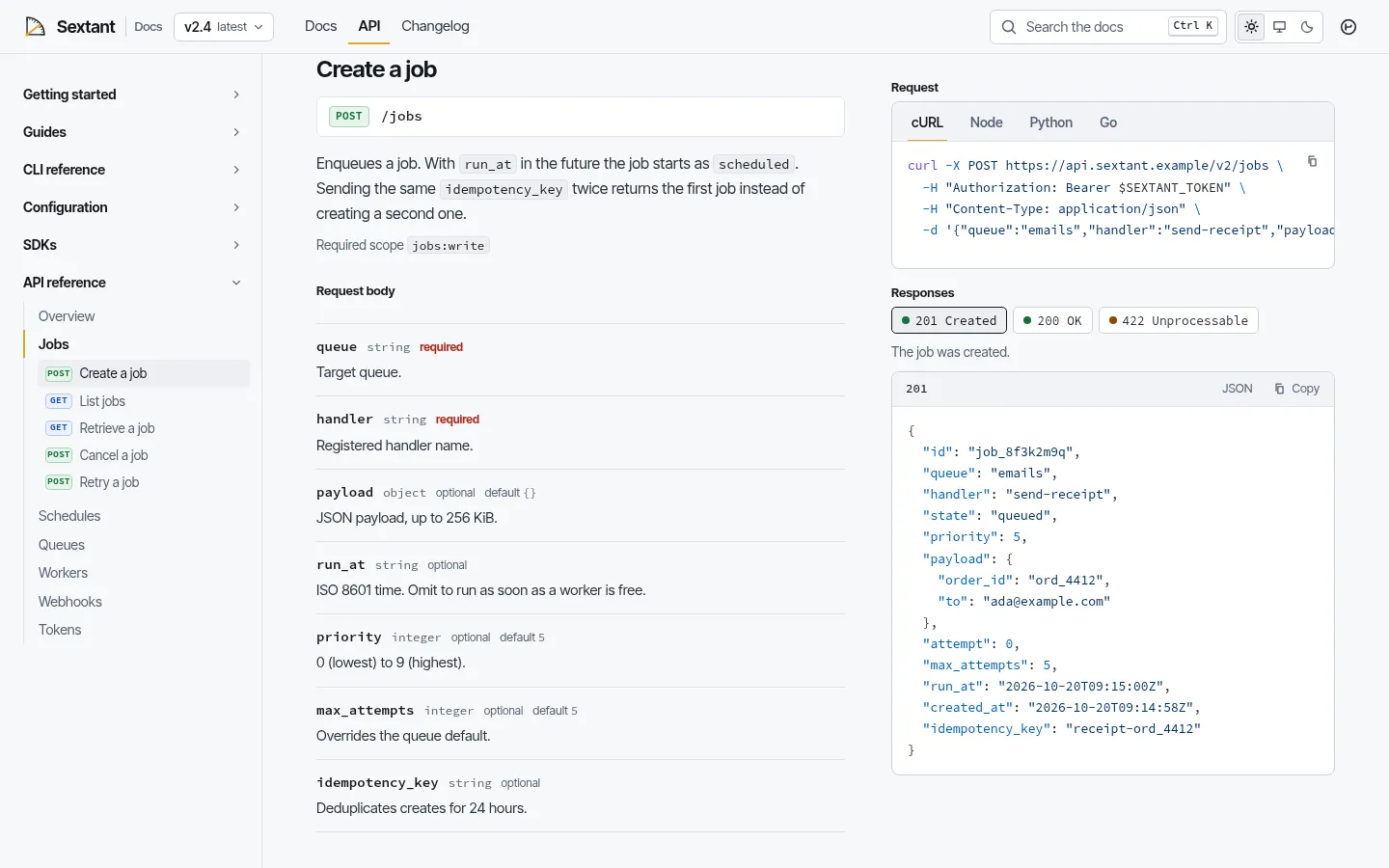
Generated API reference with code samples 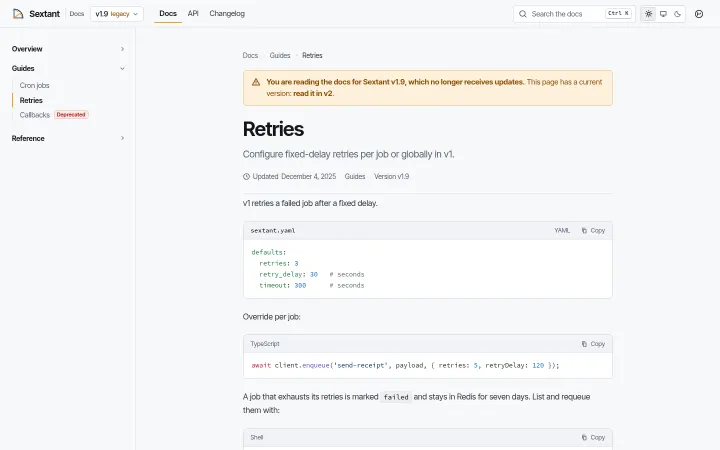
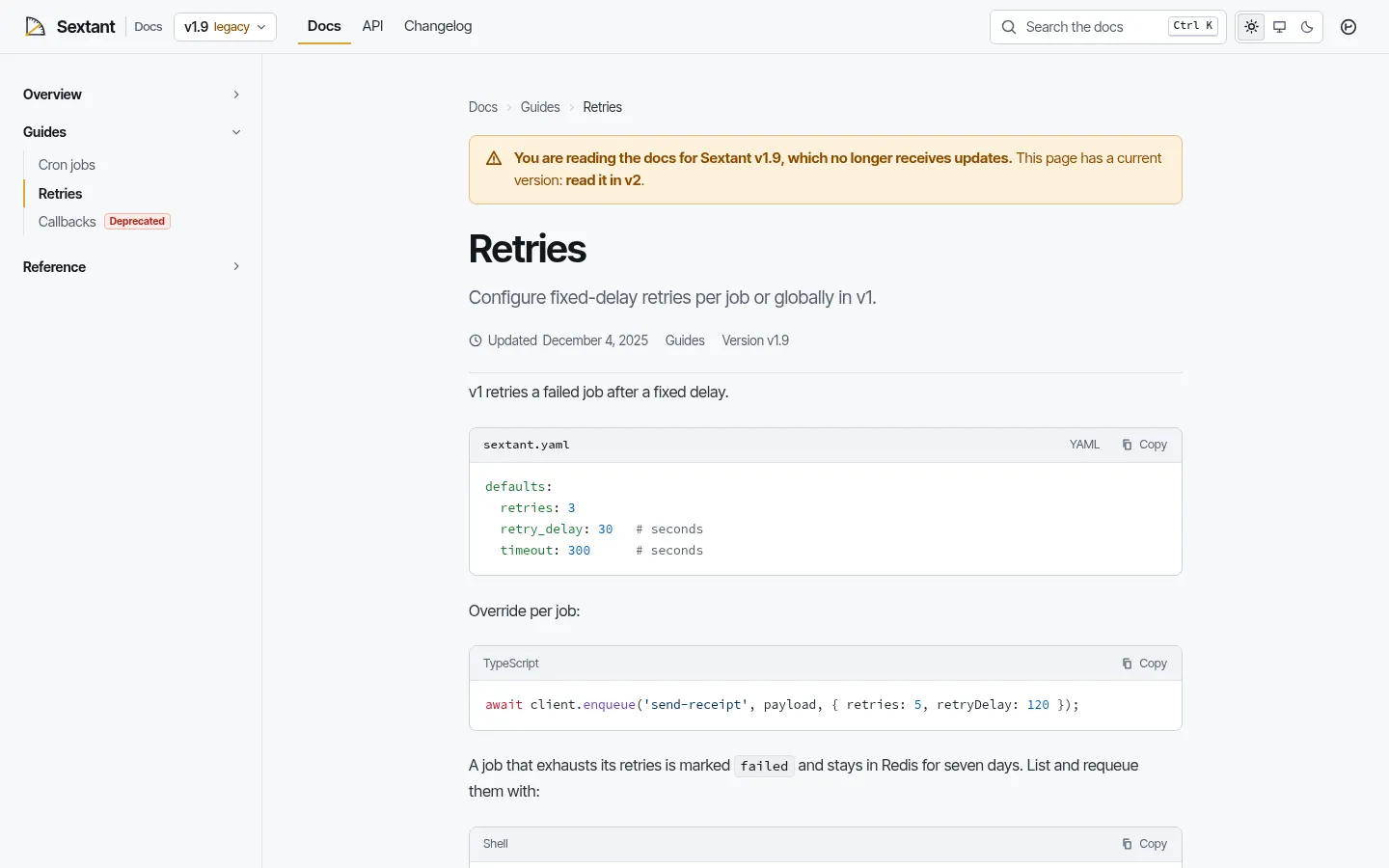
Legacy v1 page with the outdated-version banner
About Sextant
A documentation site for a developer product, shown as the fictional Sextant, an open-source CLI and HTTP API for scheduling background jobs. Two versions side by side (v2 current, v1 legacy with an outdated banner and a version switcher), a sidebar built from frontmatter, a scroll-spy table of contents, MDX components for callouts, steps, cards, parameter tables and code tabs that stay in sync, an API reference generated from one JSON file with cURL, Node, Python and Go samples, a changelog, Pagefind search on Ctrl K or Cmd K, and llms.txt for AI assistants. Light and dark mode in Inter Tight and Source Code Pro. Astro and Tailwind CSS 4.
Best for developer tools, APIs, open-source projects, SaaS products and the teams that write their docs.
Features
Versioned docs
One folder per version: v2 current and v1 legacy in the demo, an outdated-version banner on legacy pages and a version switcher that opens the same page in the other version when it exists.
Search
Pagefind indexes the built site; the dialog opens with Ctrl K, Cmd K or /, searches the version you are reading, shows popular pages before you type and works under a base path.
API reference
Generated from src/data/api.json: one page per resource with parameters, example requests and responses, and samples in cURL, Node, Python and Go. Add a resource and its page, sidebar entry and search entry appear on the next build.
MDX components
Callouts, steps, link cards, parameter tables, badges, keyboard keys and code tabs whose language choice is shared across the page and remembered; no imports in the docs.
Code blocks
Shiki with light and dark themes, file titles, line highlights, diff lines, optional line numbers and a copy button on every block.
Changelog
Releases as a collection with feature, fix, breaking, security and deprecation tags.
llms.txt
/llms.txt and /llms-full.txt generated from the docs, so AI assistants can read the documentation.
Light and dark
Light, dark and system, remembered and applied before paint, with AA-checked callout and HTTP method colours in both modes. TechArticle, BreadcrumbList, WebSite and SoftwareApplication structured data.
What's included
- Home with quickstart, popular guides, SDK samples and what is new
- 26 v2 documentation pages
- 10 v1 (legacy) documentation pages
- API reference: overview and 6 generated resource pages
- Changelog with 7 releases
- Search dialog
- llms.txt and llms-full.txt
- 404
Tech stack and fit
Built with
- Astro 7
- TypeScript
- MDX
- Tailwind CSS 4
- Shiki
- Pagefind
Who it's for
Developer tools, APIs, open-source projects, SaaS products and the teams that write their docs.
Tags
Sextant FAQ
How does search work without a server?
Pagefind indexes the built HTML after astro build and ships a static index in dist/pagefind. The dialog loads it from the base path, filters results by the version you are reading and opens with Ctrl K, Cmd K or /. It works after npm run build and in npm run preview, not in npm run dev.
How do versions work?
Each version is a folder under src/content/docs (v2 and v1 in the demo) declared in site.versions in src/config/site.ts. Versions marked legacy show an outdated banner on every page, and the version switcher jumps to the same page in the other version when its equivalent is set in the frontmatter. Add a v3 folder and mark it current to start a new version.
How is the API reference built?
From one file, src/data/api.json: resources and endpoints with method, path, parameters, an example body and example responses. Each resource gets its own page with cURL, Node, Python and Go samples generated by src/lib/samples.ts, plus its sidebar, search and llms.txt entries. The generated reference covers v2.
Do I write Markdown or MDX?
MDX files with a short frontmatter (title, description, group, order, updated). The components (Callout, Steps, Cards, CodeTabs, ParamTable, Badge, Kbd and two diagrams) are available in every page without imports, and plain Markdown works in them as usual.
What is llms.txt for?
It is a plain-text index of the documentation for AI assistants and coding tools. Sextant generates /llms.txt (titles, descriptions and links) and /llms-full.txt (the full text) from the docs collection at build time.
Is there a dark mode?
Yes. Light, dark and system, switched from the header, remembered in the browser and applied before the page paints. Code blocks switch theme with the page.
Where can I host it?
Anywhere that serves static files: Netlify, Vercel, Cloudflare Pages, GitHub Pages or your own server. The build command is npm run build and the output is dist; remove the demo base path in astro.config.mjs to serve it from the root of a domain.
When can I buy Sextant?
Sextant is coming soon: the live demo is online, and it goes on sale on Gumroad shortly at $29 USD, a one-time purchase with free updates.
Can I use Sextant for a client project?
Yes. The license covers personal and commercial projects, including client work. Reselling or redistributing the template itself is not allowed.
Related templates
Close in purpose or features to Sextant. Browse all 38 templates.
Sextant is coming soon. The whole demo is already online.